Unlock a world of possibilities! Login now and discover the exclusive benefits awaiting you.

- Qlik Community
- :
- All Forums
- :
- QlikView
- :
- Custom Pop-up Text: Right align
- Subscribe to RSS Feed
- Mark Topic as New
- Mark Topic as Read
- Float this Topic for Current User
- Bookmark
- Subscribe
- Mute
- Printer Friendly Page

- Mark as New
- Bookmark
- Subscribe
- Mute
- Subscribe to RSS Feed
- Permalink
- Report Inappropriate Content
Custom Pop-up Text: Right align
Is it possible to right align text in a pop up expression OR even better add a TAB space.
I have:
Value: $344,444,234
Value2: $544,656,443
I want:
Value: $343,434,544
Value2: $323,131,464

 robert_mika
- Mark as New
- Bookmark
- Subscribe
- Mute
- Subscribe to RSS Feed
- Permalink
- Report Inappropriate Content
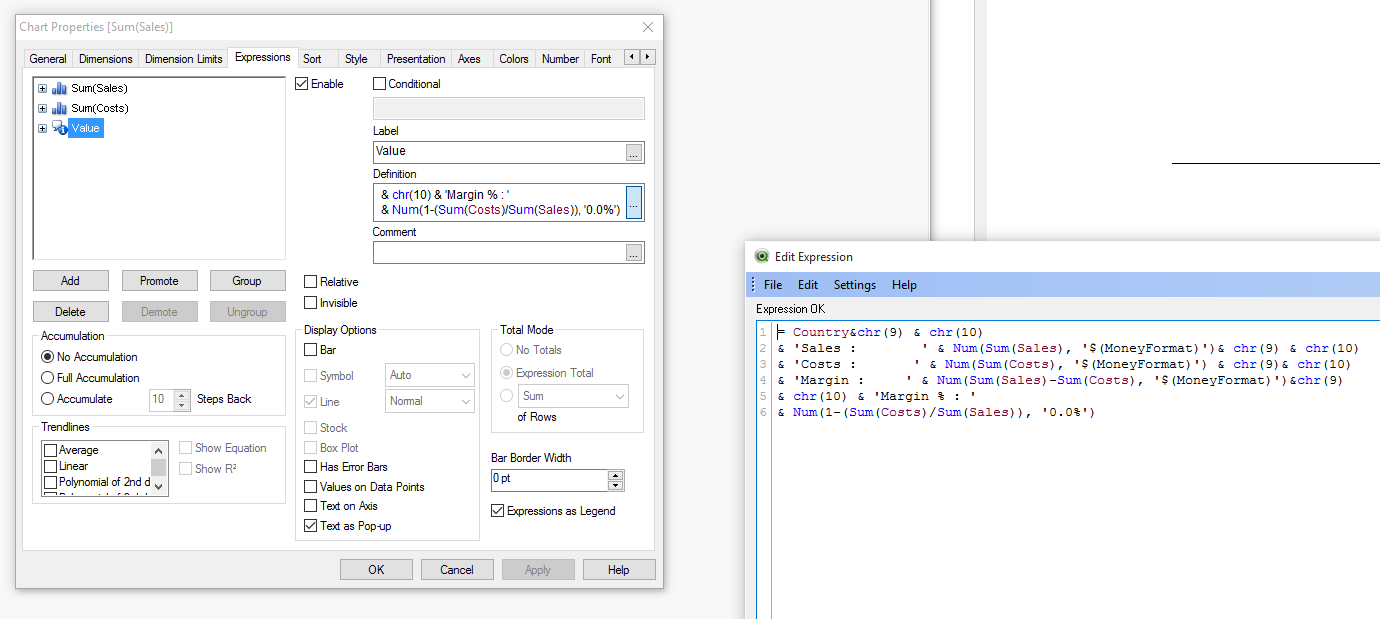
Try like this(not ideal)
You need to add another expression and set it as "Text as Pop-up"
chr(9) is a Tab and as you se there are manually adjusted spaces after ":" for each category
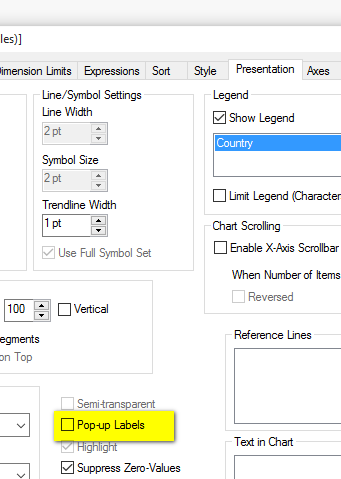
On Presentation tab:
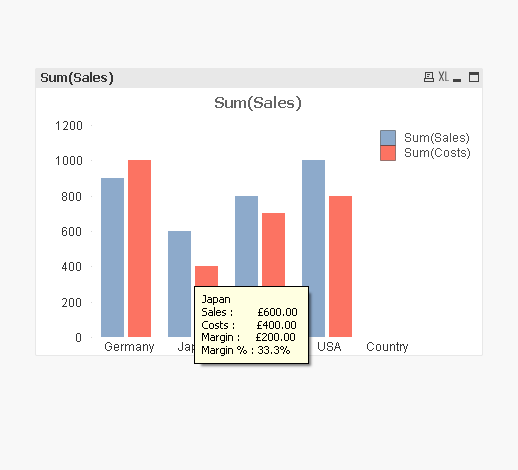
End result
- Mark as New
- Bookmark
- Subscribe
- Mute
- Subscribe to RSS Feed
- Permalink
- Report Inappropriate Content
Yes, that is the only way I see to do it now, but as you can see they are not right-aligned exactly in your example and if the data changes it wouldn't space out dynamically. Is there any other way?
robert_mika
- Mark as New
- Bookmark
- Subscribe
- Mute
- Subscribe to RSS Feed
- Permalink
- Report Inappropriate Content
I do not think so.
Perhaps that would be quite nice feature but you may consider how helpful this is for you/users.
Do they really need that?
- Mark as New
- Bookmark
- Subscribe
- Mute
- Subscribe to RSS Feed
- Permalink
- Report Inappropriate Content
Well, when I'm referencing numbers in the pop-up, it is best for readability to have them right-aligned. It also helps for comparisons as I have more than one number listed.
Thanks for your suggestions though.