Unlock a world of possibilities! Login now and discover the exclusive benefits awaiting you.

- Qlik Community
- :
- All Forums
- :
- QlikView
- :
- Custom note in chart
Options
- Subscribe to RSS Feed
- Mark Topic as New
- Mark Topic as Read
- Float this Topic for Current User
- Bookmark
- Subscribe
- Mute
- Printer Friendly Page
Turn on suggestions
Auto-suggest helps you quickly narrow down your search results by suggesting possible matches as you type.
Showing results for

 raju_salmon
Creator II
2017-06-13
11:43 PM
- Mark as New
- Bookmark
- Subscribe
- Mute
- Subscribe to RSS Feed
- Permalink
- Report Inappropriate Content
Custom note in chart
Hi,
I have two different unrelated FACT Table where i need to build single report. When i select a specific dimension, few chart shows info link NO DATA TO DISPLAY with in chart.
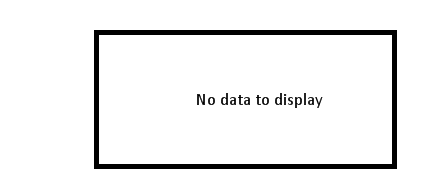
I want to change this text to 'Select a Right Dimension', I tried with error messages option, but not changing. Please help me.
Many Thanks,
Raju
726 Views
1 Solution
Accepted Solutions

 prma7799
Master III
2017-06-14
12:03 AM
- Mark as New
- Bookmark
- Subscribe
- Mute
- Subscribe to RSS Feed
- Permalink
- Report Inappropriate Content
First you have to put condition for all dimension then error message 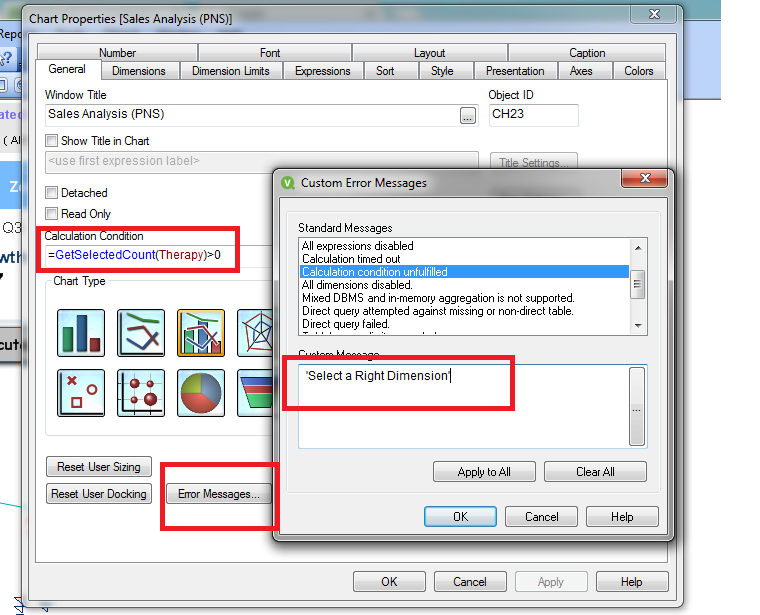
693 Views
2 Replies
prma7799
Master III
2017-06-14
12:03 AM
- Mark as New
- Bookmark
- Subscribe
- Mute
- Subscribe to RSS Feed
- Permalink
- Report Inappropriate Content
First you have to put condition for all dimension then error message
694 Views


2017-06-14
12:22 AM
- Mark as New
- Bookmark
- Subscribe
- Mute
- Subscribe to RSS Feed
- Permalink
- Report Inappropriate Content
You want to change text only, then why can't you change directly from where you write earlier message. I am sorry, If i mis understand the whole thread
Best Anil, When applicable please mark the correct/appropriate replies as "solution" (you can mark up to 3 "solutions". Please LIKE threads if the provided solution is helpful
693 Views
