Unlock a world of possibilities! Login now and discover the exclusive benefits awaiting you.

- Qlik Community
- :
- All Forums
- :
- QlikView
- :
- Display excluded values within a range
- Subscribe to RSS Feed
- Mark Topic as New
- Mark Topic as Read
- Float this Topic for Current User
- Bookmark
- Subscribe
- Mute
- Printer Friendly Page

- Mark as New
- Bookmark
- Subscribe
- Mute
- Subscribe to RSS Feed
- Permalink
- Report Inappropriate Content
Display excluded values within a range
Hi There,
I'm currently trying to find a way to display excluded values within the range of a selection. What I have is a list of transactions (attached to a program and a financial year). When a user selects a list of FY's (e.g. 2018/2018, 2017/2018, 2015/2016), I'm wanting to display in a text box the years within the range that they haven't selected (for the above case, that would be 2016/2017).
I've got this working when a user has not made selections in any other filters, but once they've selected a program, then it doesn't behave the same way:
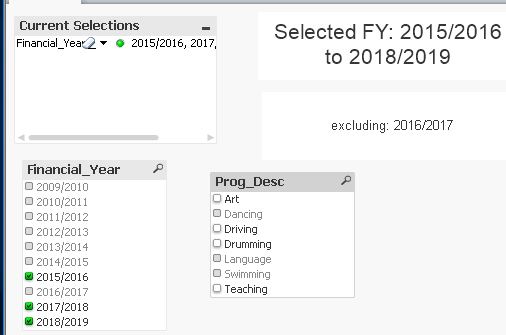
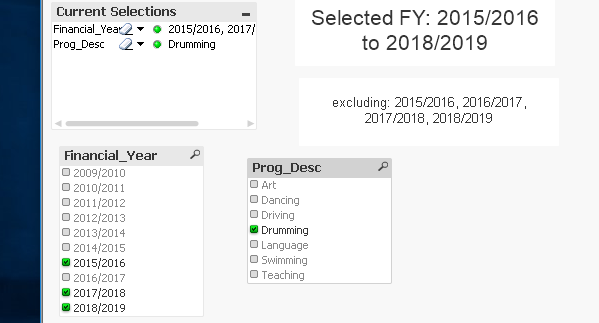
Is there a way to change the calculation so that the behavior remains consistent regardless of what's selected in other filters?
I've attached the file as well.