Unlock a world of possibilities! Login now and discover the exclusive benefits awaiting you.

- Qlik Community
- :
- All Forums
- :
- QlikView
- :
- Re: Don't suppress null()
- Subscribe to RSS Feed
- Mark Topic as New
- Mark Topic as Read
- Float this Topic for Current User
- Bookmark
- Subscribe
- Mute
- Printer Friendly Page

- Mark as New
- Bookmark
- Subscribe
- Mute
- Subscribe to RSS Feed
- Permalink
- Report Inappropriate Content
Don't suppress null()
Hi,
I have a straight table with a count expression and it's showing only rows which are meeting criteria and suppressing others.
Expression is - =count({<ReportedMonth={$(vCurrentActMonth)},ReportedYear= {$(vCurrentActYear)}>} distinct floor(CreatedOn))
Now I want all Employee Name, irrespective of when it was created. if it doesn't match the criteria, show 0.
I have tried unchecking suppress null values in both dimension and expression, but nothing worked.
Regards,
Navdeep
- « Previous Replies
-
- 1
- 2
- Next Replies »
- Mark as New
- Bookmark
- Subscribe
- Mute
- Subscribe to RSS Feed
- Permalink
- Report Inappropriate Content
tried, its generating nulls towards the end and if I suppress null values for others then not showing 0 for other years.
Need to show all details for records which are having 0.

 buzzy996
- Mark as New
- Bookmark
- Subscribe
- Mute
- Subscribe to RSS Feed
- Permalink
- Report Inappropriate Content
see this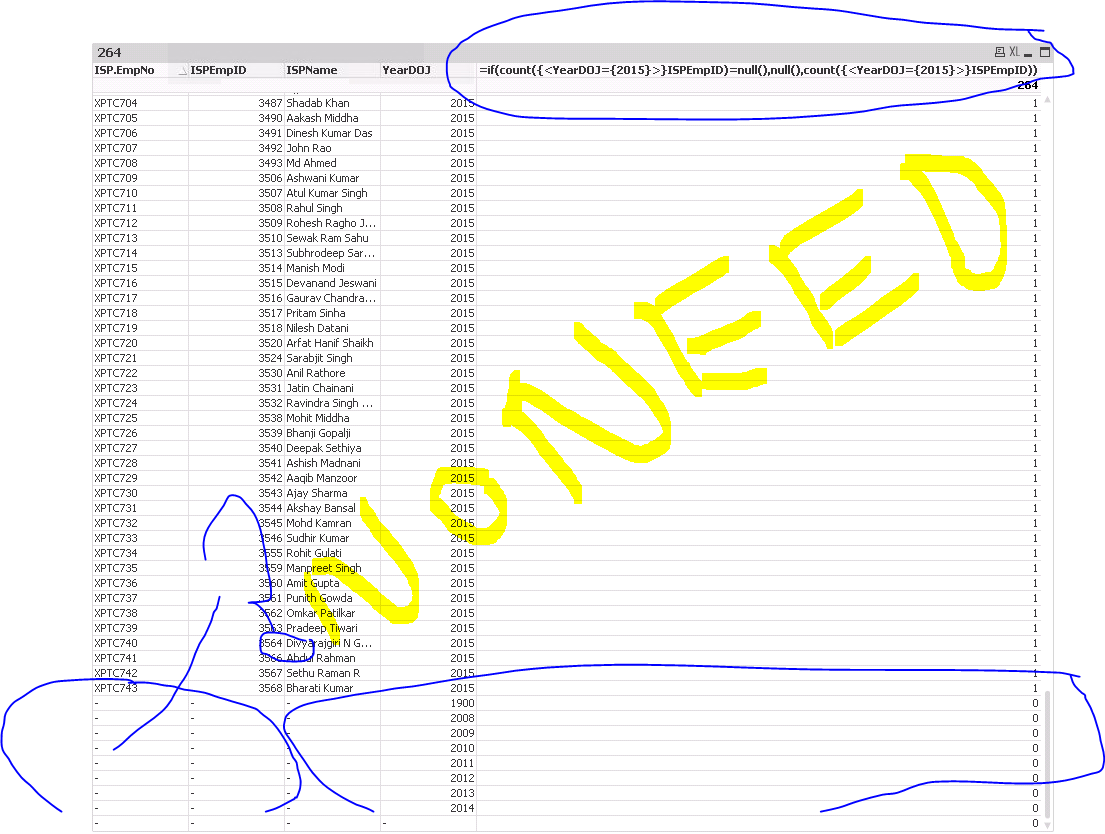

 sunny_talwar
- Mark as New
- Bookmark
- Subscribe
- Mute
- Subscribe to RSS Feed
- Permalink
- Report Inappropriate Content
Does this look like what you want? (PFA)
Best,
Sunny
- Mark as New
- Bookmark
- Subscribe
- Mute
- Subscribe to RSS Feed
- Permalink
- Report Inappropriate Content
Correctly pointed, instead of these "-" we need records for those years.

 Gysbert_Wassena
- Mark as New
- Bookmark
- Subscribe
- Mute
- Subscribe to RSS Feed
- Permalink
- Report Inappropriate Content
See attached qvw. If that's not what you're looking you'll have to explain in more detail what you want as result.
talk is cheap, supply exceeds demand
sunny_talwar
- Mark as New
- Bookmark
- Subscribe
- Mute
- Subscribe to RSS Feed
- Permalink
- Report Inappropriate Content
Nice one Gysbert Wassenaar. I got the same result using another approach (create another expression and hide it from the properties tab)
Best,
Sunny
- Mark as New
- Bookmark
- Subscribe
- Mute
- Subscribe to RSS Feed
- Permalink
- Report Inappropriate Content
Hi Sunny, Yes it seems good solution, but I am having this expression as one of the many expression in dynamic reports, thus can't use this, it's breaking my other expression. Please suggest some thing else.
sunny_talwar
- Mark as New
- Bookmark
- Subscribe
- Mute
- Subscribe to RSS Feed
- Permalink
- Report Inappropriate Content
Use the method proposed by Gysbert.
Best,
Sunny
buzzy996
- Mark as New
- Bookmark
- Subscribe
- Mute
- Subscribe to RSS Feed
- Permalink
- Report Inappropriate Content
so,u can try Gysbert Wassenaar solution.
- « Previous Replies
-
- 1
- 2
- Next Replies »