Unlock a world of possibilities! Login now and discover the exclusive benefits awaiting you.

- Qlik Community
- :
- All Forums
- :
- QlikView
- :
- Re: Dynamic Chart Name
- Subscribe to RSS Feed
- Mark Topic as New
- Mark Topic as Read
- Float this Topic for Current User
- Bookmark
- Subscribe
- Mute
- Printer Friendly Page

 stjernvd
- Mark as New
- Bookmark
- Subscribe
- Mute
- Subscribe to RSS Feed
- Permalink
- Report Inappropriate Content
Dynamic Chart Name
Hi,
I want to make my chart name dynamic in the sense that when I click on the stock and year, the name in the chart changes according to what stock and year is selected. If none are selected I want the title to be 'Stock Performance 2012-2014'.
How can I do this? (also how do I enter a space between dimension names in a chart title?)
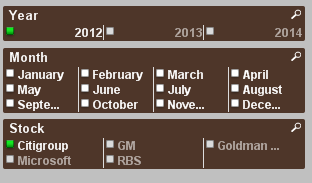
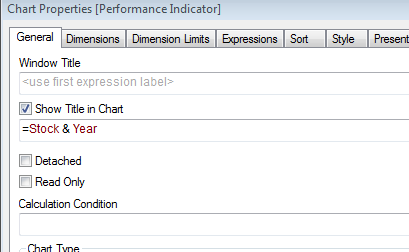
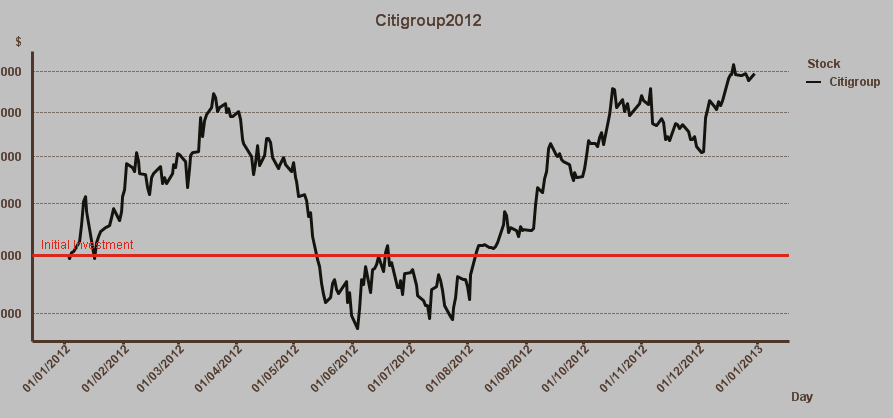
Thanks
Danielle
Accepted Solutions

 avinashelite
- Mark as New
- Bookmark
- Subscribe
- Mute
- Subscribe to RSS Feed
- Permalink
- Report Inappropriate Content
if your stocks are single select than you can use sunindia expression , if its a multi select you can try like :
If(GetSelectedCount(Year) = 0 and GetSelectedCount(Stock) = 0, 'Stock Performance 2012-2014',
getfieldselection(Year,'|')&'-'&getfieldselection(Stock,'|'))
 sunny_talwar
- Mark as New
- Bookmark
- Subscribe
- Mute
- Subscribe to RSS Feed
- Permalink
- Report Inappropriate Content
Try this:
If(GetSelectedCount(Year) = 0 or GetSelectedCount(Stock) = 0, 'Stock Performance 2012-2014', Stock & Year)
If(GetSelectedCount(Year) = 0 or GetSelectedCount(Stock) = 0, 'Stock Performance 2012-2014', Stock & ' ' & Year)
sunny_talwar
- Mark as New
- Bookmark
- Subscribe
- Mute
- Subscribe to RSS Feed
- Permalink
- Report Inappropriate Content
Or may be this:
If(GetSelectedCount(Year) = 1 and GetSelectedCount(Stock) = 1, Stock & Year, 'Stock Performance 2012-2014')
If(GetSelectedCount(Year) = 1 and GetSelectedCount(Stock) = 1, Stock & ' ' & Year, 'Stock Performance 2012-2014')
avinashelite
- Mark as New
- Bookmark
- Subscribe
- Mute
- Subscribe to RSS Feed
- Permalink
- Report Inappropriate Content
if your stocks are single select than you can use sunindia expression , if its a multi select you can try like :
If(GetSelectedCount(Year) = 0 and GetSelectedCount(Stock) = 0, 'Stock Performance 2012-2014',
getfieldselection(Year,'|')&'-'&getfieldselection(Stock,'|'))
stjernvd
- Mark as New
- Bookmark
- Subscribe
- Mute
- Subscribe to RSS Feed
- Permalink
- Report Inappropriate Content
Thank you!
