Unlock a world of possibilities! Login now and discover the exclusive benefits awaiting you.

- Qlik Community
- :
- All Forums
- :
- QlikView
- :
- Expression conditional
- Subscribe to RSS Feed
- Mark Topic as New
- Mark Topic as Read
- Float this Topic for Current User
- Bookmark
- Subscribe
- Mute
- Printer Friendly Page

- Mark as New
- Bookmark
- Subscribe
- Mute
- Subscribe to RSS Feed
- Permalink
- Report Inappropriate Content
Expression conditional
Hello,
I have the expression sum(sales).
i want to add the following formula if(variable=1,sum(sales)), however with this formula it only applies for the month that variable =1. i would like the expression to calculate the sales for all months if for one month the variable =1.
Thank you
- « Previous Replies
- Next Replies »

 sunny_talwar
- Mark as New
- Bookmark
- Subscribe
- Mute
- Subscribe to RSS Feed
- Permalink
- Report Inappropriate Content
Like this?
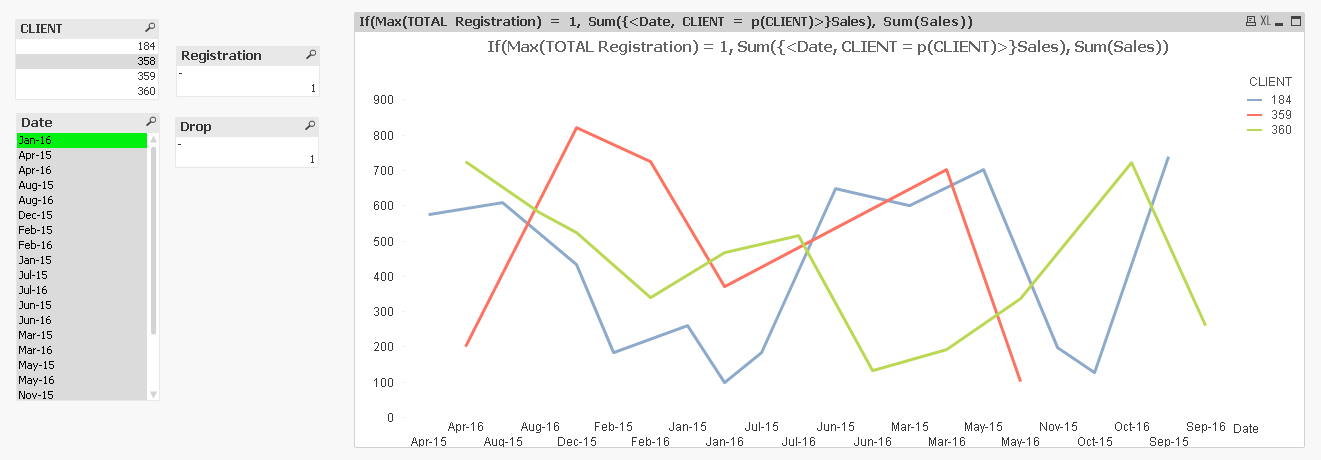
Expression:
If(Max(TOTAL Registration) = 1, Sum({<Date, CLIENT = p(CLIENT)>}Sales), Sum(Sales))
- Mark as New
- Bookmark
- Subscribe
- Mute
- Subscribe to RSS Feed
- Permalink
- Report Inappropriate Content
¿Can you explain me how did you do that?
i am going to reload with all my data.
i will tell you soon
sunny_talwar
- Mark as New
- Bookmark
- Subscribe
- Mute
- Subscribe to RSS Feed
- Permalink
- Report Inappropriate Content
Basically used a set analysis which ignores selection in Date field, but only shows the possible values of clients based on your date selection
If(Max(TOTAL Registration) = 1, Sum({<Date, CLIENT = p(CLIENT)>}Sales), Sum(Sales))
- Mark as New
- Bookmark
- Subscribe
- Mute
- Subscribe to RSS Feed
- Permalink
- Report Inappropriate Content
thank you very much!!!
it is exactly what i needed.
one more cuestilon. what does client =p(client) do?
sunny_talwar
- Mark as New
- Bookmark
- Subscribe
- Mute
- Subscribe to RSS Feed
- Permalink
- Report Inappropriate Content
Look at my response above, I just explained it above. If you got what you wanted, please close this thread by marking correct and helpful responses.
Qlik Community Tip: Marking Replies as Correct or Helpful
Thanks,
Sunny
- « Previous Replies
- Next Replies »