Unlock a world of possibilities! Login now and discover the exclusive benefits awaiting you.

- Qlik Community
- :
- All Forums
- :
- QlikView
- :
- Re: Expression result in text object different fro...
- Subscribe to RSS Feed
- Mark Topic as New
- Mark Topic as Read
- Float this Topic for Current User
- Bookmark
- Subscribe
- Mute
- Printer Friendly Page

- Mark as New
- Bookmark
- Subscribe
- Mute
- Subscribe to RSS Feed
- Permalink
- Report Inappropriate Content
Expression result in text object different from Chart Object
Hi all,
Please kindly assist me,
If I put the expression below in a text object it returns 114 - This is right based on Excel calculation.
=Count({$<[Previous Month] = {'Telephone'}>} [Sales Date])
However, if I put any of the expressions below in a Straight table they return 94.
Count({<[Previous Month] = {'Telephone'}>} [Sales Date]),
Count({$<[Previous Month] = {'Telephone'}>} Sales Date]),
Count(if([Previous Month] = 'Telephone',[Sales Date])),
- Tags:
- qlikview_scripting
Accepted Solutions

 stevedark
- Mark as New
- Bookmark
- Subscribe
- Mute
- Subscribe to RSS Feed
- Permalink
- Report Inappropriate Content
Sorry Marco - the link goes to a post in the Qlik UK group. There is a bit of discussion in that closed group - but the most useful thing is a link to this post, where I have posted up an example app illustrating this issue:
Re: Sum equation versus Sum rows in straight table
Thanks for pointing out the broken link.
Steve

 MarcoWedel
- Mark as New
- Bookmark
- Subscribe
- Mute
- Subscribe to RSS Feed
- Permalink
- Report Inappropriate Content
It's related to your dimensions in a straight table, so not all records might be counted for one row of your table.

 jpenuliar
- Mark as New
- Bookmark
- Subscribe
- Mute
- Subscribe to RSS Feed
- Permalink
- Report Inappropriate Content
I've had a similar situation like yours before, here's how it was explained by stevedark
Table box Rows does not match Charts/expressions/statistics aggregates
stevedark
- Mark as New
- Bookmark
- Subscribe
- Mute
- Subscribe to RSS Feed
- Permalink
- Report Inappropriate Content
Thanks Jonathan for the mention. Glad you found my previous response useful (and memorable!).
Steve
MarcoWedel
- Mark as New
- Bookmark
- Subscribe
- Mute
- Subscribe to RSS Feed
- Permalink
- Report Inappropriate Content
Hi,
I'm getting this message when trying to open the link.
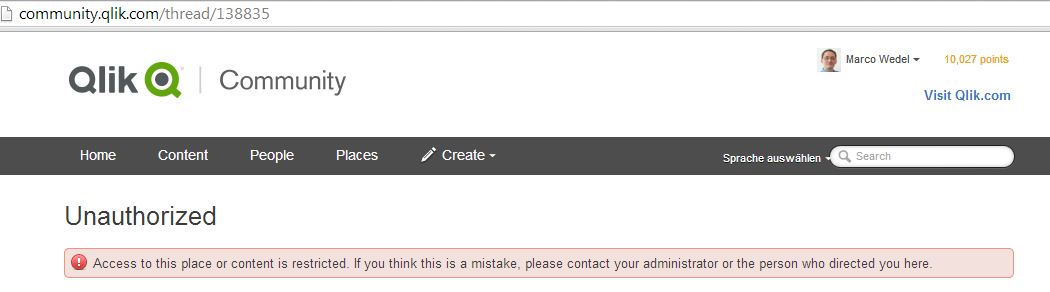
Is this thread published in a private forum or is there an issue of the community site?
thanks
regards
Marco
stevedark
- Mark as New
- Bookmark
- Subscribe
- Mute
- Subscribe to RSS Feed
- Permalink
- Report Inappropriate Content
Sorry Marco - the link goes to a post in the Qlik UK group. There is a bit of discussion in that closed group - but the most useful thing is a link to this post, where I have posted up an example app illustrating this issue:
Re: Sum equation versus Sum rows in straight table
Thanks for pointing out the broken link.
Steve
jpenuliar
- Mark as New
- Bookmark
- Subscribe
- Mute
- Subscribe to RSS Feed
- Permalink
- Report Inappropriate Content
No Worries Steve,
I just figured "Give Credit where Credit's due".
jpenuliar
- Mark as New
- Bookmark
- Subscribe
- Mute
- Subscribe to RSS Feed
- Permalink
- Report Inappropriate Content
Didn't realize there is a restriction on that link, good thing I mentioned you Steve and thanks Marco
- Mark as New
- Bookmark
- Subscribe
- Mute
- Subscribe to RSS Feed
- Permalink
- Report Inappropriate Content
Thanks all,
I was able to work round it using Steve Dark's suggestion/example...
Regards,