Unlock a world of possibilities! Login now and discover the exclusive benefits awaiting you.

- Qlik Community
- :
- All Forums
- :
- QlikView
- :
- Governance Dashboard
- Subscribe to RSS Feed
- Mark Topic as New
- Mark Topic as Read
- Float this Topic for Current User
- Bookmark
- Subscribe
- Mute
- Printer Friendly Page

 bindu_apte
- Mark as New
- Bookmark
- Subscribe
- Mute
- Subscribe to RSS Feed
- Permalink
- Report Inappropriate Content
Governance Dashboard
Hi,
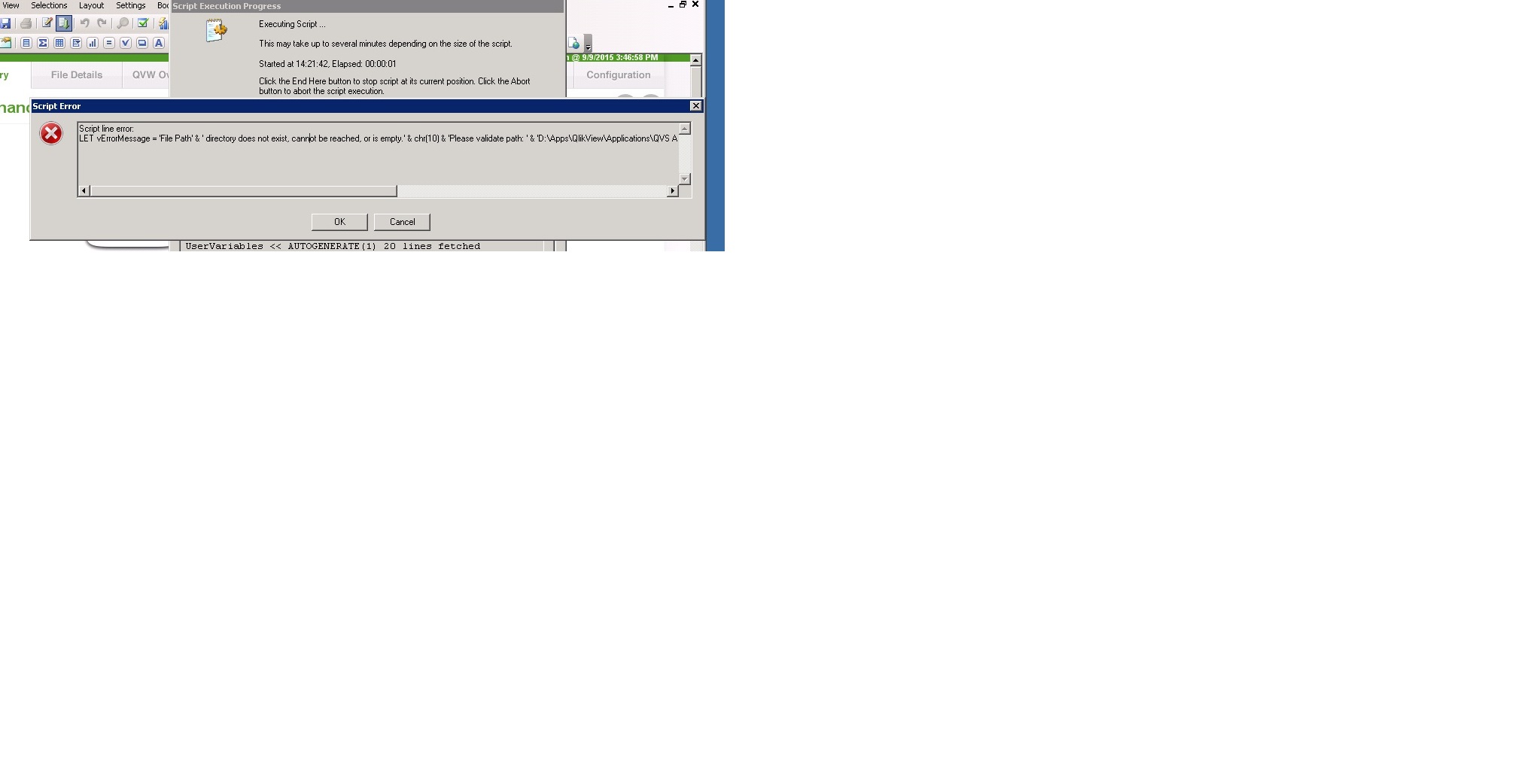
We have governance dashboard which was running fine earlier. But from past 2 days not reloading properly(PFA).
As we cant see the script, cant debug the qvw.
Accepted Solutions

 avinashelite
- Mark as New
- Bookmark
- Subscribe
- Mute
- Subscribe to RSS Feed
- Permalink
- Report Inappropriate Content
we need to check the script  and the error clearly states that the File Path has got changed unless you update the path in the script we cannot resolve this issue .
NOTE: even if you have not changed the path , sometime due to relative path this error might occur so we need to update it to Full path and check the reload

 settu_periasamy
- Mark as New
- Bookmark
- Subscribe
- Mute
- Subscribe to RSS Feed
- Permalink
- Report Inappropriate Content
Hi,
Did you check this discussion?
Governance dashboard profile directory error....? | Qlik Community
avinashelite
- Mark as New
- Bookmark
- Subscribe
- Mute
- Subscribe to RSS Feed
- Permalink
- Report Inappropriate Content
Did you migrated any of your dashboard to new path ?? or did you changed the name of any of your dashboards ??
check the all the file path once and reload again
bindu_apte
- Mark as New
- Bookmark
- Subscribe
- Mute
- Subscribe to RSS Feed
- Permalink
- Report Inappropriate Content
Hi,
Thanks for the reply. We have not changed any path.
I am not able to see the path details as script is hidden.
Please tell me how to troubleshoot this?
bindu_apte
- Mark as New
- Bookmark
- Subscribe
- Mute
- Subscribe to RSS Feed
- Permalink
- Report Inappropriate Content
Hi,
Can you please help me out to troubleshoot this issue.
avinashelite
- Mark as New
- Bookmark
- Subscribe
- Mute
- Subscribe to RSS Feed
- Permalink
- Report Inappropriate Content
we need to check the script and the error clearly states that the File Path has got changed unless you update the path in the script we cannot resolve this issue .
NOTE: even if you have not changed the path , sometime due to relative path this error might occur so we need to update it to Full path and check the reload
bindu_apte
- Mark as New
- Bookmark
- Subscribe
- Mute
- Subscribe to RSS Feed
- Permalink
- Report Inappropriate Content
Hi,
Thanks for the help.Now its working fine after checking the path.
