Unlock a world of possibilities! Login now and discover the exclusive benefits awaiting you.

- Qlik Community
- :
- All Forums
- :
- QlikView
- :
- Re: Help in expression
- Subscribe to RSS Feed
- Mark Topic as New
- Mark Topic as Read
- Float this Topic for Current User
- Bookmark
- Subscribe
- Mute
- Printer Friendly Page

 ali_hijazi
- Mark as New
- Bookmark
- Subscribe
- Mute
- Subscribe to RSS Feed
- Permalink
- Report Inappropriate Content
Help in expression
Hello
Check attached qvw file
I have an expression that is giving correct results:
the expression is in the text object labelled current selection
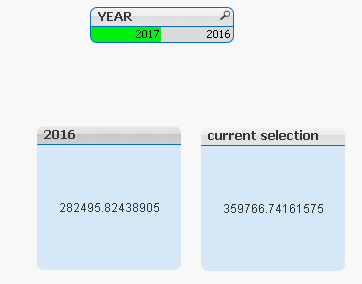
on the left I have another text object and I want to show the result of 2016 while selecting 2017
but it is giving me zero
please advise

 tresB
tresB
- Mark as New
- Bookmark
- Subscribe
- Mute
- Subscribe to RSS Feed
- Permalink
- Report Inappropriate Content
Try:
=sum( {<YEAR={$(=max(YEAR)-1)}>}
aggr
(DISTINCT
sum
(
{
<
trx_type={'sales_forecast'},
price_category={'default_product_price'},
YEAR={$(=max(YEAR)-1)}
>
}
if(trx_date>= from_period and trx_date <= to_period, price_kg)
)
,account_company_key,MONTH_YEAR,customer_key,product_key,account_row_id
) )
ali_hijazi
- Mark as New
- Bookmark
- Subscribe
- Mute
- Subscribe to RSS Feed
- Permalink
- Report Inappropriate Content
look this doesn't work cause I'm using the expression inside Alt function without sum(aggr(sum....
is there a way to avoid if else and put something in set analysis that gives same result?
ali_hijazi
- Mark as New
- Bookmark
- Subscribe
- Mute
- Subscribe to RSS Feed
- Permalink
- Report Inappropriate Content
yes your suggestion works fine however the complete result is not working well
please refer to the updated document I posted on Help in set analysis current selection and last year (with current selection)
