Unlock a world of possibilities! Login now and discover the exclusive benefits awaiting you.

- Qlik Community
- :
- All Forums
- :
- QlikView
- :
- Re: How to search for string.
- Subscribe to RSS Feed
- Mark Topic as New
- Mark Topic as Read
- Float this Topic for Current User
- Bookmark
- Subscribe
- Mute
- Printer Friendly Page

- Mark as New
- Bookmark
- Subscribe
- Mute
- Subscribe to RSS Feed
- Permalink
- Report Inappropriate Content
How to search for string.
Hi
I am trying to get the name of document path of my QlikView document. The purpose is to store this path in a variable.
So for example my path is c:\MyFolder\MyDoc.qvw.
I want to get : c:\MyFolder\. This will make my document path.
Conventionally I would do some thing like
SUBFIELD('c:\MyFolder\MyDoc.qvw', '*.qvw', 1)
This is not working.
Which string function should I use?
Thanks

 MK_QSL
- Mark as New
- Bookmark
- Subscribe
- Mute
- Subscribe to RSS Feed
- Permalink
- Report Inappropriate Content
What result you want ?
=SUBFIELD('c:\MyFolder\MyDoc.qvw', '.qvw', 1)
I think you want to store the Path dynamically...
Try below
=Left('c:\MyFolder\MyDoc.qvw',Index('c:\MyFolder\MyDoc.qvw','\',SubStringCount('c:\MyFolder\MyDoc.qvw','\')))
 MarcoWedel
- Mark as New
- Bookmark
- Subscribe
- Mute
- Subscribe to RSS Feed
- Permalink
- Report Inappropriate Content
=Left(DocumentPath(),Len(DocumentPath())-Len(DocumentName()))
- Mark as New
- Bookmark
- Subscribe
- Mute
- Subscribe to RSS Feed
- Permalink
- Report Inappropriate Content
why so complicated?
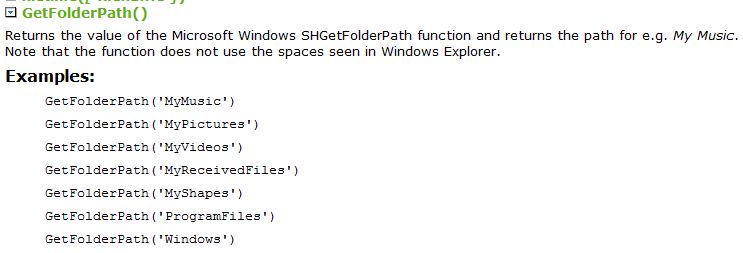
GetFolderPath() will returns folder path of your qvw file

 ecolomer
- Mark as New
- Bookmark
- Subscribe
- Mute
- Subscribe to RSS Feed
- Permalink
- Report Inappropriate Content
SUBFIELD('c:\MyFolder\MyDoc.qvw', '\', -1)
or directly
GetFolderPath ()
MarcoWedel
- Mark as New
- Bookmark
- Subscribe
- Mute
- Subscribe to RSS Feed
- Permalink
- Report Inappropriate Content
?