Unlock a world of possibilities! Login now and discover the exclusive benefits awaiting you.

- Qlik Community
- :
- All Forums
- :
- QlikView
- :
- Incremental load
- Subscribe to RSS Feed
- Mark Topic as New
- Mark Topic as Read
- Float this Topic for Current User
- Bookmark
- Subscribe
- Mute
- Printer Friendly Page

- Mark as New
- Bookmark
- Subscribe
- Mute
- Subscribe to RSS Feed
- Permalink
- Report Inappropriate Content
Incremental load
Hi all,
I have a small doubt. When we do incremental load for fact table, will it be always full load? or incremental load
if it is a incremental load, since we don't have any updated date field how do we perform incremental load.
Can any one tell me how to proceed with this.
Regards,
Kumar
- « Previous Replies
-
- 1
- 2
- Next Replies »

 swuehl
- Mark as New
- Bookmark
- Subscribe
- Mute
- Subscribe to RSS Feed
- Permalink
- Report Inappropriate Content
Ok, but then again:
"If it's a data base: Is there anything that can be used to determine new values? Like an auto-incremented OrderID?"
- Mark as New
- Bookmark
- Subscribe
- Mute
- Subscribe to RSS Feed
- Permalink
- Report Inappropriate Content
This table is associated with almost 11 dimension tables like account,lead,opportunity,time,campaign..

 Gysbert_Wassena
- Mark as New
- Bookmark
- Subscribe
- Mute
- Subscribe to RSS Feed
- Permalink
- Report Inappropriate Content
That's wonderful, but how is that relevant to identifying new and/or changed records in the Orders table?
talk is cheap, supply exceeds demand
- Mark as New
- Bookmark
- Subscribe
- Mute
- Subscribe to RSS Feed
- Permalink
- Report Inappropriate Content
In fact table we have daily new records are coming based on source created date date.
Gysbert_Wassena- Mark as New
- Bookmark
- Subscribe
- Mute
- Subscribe to RSS Feed
- Permalink
- Report Inappropriate Content
So there is a date field after all. Is there also a field that uniquely identifies orders?
talk is cheap, supply exceeds demand
 jagan
jagan
- Mark as New
- Bookmark
- Subscribe
- Mute
- Subscribe to RSS Feed
- Permalink
- Report Inappropriate Content
Hi,
Also refer qlikview help file (F1) for very good examples,
I think in your case, Case 2 will work.
Sample script From Qlikview help file
Case 2: Insert Only (No Update or Delete)
If the data resides in a database other than a simple log file the case 1 approach will not work. However, the problem can still be solved with minimum amount of extra work. The following conditions apply:
- The data source can be any database.
- QlikView loads records inserted in the database after the last script execution.
- A field ModificationDate (or similar) is required for QlikView to recognize which records are new.
Script Example:
QV_Table:
SQL SELECT PrimaryKey, X, Y FROM DB_TABLE
WHERE ModificationTime >= #$(LastExecTime)#
AND ModificationTime < #$(BeginningThisExecTime)#;
Concatenate LOAD PrimaryKey, X, Y FROM File.QVD;
STORE QV_Table INTO File.QVD;
(The hash signs in the SQL WHERE clause define the beginning and end of a date. Check your database manual for the correct date syntax for your database.)
- Mark as New
- Bookmark
- Subscribe
- Mute
- Subscribe to RSS Feed
- Permalink
- Report Inappropriate Content
Hi Jagan,
Thanks for sharing sample code. Here you have mentioned in where clause
WHERE ModificationTime >= #$(LastExecTime)#
AND ModificationTime < #$(BeginningThisExecTime)#;
Modification time in my fact table as order_created_date and is having values as like below
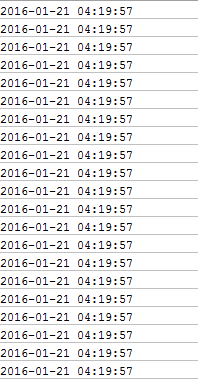
For one order_key these many same dates are there.
Here one more thing can you explain me how do we get LastExecTime and BeginningThisExecTime.
jagan
- Mark as New
- Bookmark
- Subscribe
- Mute
- Subscribe to RSS Feed
- Permalink
- Report Inappropriate Content
Hi,
Try like this
LET BeginningThisExecTime = Now();
Your incremental script goes here.
LET LastExecTime = BeginningThisExecTime ;
Hope this helps you.
Regards,
Jagan.
- « Previous Replies
-
- 1
- 2
- Next Replies »