Unlock a world of possibilities! Login now and discover the exclusive benefits awaiting you.

- Qlik Community
- :
- All Forums
- :
- QlikView
- :
- Re: ListBox keep sort order after selection?
- Subscribe to RSS Feed
- Mark Topic as New
- Mark Topic as Read
- Float this Topic for Current User
- Bookmark
- Subscribe
- Mute
- Printer Friendly Page

 prees959
- Mark as New
- Bookmark
- Subscribe
- Mute
- Subscribe to RSS Feed
- Permalink
- Report Inappropriate Content
ListBox keep sort order after selection?
Hi, I have a Month listbox which is sorted using
=match(Month, 'Apr','May','Jun','Jul','Aug','Sep','Oct','Nov','Dec','Jan','Feb','Mar')
in the expression box. If a month is selected can the sort order be kept? At the moment, if a month is selected it moves to the top of the listbox.
Many thanks,
Phil
- Tags:
- listbox
- sort order
Accepted Solutions

 felipedl
- Mark as New
- Bookmark
- Subscribe
- Mute
- Subscribe to RSS Feed
- Permalink
- Report Inappropriate Content
Hi Phil,
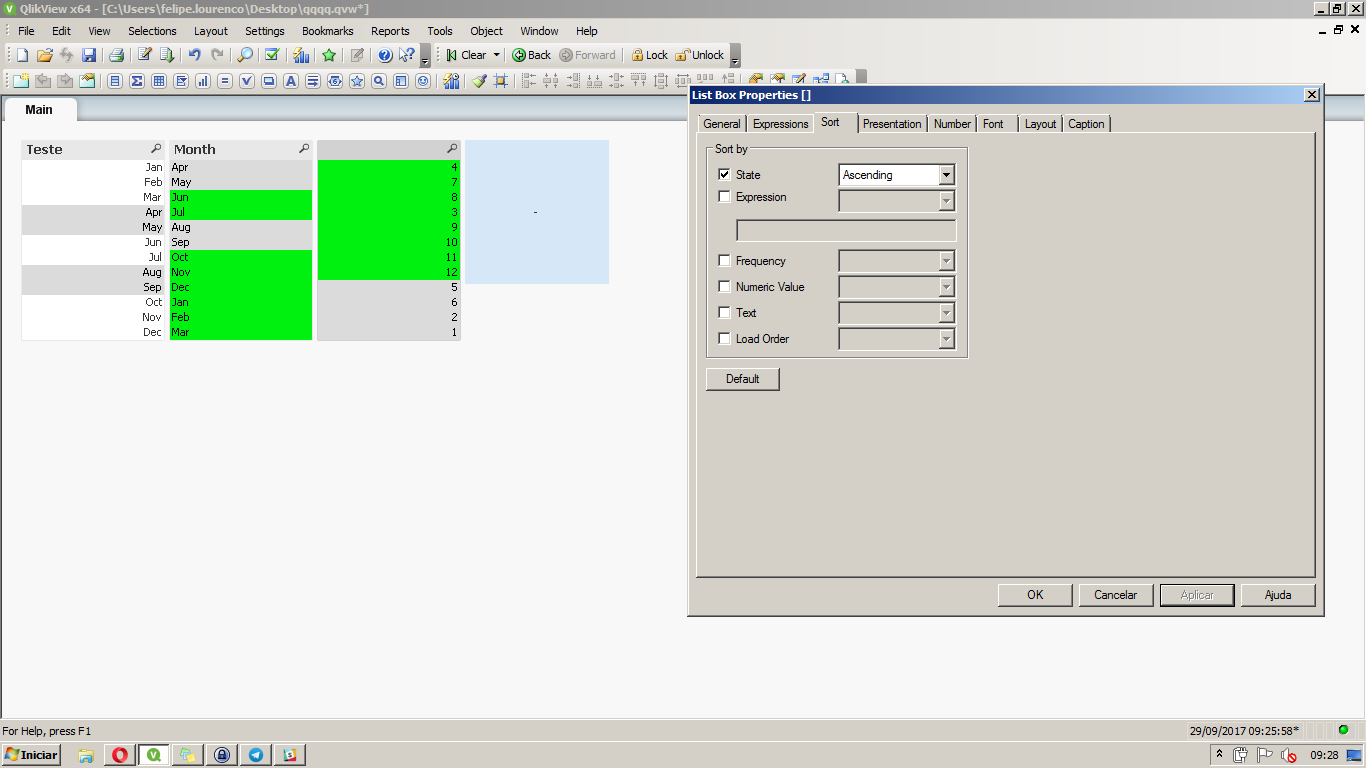
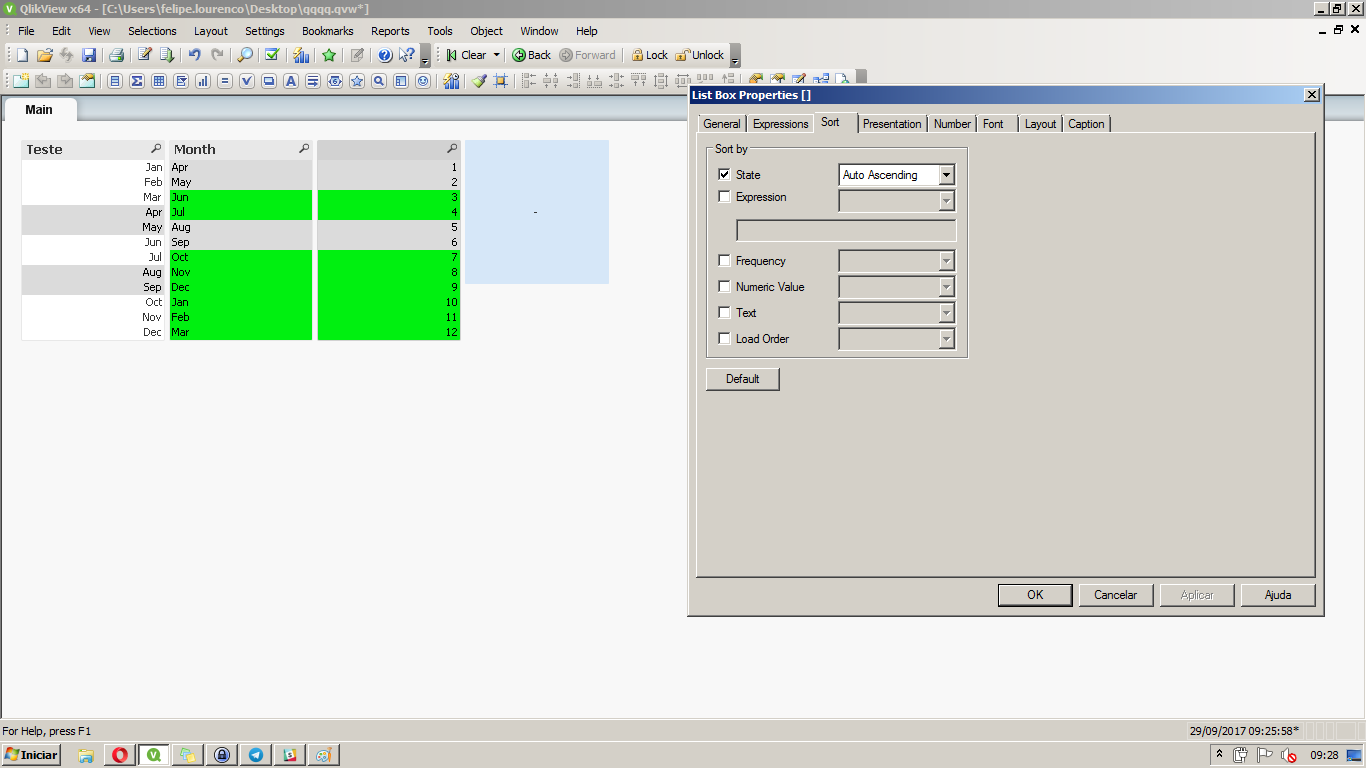
On the Sort tab of the list box, use the Auto Ascending in state.
Example with Ascending (keeps the selection on top):
Auto (keeps the selection order):
Felipe.
felipedl
- Mark as New
- Bookmark
- Subscribe
- Mute
- Subscribe to RSS Feed
- Permalink
- Report Inappropriate Content
Hi Phil,
On the Sort tab of the list box, use the Auto Ascending in state.
Example with Ascending (keeps the selection on top):
Auto (keeps the selection order):
Felipe.
prees959
- Mark as New
- Bookmark
- Subscribe
- Mute
- Subscribe to RSS Feed
- Permalink
- Report Inappropriate Content
Thanks very much!

 Kushal_Chawda
- Mark as New
- Bookmark
- Subscribe
- Mute
- Subscribe to RSS Feed
- Permalink
- Report Inappropriate Content
one more option
Try uncheck all sort option, keep only expression, with below expression
=match(only({1}Month), 'Apr','May','Jun','Jul','Aug','Sep','Oct','Nov','Dec','Jan','Feb','Mar')
felipedl
- Mark as New
- Bookmark
- Subscribe
- Mute
- Subscribe to RSS Feed
- Permalink
- Report Inappropriate Content
Glad it helped Phil  .
.
