Unlock a world of possibilities! Login now and discover the exclusive benefits awaiting you.

- Qlik Community
- :
- All Forums
- :
- QlikView
- :
- Load statement error for calculated fields
- Subscribe to RSS Feed
- Mark Topic as New
- Mark Topic as Read
- Float this Topic for Current User
- Bookmark
- Subscribe
- Mute
- Printer Friendly Page

- Mark as New
- Bookmark
- Subscribe
- Mute
- Subscribe to RSS Feed
- Permalink
- Report Inappropriate Content
Load statement error for calculated fields
Im trying to load 2 calculated fields in a Load statement before my ODBC Select Statement. If I only add the first one (calculating SalesQty), it works fine. As soon as I add the second line, that uses the above SalesQty in its calculation, then I get an error.
Can you assist me in the script to load these two fields? I suspect that fact that the second line depends on the first calculated field, is the problem??
Heres my script:
HistoryLinesALL: //data from TCC2015 database
LOAD *,
if(DocumentType =3, fabs(Qty), if(DocumentType =4, -fabs(Qty), Qty)) as SalesQty; //This works 100% on it's own
Sum((([UnitPrice]*[SalesQty])-(([UnitPrice]*[SalesQty])*([DiscountPercentage]/10000)))) as SalesValue; //This is where I get the error!
SQL SELECT
CaseLotCode,
CaseLotQty,
CaseLotRatio,
etc....
- Tags:
- new_to_qlikview

 fkeuroglian
- Mark as New
- Bookmark
- Subscribe
- Mute
- Subscribe to RSS Feed
- Permalink
- Report Inappropriate Content
Hi Manus
you have to use Preceding Load
HistoryLinesALL:
load*,
Sum((([UnitPrice]*[SalesQty])-(([UnitPrice]*[SalesQty])*([DiscountPercentage]/10000)))) as SalesValue;
LOAD *,
if(DocumentType =3, fabs(Qty), if(DocumentType =4, -fabs(Qty), Qty)) as SalesQty;
SQL SELECT
CaseLotCode,
CaseLotQty,
CaseLotRatio,
etc....
good luck Fernando
see this articles to understand the preceding load.

 sunny_talwar
- Mark as New
- Bookmark
- Subscribe
- Mute
- Subscribe to RSS Feed
- Permalink
- Report Inappropriate Content
This should work (Use another preceding load so that you can refer your newely created field name)
HistoryLinesALL: //data from TCC2015 database
LOAD *,
Sum((([UnitPrice]*[SalesQty])-(([UnitPrice]*[SalesQty])*([DiscountPercentage]/10000)))) as SalesValue;
LOAD *,
If(DocumentType =3, fabs(Qty), if(DocumentType =4, -fabs(Qty), Qty)) as SalesQty;
SQL SELECT
CaseLotCode,
CaseLotQty,
CaseLotRatio,
etc....
Best,
S
 maxgro
- Mark as New
- Bookmark
- Subscribe
- Mute
- Subscribe to RSS Feed
- Permalink
- Report Inappropriate Content
you have a sum in the second one
so you must add a group by all other fields (the fields in load *)
example
load
a,b,c
sum(qty)
.....
group by a,b,c;
- Mark as New
- Bookmark
- Subscribe
- Mute
- Subscribe to RSS Feed
- Permalink
- Report Inappropriate Content
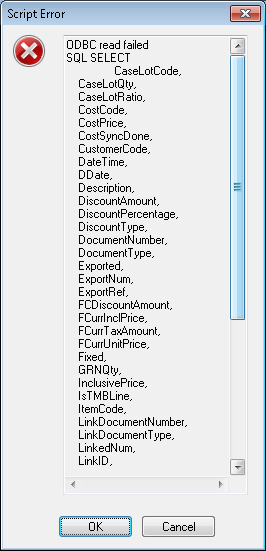
HI S,
No luck now I get a new error, see below. If I remove the extra Load statement, then it works again (only loading SalesQty). Any advise?
sunny_talwar
- Mark as New
- Bookmark
- Subscribe
- Mute
- Subscribe to RSS Feed
- Permalink
- Report Inappropriate Content
Update: maxgro is right, you will need to add some kind of group by statement to perform the aggregation (Sum)
Try this:
HistoryLinesALL: //data from TCC2015 database
LOAD *,
If(DocumentType =3, fabs(Qty), if(DocumentType =4, -fabs(Qty), Qty)) as SalesQty;
SQL SELECT
CaseLotCode,
CaseLotQty,
CaseLotRatio,
etc....
Join (HistoryLinesALL)
LOAD something,
Sum((([UnitPrice]*[SalesQty])-(([UnitPrice]*[SalesQty])*([DiscountPercentage]/10000)))) as SalesValue
Resident Table1
Group By Something;
Drop Table Table1;
HTH
Best,
S