Unlock a world of possibilities! Login now and discover the exclusive benefits awaiting you.

- Qlik Community
- :
- All Forums
- :
- QlikView
- :
- MAP FEATURE
- Subscribe to RSS Feed
- Mark Topic as New
- Mark Topic as Read
- Float this Topic for Current User
- Bookmark
- Subscribe
- Mute
- Printer Friendly Page

- Mark as New
- Bookmark
- Subscribe
- Mute
- Subscribe to RSS Feed
- Permalink
- Report Inappropriate Content
MAP FEATURE
I am using qlikview professional version. I want to build a map in one of the reports. Please provide steps to create a map of india.
- Tags:
- new_to_qlikview
- Mark as New
- Bookmark
- Subscribe
- Mute
- Subscribe to RSS Feed
- Permalink
- Report Inappropriate Content
You can have a look at GeoQlik (www.geoqlik.com) which adds maps objects to QlikView documents.
- Mark as New
- Bookmark
- Subscribe
- Mute
- Subscribe to RSS Feed
- Permalink
- Report Inappropriate Content
Hi,
If you want you could try out Idevio Maps, it's a fast, interactive way to use maps within Qlikview. Main benefits are:
- Fast map with dynamic zoom and pan.
- Client side rendering, handles thousands of objects with ease.
- Plug and play, easy to setup and configure.
- Extendable, the extension serves as a starting point.
- World coverage, street level for many areas.
- Secure, own hosting possible.
Idevio Maps are available to Qlikview 10 as an extension object.
Visit www.idevio.com/demo for more info and demo (logon on with demo demo).
- Mark as New
- Bookmark
- Subscribe
- Mute
- Subscribe to RSS Feed
- Permalink
- Report Inappropriate Content
Take a look at this page:
http://community.qlik.com/thread/28878
I would suggust to take a look at :
Google%20Maps%20in%20QlikView.qvw (547.8 K)
From Kaushik.solanki post.
- Mark as New
- Bookmark
- Subscribe
- Mute
- Subscribe to RSS Feed
- Permalink
- Report Inappropriate Content
Hi All,
GIS/Maps Analytics in QlikView is a very interesting topic indeed.
QlikView customers and channel partners are interested in displaying their QlikView KPI indicators on Geographic maps but also sometimes on a Building Plan (ex: logistic warehouse, supermarket, hospital, etc).
Business Geografic has developed a mapping extension for QlikView (V9, V10, V11) namely "GeoQlik" and we have been a Technology Partner of QlikTech since 2006 starting with QlikView 8!
I hereby suggest you to have a look at our new mapping extension for QlikView 11 "SR1": GeoQlik v11.6.
http://www.geoqlik.com/en/geoqlik-for-qlikview/geoqlik-v11.html
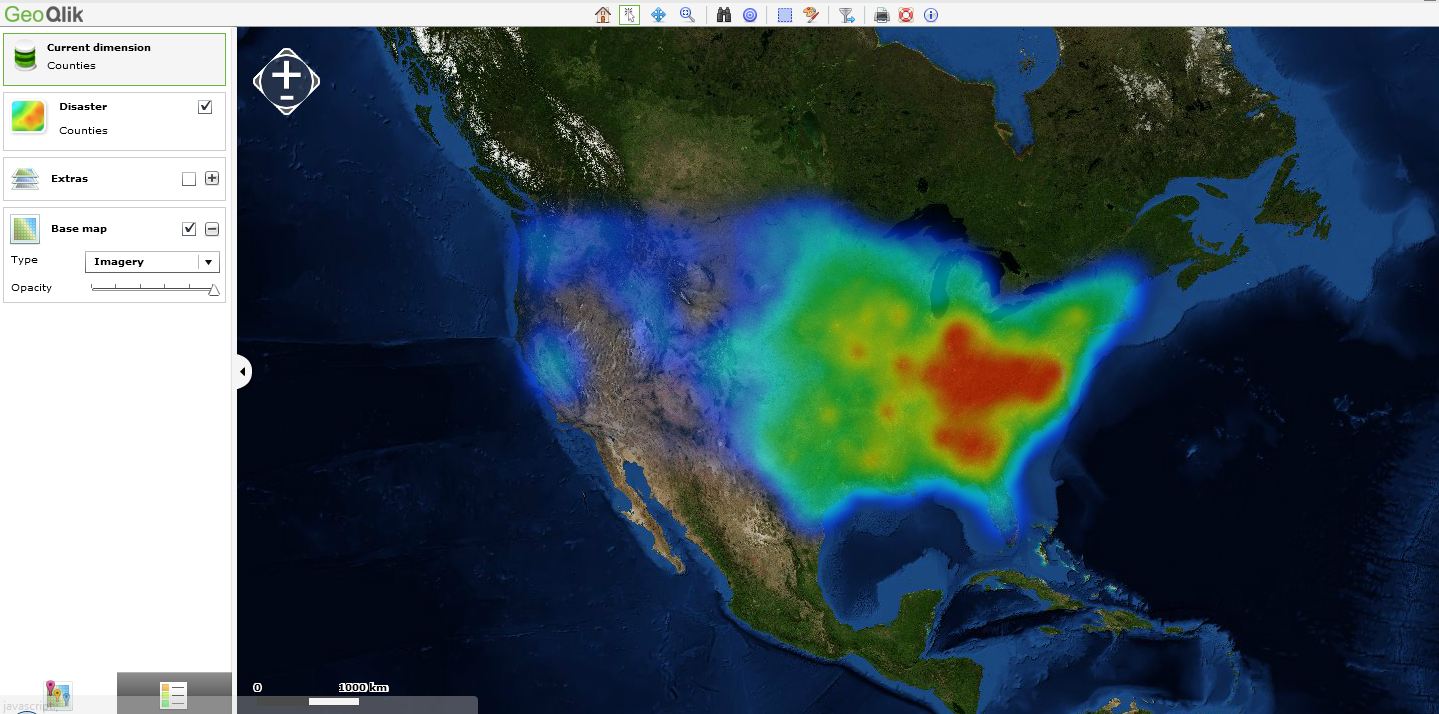
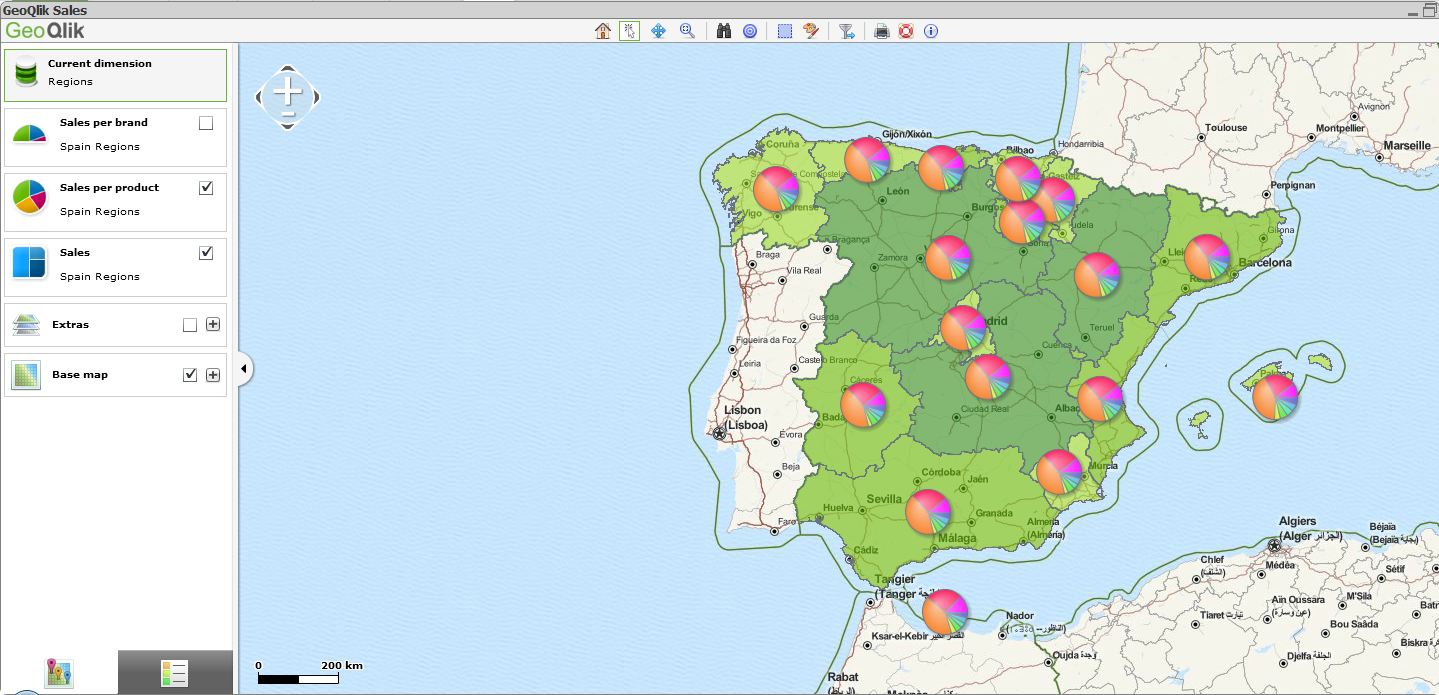
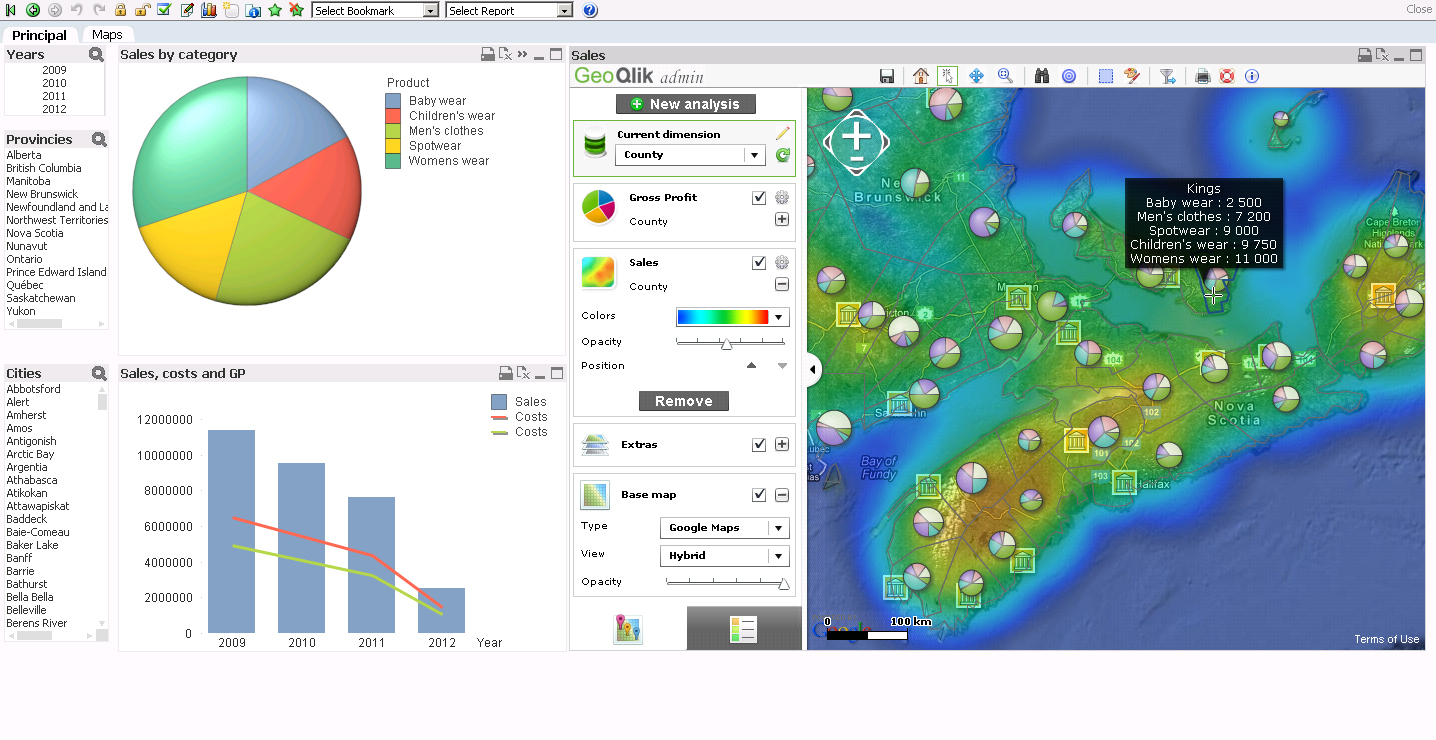
Please find hereafter a few screenshots of GeoQlik V11.6 using WMS/TMS services to display QlikView KPIs:

Thanks and best regards,
David
@ Business Geografic