Unlock a world of possibilities! Login now and discover the exclusive benefits awaiting you.

- Qlik Community
- :
- All Forums
- :
- QlikView
- :
- Re: Maximum Week When Open Tab
- Subscribe to RSS Feed
- Mark Topic as New
- Mark Topic as Read
- Float this Topic for Current User
- Bookmark
- Subscribe
- Mute
- Printer Friendly Page

- Mark as New
- Bookmark
- Subscribe
- Mute
- Subscribe to RSS Feed
- Permalink
- Report Inappropriate Content
Maximum Week When Open Tab
How do I code so that the maximum week (starting on Mon) is selected when a tab is selected. I have the following fields:
PostDate: date posted
WeekSort: numeric value for the week
StartofWorkWeek: Has the format of "Mon - 03/12/18". It is sorted using Week Sort
I tried the following in the Trigger tab of Properties for the tab without success:
Action=Select in Field
Search String: ='=date(max(WeekSort))'
Field: Weeksort


Accepted Solutions

 ychaitanya
- Mark as New
- Bookmark
- Subscribe
- Mute
- Subscribe to RSS Feed
- Permalink
- Report Inappropriate Content
=Max(WeekSort)
ychaitanya
- Mark as New
- Bookmark
- Subscribe
- Mute
- Subscribe to RSS Feed
- Permalink
- Report Inappropriate Content
Your WeekSort has numeric values, why are you converting to Date in the Trigger Actions ?
You could just use Max(WeekSort)
- Mark as New
- Bookmark
- Subscribe
- Mute
- Subscribe to RSS Feed
- Permalink
- Report Inappropriate Content
Is this the right syntax:
='=max(WeekSort)'
I am getting all Weeksort selected when I do this.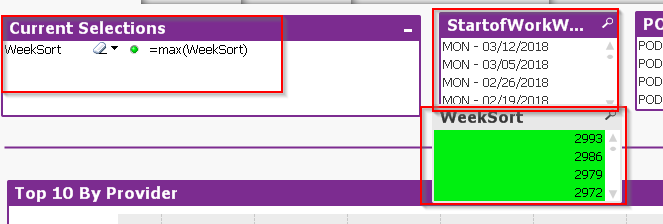
ychaitanya
- Mark as New
- Bookmark
- Subscribe
- Mute
- Subscribe to RSS Feed
- Permalink
- Report Inappropriate Content
=Max(WeekSort)

 MarcoWedel
- Mark as New
- Bookmark
- Subscribe
- Mute
- Subscribe to RSS Feed
- Permalink
- Report Inappropriate Content
Hi,
one example using only the StartofWorkWeek field loaded as Dual value (i.e. not only text):
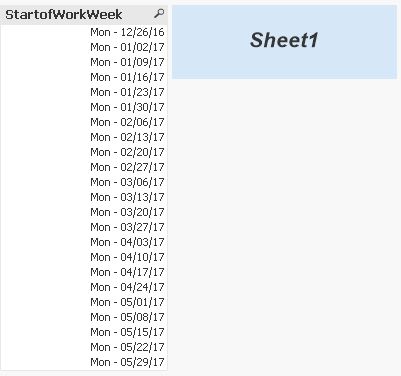
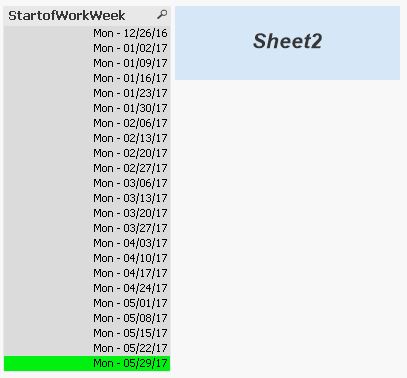
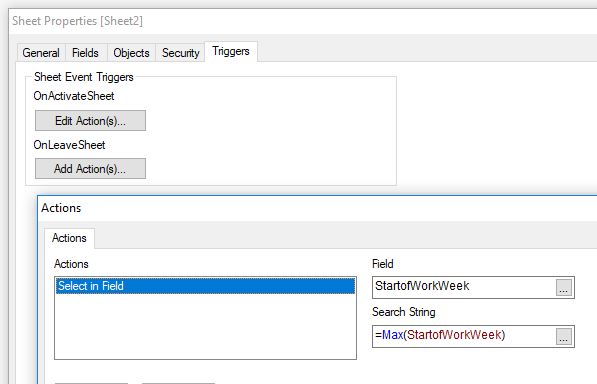
tabCalendar:
LOAD *,
    Date(WeekStart(Date),'WWW - MM/DD/YY') as StartofWorkWeek;
LOAD Date(MinDate+IterNo()-1) as Date
While MinDate+IterNo()-1 < MaxDate;
LOAD MakeDate(2017,1) as MinDate,
    MakeDate(2017,6) as MaxDate
AutoGenerate 1;
hope this helps
regards
Marco