Unlock a world of possibilities! Login now and discover the exclusive benefits awaiting you.

Announcements
Share your agentic AI experience, learn from others, and earn a new badge: Put Agentic AI to Work
- Qlik Community
- :
- All Forums
- :
- QlikView
- :
- Re: Merge two columns
Options
- Subscribe to RSS Feed
- Mark Topic as New
- Mark Topic as Read
- Float this Topic for Current User
- Bookmark
- Subscribe
- Mute
- Printer Friendly Page
Turn on suggestions
Auto-suggest helps you quickly narrow down your search results by suggesting possible matches as you type.
Showing results for

 souadouert
Specialist
2017-04-05
05:18 AM
- Mark as New
- Bookmark
- Subscribe
- Mute
- Subscribe to RSS Feed
- Permalink
- Report Inappropriate Content
Merge two columns
Good Morning
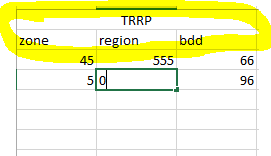
How to merge two columns with pivot table
- Tags:
- qlikview_scripting
9,064 Views
- « Previous Replies
- Next Replies »
1 Solution
Accepted Solutions

 sunny_talwar
MVP
2017-04-05
08:56 AM
- Mark as New
- Bookmark
- Subscribe
- Mute
- Subscribe to RSS Feed
- Permalink
- Report Inappropriate Content

24 Replies
sunny_talwar
MVP
2017-04-05
05:37 AM
- Mark as New
- Bookmark
- Subscribe
- Mute
- Subscribe to RSS Feed
- Permalink
- Report Inappropriate Content
Merge them how?
5,255 Views
sunny_talwar
MVP
2017-04-05
05:37 AM
- Mark as New
- Bookmark
- Subscribe
- Mute
- Subscribe to RSS Feed
- Permalink
- Report Inappropriate Content
Like this?
TRRP - zone
TRRP - region
TRRP - bdd
5,255 Views

 sarvesh
Creator III
2017-04-05
05:39 AM
- Mark as New
- Bookmark
- Subscribe
- Mute
- Subscribe to RSS Feed
- Permalink
- Report Inappropriate Content
Hi..Souad,
You can use below mentioned syntax to achieve your task.
zone & ', ' & region as Location
souadouert
Specialist
2017-04-05
05:43 AM
Author
- Mark as New
- Bookmark
- Subscribe
- Mute
- Subscribe to RSS Feed
- Permalink
- Report Inappropriate Content
good morning ,YES sunny : D
5,255 Views
sunny_talwar
MVP
2017-04-05
05:46 AM
- Mark as New
- Bookmark
- Subscribe
- Mute
- Subscribe to RSS Feed
- Permalink
- Report Inappropriate Content
You can do it in the script like srivastava.sarvesh pointed out by combing the two fields into one
Field1 & ' - ' & Field2 as Field_New
or you can use a calculated dimension like this and remove the individual dimensions
Field1 & ' - ' & Field2
souadouert
Specialist
2017-04-05
06:04 AM
Author
- Mark as New
- Bookmark
- Subscribe
- Mute
- Subscribe to RSS Feed
- Permalink
- Report Inappropriate Content
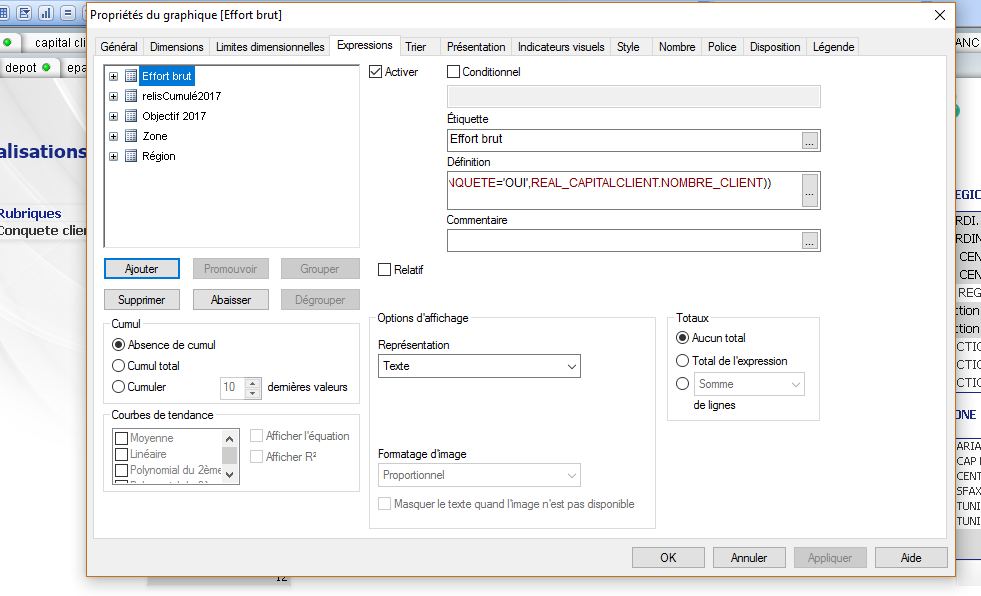
sunny The table header does not change it is the label of the expression

5,255 Views
sunny_talwar
MVP
2017-04-05
06:08 AM
- Mark as New
- Bookmark
- Subscribe
- Mute
- Subscribe to RSS Feed
- Permalink
- Report Inappropriate Content
Is this a straight table or pivot table?
5,255 Views
souadouert
Specialist
2017-04-05
06:09 AM
Author
- Mark as New
- Bookmark
- Subscribe
- Mute
- Subscribe to RSS Feed
- Permalink
- Report Inappropriate Content
pivot table
5,255 Views
souadouert
Specialist
2017-04-05
06:18 AM
Author
- Mark as New
- Bookmark
- Subscribe
- Mute
- Subscribe to RSS Feed
- Permalink
- Report Inappropriate Content
hi SARVESH
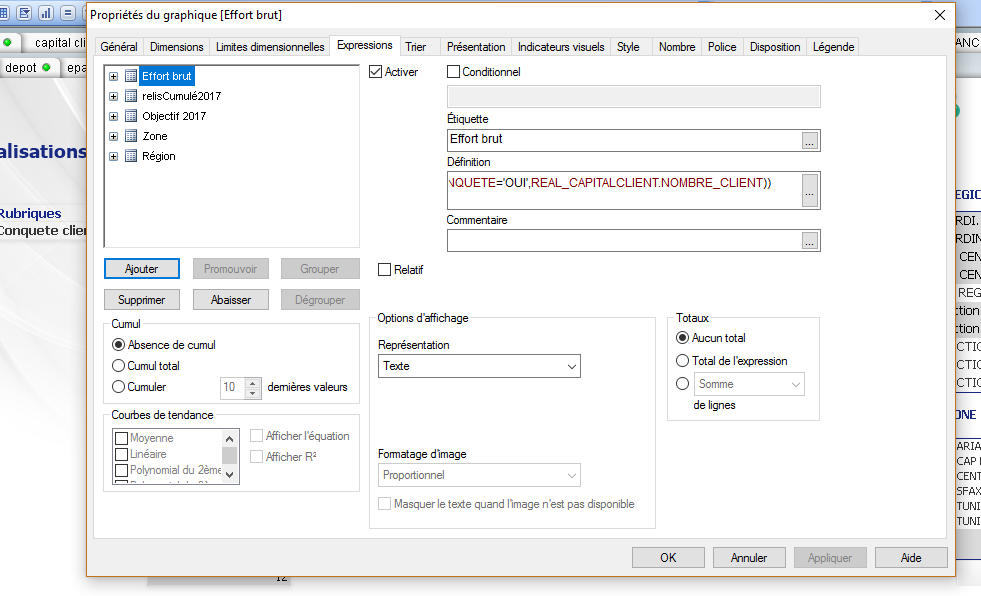
I think you did not understand me

5,255 Views

- « Previous Replies
- Next Replies »