Unlock a world of possibilities! Login now and discover the exclusive benefits awaiting you.

- Qlik Community
- :
- All Forums
- :
- QlikView
- :
- Re: Modify Date Format in Line Chart
- Subscribe to RSS Feed
- Mark Topic as New
- Mark Topic as Read
- Float this Topic for Current User
- Bookmark
- Subscribe
- Mute
- Printer Friendly Page

 praveen_qvw
- Mark as New
- Bookmark
- Subscribe
- Mute
- Subscribe to RSS Feed
- Permalink
- Report Inappropriate Content
Modify Date Format in Line Chart
In line chart I have to show only MMM-YY format. Suppose a month has multiple dates so it is showing that many times MMM-YY. so how to restrict only once.
I am considering date as dimension in line chart.In chart I have to show only MMM-YY format.
Suppose a month has multiple dates so it is showing that many times MMM-YY so how to restrict only once.


 kaushiknsolanki
- Mark as New
- Bookmark
- Subscribe
- Mute
- Subscribe to RSS Feed
- Permalink
- Report Inappropriate Content
Try this.
=Date(Monthstart(DateFIeld),'MMM-YY')
Regards,
Kaushik Solanki

 its_anandrjs
- Mark as New
- Bookmark
- Subscribe
- Mute
- Subscribe to RSS Feed
- Permalink
- Report Inappropriate Content
Hi,
You can create another field is your load script
Load
*,
Date( Monthstart ( C2_CUST_COMMIT_DT ),'MMM-YY') as MonthStartdate
from Location;
Regards
Anand

 bohravanraj
- Mark as New
- Bookmark
- Subscribe
- Mute
- Subscribe to RSS Feed
- Permalink
- Report Inappropriate Content
Hi Praveen,
It is always a best Practice to Take monthstart(Date) in Master Calendar as Month Year Field.
This will help in Rounding of Month and in dimension is will consider as single Month,
Regards,
Vanraj Dinesh Bohra

 qliksus
- Mark as New
- Bookmark
- Subscribe
- Mute
- Subscribe to RSS Feed
- Permalink
- Report Inappropriate Content
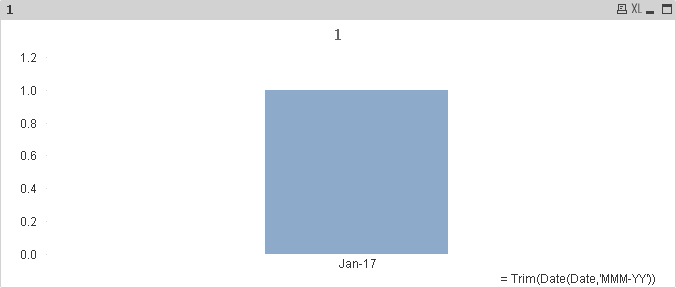
Try using trim function
Data:
LOAD * INLINE [
Date
01/01/2017
01/02/2017
01/03/2017
01/04/2017
01/05/2017
01/06/2017
01/07/2017
01/08/2017
01/09/2017
01/10/2017
];
Chart: