Unlock a world of possibilities! Login now and discover the exclusive benefits awaiting you.

- Qlik Community
- :
- All Forums
- :
- QlikView
- :
- Pivot table column width.
- Subscribe to RSS Feed
- Mark Topic as New
- Mark Topic as Read
- Float this Topic for Current User
- Bookmark
- Subscribe
- Mute
- Printer Friendly Page

 infosense_devel
- Mark as New
- Bookmark
- Subscribe
- Mute
- Subscribe to RSS Feed
- Permalink
- Report Inappropriate Content
Pivot table column width.
Hello All,
i have pivot table same as below.
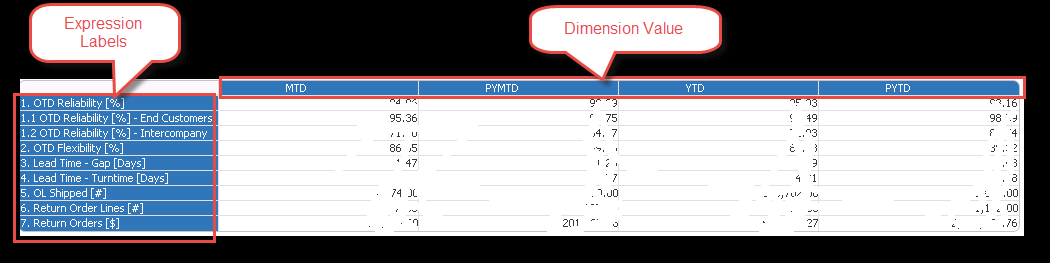
where if i increase size of Expression Labels then the Column width is also getting increased automatically.
i need expression label same size but want to decrease width of Columns.
thanks in advance.
- « Previous Replies
-
- 1
- 2
- Next Replies »


- Mark as New
- Bookmark
- Subscribe
- Mute
- Subscribe to RSS Feed
- Permalink
- Report Inappropriate Content
@minalux It depends on how the columns adjusted, Because Qlik works based on width of the object.

 minalux
- Mark as New
- Bookmark
- Subscribe
- Mute
- Subscribe to RSS Feed
- Permalink
- Report Inappropriate Content
Let's say I have this table. Right now, it is showing total of 1 dimension columns and 4 metric columns

The full table has 7 metric columns. If the columns were more narrow, it should logically fit into that space. So how can I restrict the pivot table width to force it to include all columns without needing horizontal scroll bar?


- « Previous Replies
-
- 1
- 2
- Next Replies »