Unlock a world of possibilities! Login now and discover the exclusive benefits awaiting you.

- Qlik Community
- :
- All Forums
- :
- QlikView
- :
- Problem using Webview
- Subscribe to RSS Feed
- Mark Topic as New
- Mark Topic as Read
- Float this Topic for Current User
- Bookmark
- Subscribe
- Mute
- Printer Friendly Page

- Mark as New
- Bookmark
- Subscribe
- Mute
- Subscribe to RSS Feed
- Permalink
- Report Inappropriate Content
Problem using Webview
Hi,
I need to perform some development using the Webview turned on. However I get the following message when I try to enable webview
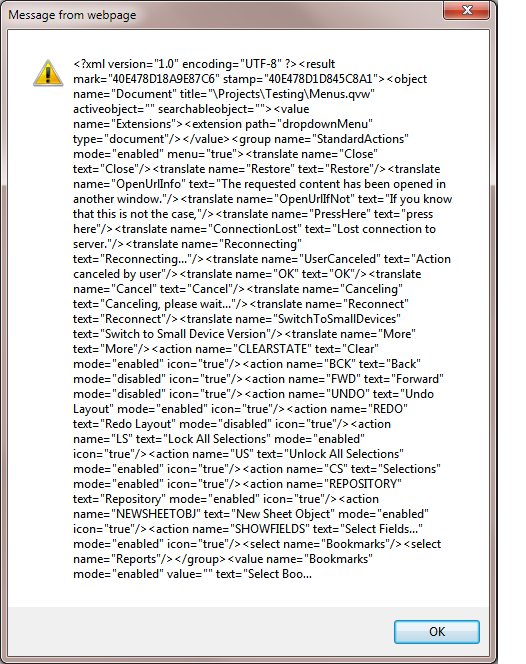
Followed by this message
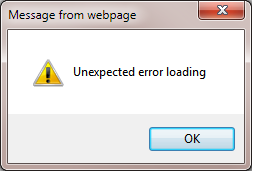
Apologies if these messages are not clear but it is all I get when I try turning it on. Any suggestions and advice will be highly appreciated.
Thanks,
Gayan.
- « Previous Replies
-
- 1
- 2
- Next Replies »

 Clever_Anjos
- Mark as New
- Bookmark
- Subscribe
- Mute
- Subscribe to RSS Feed
- Permalink
- Report Inappropriate Content
Please post here, your QV version and Internet Explorer version
- Mark as New
- Bookmark
- Subscribe
- Mute
- Subscribe to RSS Feed
- Permalink
- Report Inappropriate Content
Hi,
It's QV 11.2 and IE 8.
Thanks,
Gayan.
Clever_Anjos
- Mark as New
- Bookmark
- Subscribe
- Mute
- Subscribe to RSS Feed
- Permalink
- Report Inappropriate Content
Which SR of 11.2?
- Mark as New
- Bookmark
- Subscribe
- Mute
- Subscribe to RSS Feed
- Permalink
- Report Inappropriate Content
Hi it's SR 3.
11.20.12018.0 SR3
Thanks.
Clever_Anjos
- Mark as New
- Bookmark
- Subscribe
- Mute
- Subscribe to RSS Feed
- Permalink
- Report Inappropriate Content
Please update to last SR
- Mark as New
- Bookmark
- Subscribe
- Mute
- Subscribe to RSS Feed
- Permalink
- Report Inappropriate Content
Hi,
Thanks for you useful suggestion. I tried the latest update but no luck. I think it must be with my PC installation. I work on a remote machine regularly and that allows me to work on webview.
Clever_Anjos
- Mark as New
- Bookmark
- Subscribe
- Mute
- Subscribe to RSS Feed
- Permalink
- Report Inappropriate Content
Do you have Internet Explorer installed right?
Could you check the exact version and maybe apply last windows updade?
- Mark as New
- Bookmark
- Subscribe
- Mute
- Subscribe to RSS Feed
- Permalink
- Report Inappropriate Content
Well I didn't do any re-installation of the IE. It is the default version that came with Windows 7. I checked it with 4 machines and it works well. It's only my PC that's causing the problem Clever. I was thinking of whether to uninstall Qlikview and re-install again.
Clever_Anjos
- Mark as New
- Bookmark
- Subscribe
- Mute
- Subscribe to RSS Feed
- Permalink
- Report Inappropriate Content
I dont´ know what is happening.
Please report this to Qlik Support Team
- « Previous Replies
-
- 1
- 2
- Next Replies »