Unlock a world of possibilities! Login now and discover the exclusive benefits awaiting you.

- Qlik Community
- :
- All Forums
- :
- QlikView
- :
- Re: QVWS@... is down
- Subscribe to RSS Feed
- Mark Topic as New
- Mark Topic as Read
- Float this Topic for Current User
- Bookmark
- Subscribe
- Mute
- Printer Friendly Page

- Mark as New
- Bookmark
- Subscribe
- Mute
- Subscribe to RSS Feed
- Permalink
- Report Inappropriate Content
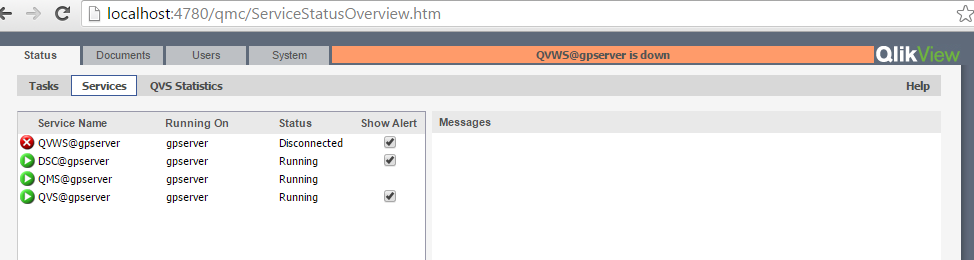
QVWS@... is down
how can i fix this problem

- « Previous Replies
-
- 1
- 2
- Next Replies »
- Mark as New
- Bookmark
- Subscribe
- Mute
- Subscribe to RSS Feed
- Permalink
- Report Inappropriate Content
what is SR and from where i can check it ?!
I use QlikView Server x64 11.20.12904.0

 jcoggon
- Mark as New
- Bookmark
- Subscribe
- Mute
- Subscribe to RSS Feed
- Permalink
- Report Inappropriate Content
Hi Mohammed,
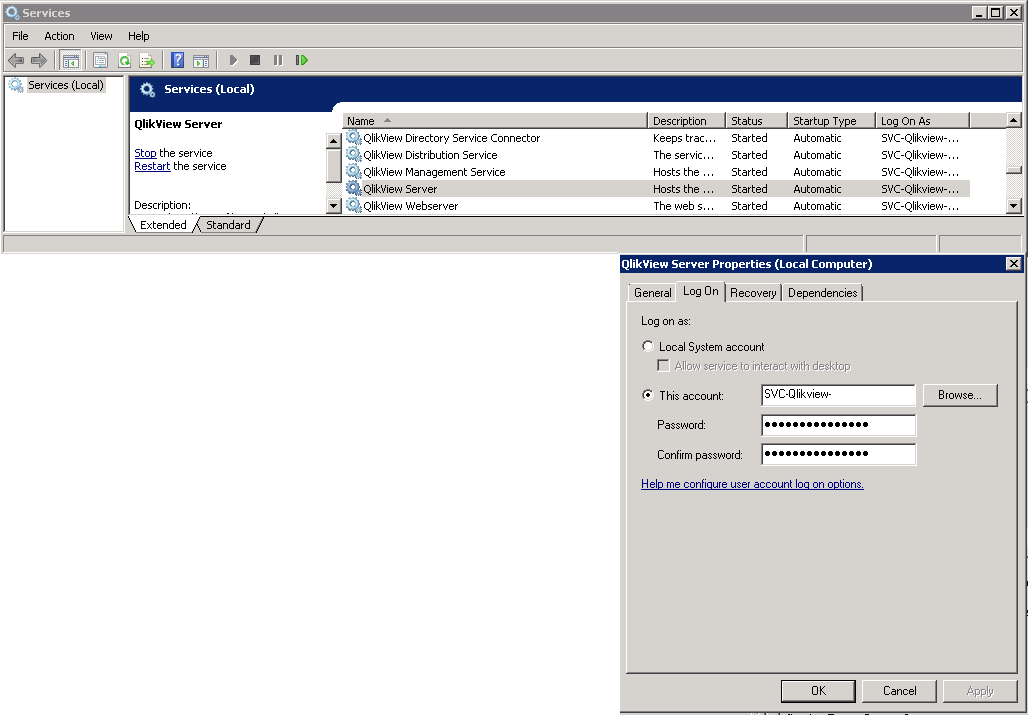
Make sure your QlikView Service service is using an Admin users Log On credentials and that the credentials are correct, because the error in your Events Log shows Access Denied for the Admin user, so just ensure your credentials are correct for the service.
 simospa
- Mark as New
- Bookmark
- Subscribe
- Mute
- Subscribe to RSS Feed
- Permalink
- Report Inappropriate Content
Ok, 12904 is SR12, the latest. You can link the release number (12904) with SR number in Software download center.
Your issue seems to be an authentication problem with the domain controller.
If you are using Active Directory you'dre-setting the DSC (Directory Connector Service) in QMC.
Let us know.
S.
- Mark as New
- Bookmark
- Subscribe
- Mute
- Subscribe to RSS Feed
- Permalink
- Report Inappropriate Content
sorry i'm lost there is no document or video to setup qlikview server after putting the license ?
simospa
- Mark as New
- Bookmark
- Subscribe
- Mute
- Subscribe to RSS Feed
- Permalink
- Report Inappropriate Content
What did you mean?
You can setup qlikview even where license is assigned...
Try to go in System --> Setup --> Directory Service Connector and check all data specified there... verify that the service is accessible and so on.
Is AD Service account a member of the Local Administrator group on the server? I mean: not only a member of
"QlikView Administrators"?
S.
- Mark as New
- Bookmark
- Subscribe
- Mute
- Subscribe to RSS Feed
- Permalink
- Report Inappropriate Content
thanks so much Mr. Simone finally it's working
- « Previous Replies
-
- 1
- 2
- Next Replies »