Unlock a world of possibilities! Login now and discover the exclusive benefits awaiting you.

- Qlik Community
- :
- All Forums
- :
- QlikView
- :
- Re: QlikSense - Adding Colors to Each Measure
Options
- Subscribe to RSS Feed
- Mark Topic as New
- Mark Topic as Read
- Float this Topic for Current User
- Bookmark
- Subscribe
- Mute
- Printer Friendly Page
Turn on suggestions
Auto-suggest helps you quickly narrow down your search results by suggesting possible matches as you type.
Showing results for

Anonymous
Not applicable
2018-01-23
06:17 PM
- Mark as New
- Bookmark
- Subscribe
- Mute
- Subscribe to RSS Feed
- Permalink
- Report Inappropriate Content
QlikSense - Adding Colors to Each Measure
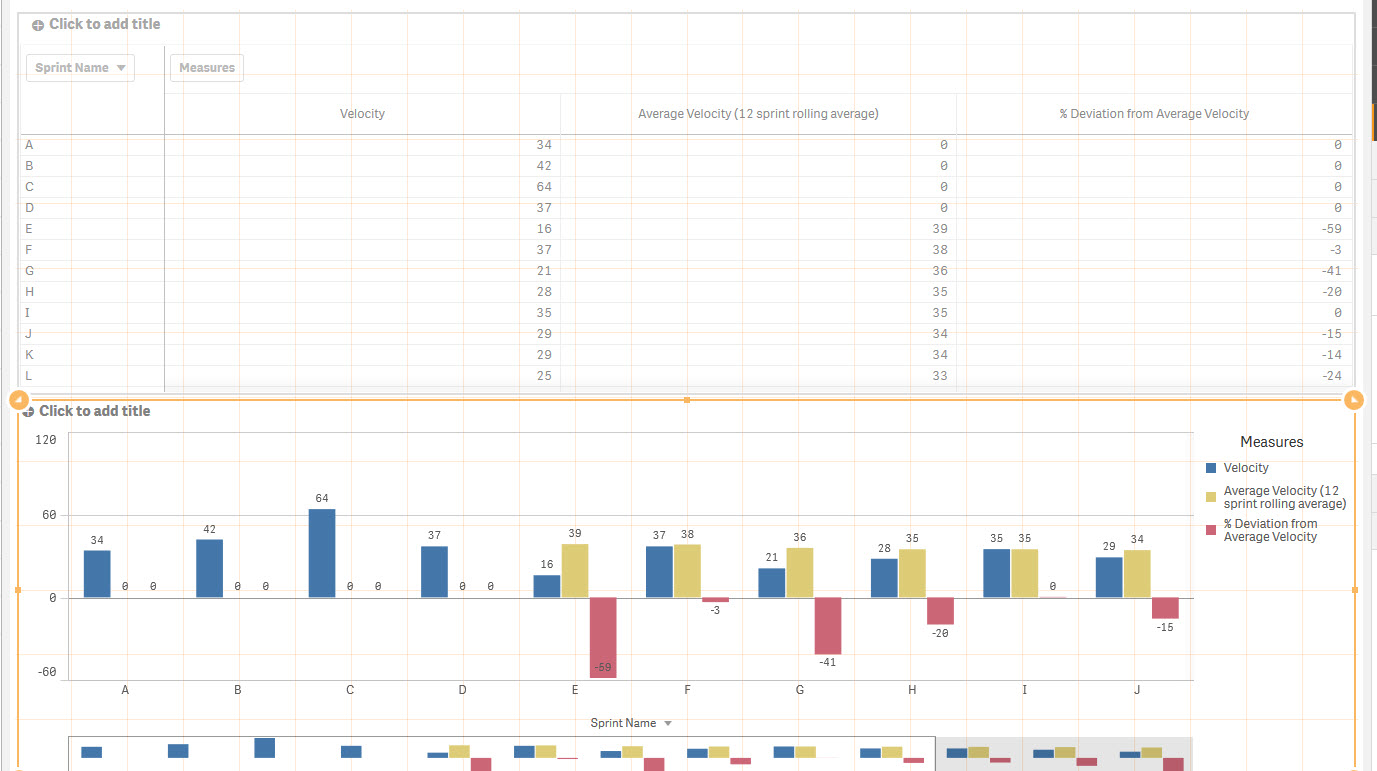
I have a chart with one Dimension and 3 measures.
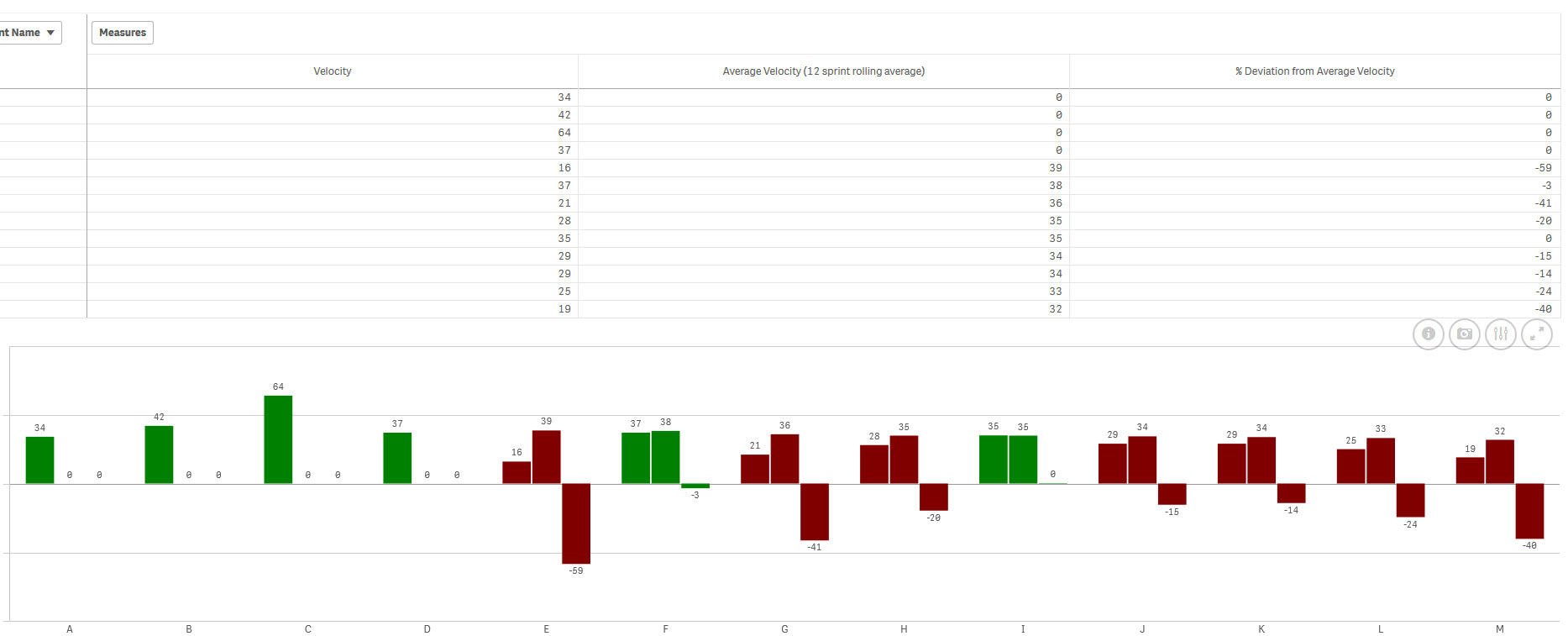
I want to have the third measuresto be colors based on a condition.
EX:
Measure 1 - Blue
Measure 2 - Yellow
Measure 3 - IF value is <10 = Red , IF Value is > 10 = Green.
When I apply this in color by expression - the conditions gets applied to all this measures. Can someone help?
1,113 Views
1 Reply

 YoussefBelloum
Champion
2018-01-23
06:32 PM
- Mark as New
- Bookmark
- Subscribe
- Mute
- Subscribe to RSS Feed
- Permalink
- Report Inappropriate Content
Hi,
for this, you should Create a master Measures for your Measures, and assign colors for each one of them like this:
Assigning colors to master items ‒ Qlik Sense
I think you can't combine static colors and colors by expressions
1,073 Views