Unlock a world of possibilities! Login now and discover the exclusive benefits awaiting you.

- Qlik Community
- :
- All Forums
- :
- QlikView
- :
- Qlikview Load
- Subscribe to RSS Feed
- Mark Topic as New
- Mark Topic as Read
- Float this Topic for Current User
- Bookmark
- Subscribe
- Mute
- Printer Friendly Page

- Mark as New
- Bookmark
- Subscribe
- Mute
- Subscribe to RSS Feed
- Permalink
- Report Inappropriate Content
Qlikview Load
Hi There
New to qlikview so apologies if this has been covered elsewhere, I have read through other discussions but haven't been able to pinpoint exactly what I'm after...
I have a table which contacts a field called Table_ID, along with various others;
Table_ID, Field 2, Field 3.....
1, a, b
2, c, d
3, e, f
What I want is to load another table so;
Load * Inline [
Table_ID, Selection
1, Yes
2, Yes
];
Here's the part I'm struggling with. When I create a list box using the selection field, I only have the "Yes" option, however I require a "No" option for all others, so in this case it would be the value 3.
Hope this makes sense, apologies for any incorrect use of technical terminology!
Thanks
Ben

 oscar_ortiz
- Mark as New
- Bookmark
- Subscribe
- Mute
- Subscribe to RSS Feed
- Permalink
- Report Inappropriate Content
Ben,
You may want to do something like this:
// I've created a Mapping Load to be used for your situation
Table_MAP:
Mapping
Load * Inline [
Table_ID, Selection
1, Yes
2, Yes
];
TableX:
// Table loaded again using ApplyMap
// ApplyMap allows you to lookup the matching Keyed value
// If it's not found you can supply a default "No" value
LOAD
*,
ApplyMap( 'Table_MAP', Table_ID, 'No' ) as Selection
;
// Original table data
Load * Inline [
Table_ID, Field 2, Field 3.....
1, a, b
2, c, d
3, e, f
];
Good luck
Oscar

 antoniotiman
- Mark as New
- Bookmark
- Subscribe
- Mute
- Subscribe to RSS Feed
- Permalink
- Report Inappropriate Content
Hi Ben,
try this
MapTable:
Mapping
LOAD * Inline [
Table_ID,Selection
1,Yes
2,Yes
];
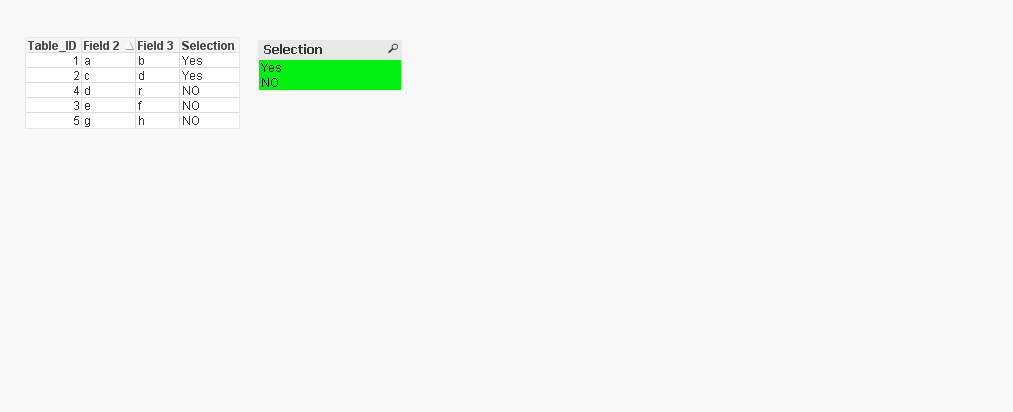
LOAD *,ApplyMap('MapTable',Table_ID,'NO') as Selection Inline [
Table_ID, Field 2, Field 3
1, a, b
2, c, d
3, e, f
4,d,r
5,g,h
];
Regards,
Antonio
- Mark as New
- Bookmark
- Subscribe
- Mute
- Subscribe to RSS Feed
- Permalink
- Report Inappropriate Content
you have to solve this in script, even if you create a listbox via expression like that:
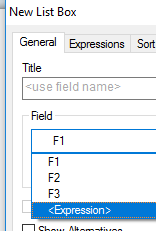
if(not isnull(Selection),Selection,'No')
you cannot select the "No-Values" ...