Unlock a world of possibilities! Login now and discover the exclusive benefits awaiting you.

- Qlik Community
- :
- All Forums
- :
- QlikView
- :
- Re: Remove scrollbars in accesspoint
- Subscribe to RSS Feed
- Mark Topic as New
- Mark Topic as Read
- Float this Topic for Current User
- Bookmark
- Subscribe
- Mute
- Printer Friendly Page

- Mark as New
- Bookmark
- Subscribe
- Mute
- Subscribe to RSS Feed
- Permalink
- Report Inappropriate Content
Remove scrollbars in accesspoint
Hello,
Does anyone have a clue on how to remove the horisontal scrollbar in the bottom?
The report is included in a iframe. Even if i make my iframe bigger it does the same.
If i scroll down the horsiontal scrollbar removes, but comes back at some point.
Look at my screenshot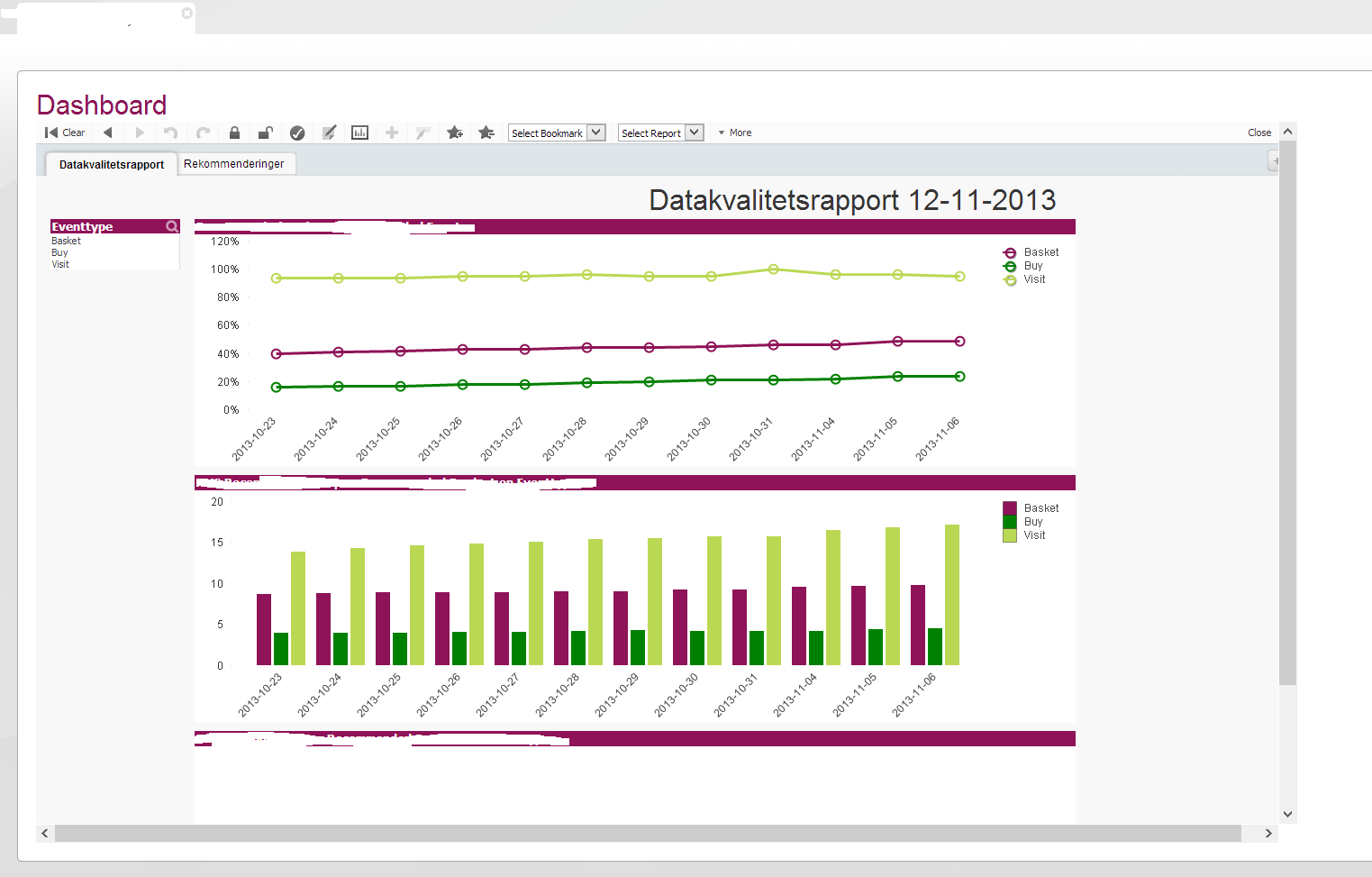
- « Previous Replies
-
- 1
- 2
- Next Replies »

 Carlos_Reyes
- Mark as New
- Bookmark
- Subscribe
- Mute
- Subscribe to RSS Feed
- Permalink
- Report Inappropriate Content
The only reason I could think its that the object's size is larger than they seem. Enable Grid ( CTRL + G) and make sure the real object's size is closer to the visible part.
- Mark as New
- Bookmark
- Subscribe
- Mute
- Subscribe to RSS Feed
- Permalink
- Report Inappropriate Content
thats not the solution - everything is fit as it should be.
- Mark as New
- Bookmark
- Subscribe
- Mute
- Subscribe to RSS Feed
- Permalink
- Report Inappropriate Content
Maybe there are hidden objects there?
- Mark as New
- Bookmark
- Subscribe
- Mute
- Subscribe to RSS Feed
- Permalink
- Report Inappropriate Content
nope 
- Mark as New
- Bookmark
- Subscribe
- Mute
- Subscribe to RSS Feed
- Permalink
- Report Inappropriate Content
if i scroll down just a bit. It jumps right in to place and the horisontal scrollbar dissapears.
tried to remove the toolbar - that didnt help.
- Mark as New
- Bookmark
- Subscribe
- Mute
- Subscribe to RSS Feed
- Permalink
- Report Inappropriate Content
Zoom out?
- Mark as New
- Bookmark
- Subscribe
- Mute
- Subscribe to RSS Feed
- Permalink
- Report Inappropriate Content
Zoom out of what?
Its not the browser if that is what you think - im not a dork ;()
- Mark as New
- Bookmark
- Subscribe
- Mute
- Subscribe to RSS Feed
- Permalink
- Report Inappropriate Content
Nope, you don't look like one  . And you say "if i make my iframe bigger it does the same". Implies that there is always that scrollbar. Shouldn't be. Ever tried empty sheet?

 Clever_Anjos
- Mark as New
- Bookmark
- Subscribe
- Mute
- Subscribe to RSS Feed
- Permalink
- Report Inappropriate Content
Try to add a blank sheet, this sheet has a h-scrollbar?
If not, check carefully all objects from original sheet (check at Caption tab) if one object exceeds the total page width
- « Previous Replies
-
- 1
- 2
- Next Replies »