Unlock a world of possibilities! Login now and discover the exclusive benefits awaiting you.

- Qlik Community
- :
- All Forums
- :
- QlikView
- :
- Reports
- Subscribe to RSS Feed
- Mark Topic as New
- Mark Topic as Read
- Float this Topic for Current User
- Bookmark
- Subscribe
- Mute
- Printer Friendly Page

 stephenedberkg
- Mark as New
- Bookmark
- Subscribe
- Mute
- Subscribe to RSS Feed
- Permalink
- Report Inappropriate Content
Reports
i have the pivot table with conditionally show.
while creating the report i drag the pivot table into report page but it's display only the layout not the values..
- « Previous Replies
-
- 1
- 2
- Next Replies »

 tresB
tresB
- Mark as New
- Bookmark
- Subscribe
- Mute
- Subscribe to RSS Feed
- Permalink
- Report Inappropriate Content
Even when the condition is true? If the condition is false, the behavior is expected.
stephenedberkg
- Mark as New
- Bookmark
- Subscribe
- Mute
- Subscribe to RSS Feed
- Permalink
- Report Inappropriate Content
even without conditional also its not displaying

 ramasaisaksoft
- Mark as New
- Bookmark
- Subscribe
- Mute
- Subscribe to RSS Feed
- Permalink
- Report Inappropriate Content
Hi Stephen,
Y don't you create a new Pivot table without applying any condition may be it will help to .
You can use this in Report editor
 HirisH_V7
- Mark as New
- Bookmark
- Subscribe
- Mute
- Subscribe to RSS Feed
- Permalink
- Report Inappropriate Content
Hi,
Yes when you conditionally hide it will show only layout as Box.But only when the condition is show the Object will be shown in that layout Box.
When you hide it will be like this,
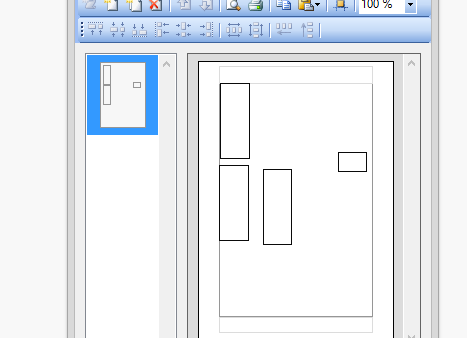
When you show it will be like this,
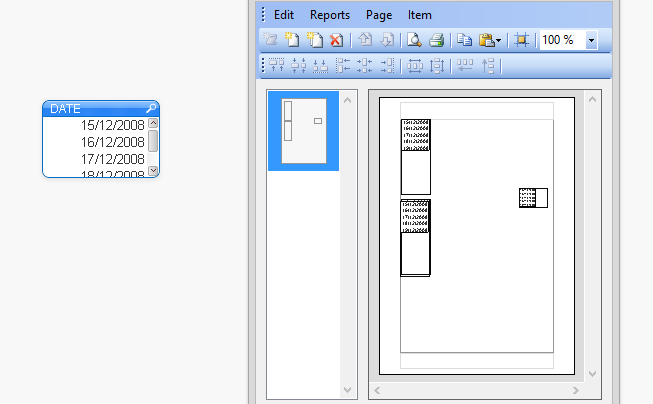
Do you want to remove that box or what?
HTH,
Hirish
stephenedberkg
- Mark as New
- Bookmark
- Subscribe
- Mute
- Subscribe to RSS Feed
- Permalink
- Report Inappropriate Content
i want to show the value in reports.
but my pivot chat is always showing the null values in the box.
stephenedberkg
- Mark as New
- Bookmark
- Subscribe
- Mute
- Subscribe to RSS Feed
- Permalink
- Report Inappropriate Content
thanks Ram
is there any alternative way?
tresB
- Mark as New
- Bookmark
- Subscribe
- Mute
- Subscribe to RSS Feed
- Permalink
- Report Inappropriate Content
Could you share your qvw with sample data?

 jagan
jagan
- Mark as New
- Bookmark
- Subscribe
- Mute
- Subscribe to RSS Feed
- Permalink
- Report Inappropriate Content
Hi,
The only way is before viewing the report you need to set the condition true for the pivot table so that the object is visible in the report.
Or create other Pivot table and minimize it, now use this object for Report.
Regards,
Jagan.
stephenedberkg
- Mark as New
- Bookmark
- Subscribe
- Mute
- Subscribe to RSS Feed
- Permalink
- Report Inappropriate Content
Thanks Jagan
but without conditional also my pivot chat only display like this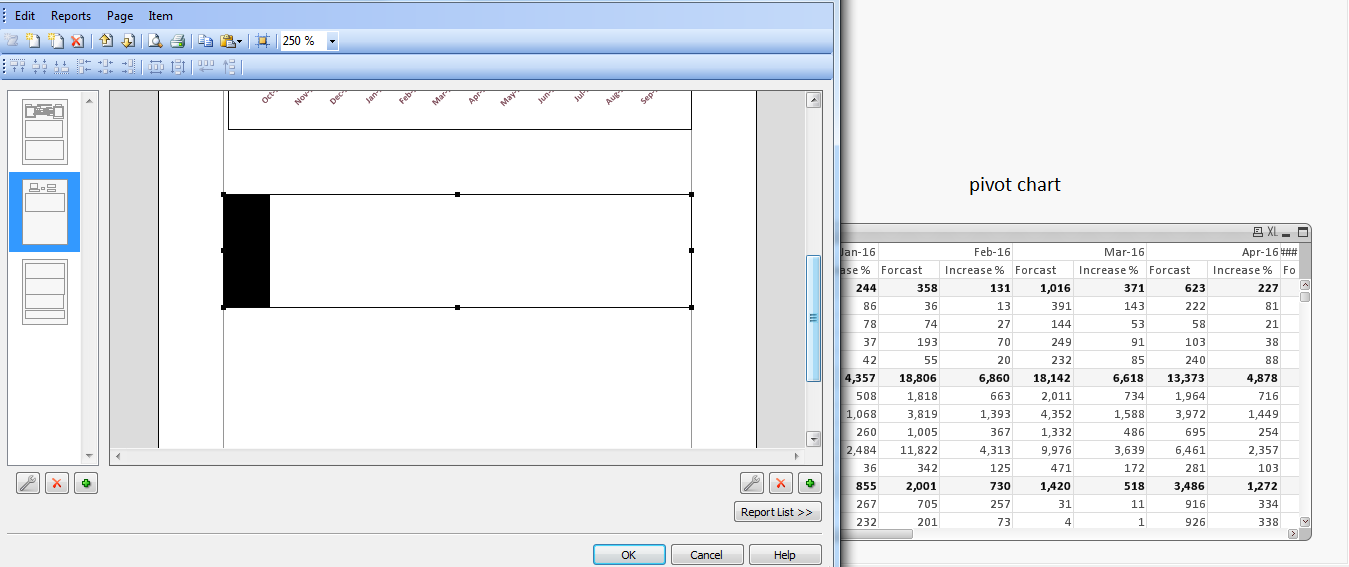

- « Previous Replies
-
- 1
- 2
- Next Replies »