Unlock a world of possibilities! Login now and discover the exclusive benefits awaiting you.

- Qlik Community
- :
- All Forums
- :
- QlikView
- :
- Resizing a straight table
- Subscribe to RSS Feed
- Mark Topic as New
- Mark Topic as Read
- Float this Topic for Current User
- Bookmark
- Subscribe
- Mute
- Printer Friendly Page

- Mark as New
- Bookmark
- Subscribe
- Mute
- Subscribe to RSS Feed
- Permalink
- Report Inappropriate Content
Resizing a straight table
Hello all,
I have tried in vain to resize the size of a straight table but can't find out any solution 
The fact is that i want to put in the country flags as a picture in the next column after the Country column, however even when i put the image in the next expression, the size of the cell remains same.
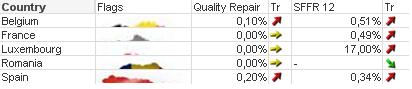
and when i select keep aspect in the Image formatting section, the result is as follows:
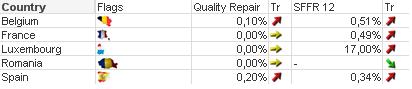
I want bigger cells in order to show the maps decently.
Does anyone got some ideas/hints on how i can resize the table's cells/columns/rows?
Thanks in advance
Rajiv
Accepted Solutions

 stephencredmond
- Mark as New
- Bookmark
- Subscribe
- Mute
- Subscribe to RSS Feed
- Permalink
- Report Inappropriate Content
Hi,
Presentation tab, Multiline settings, Wrap Cell Text, set a cell height of 2 or more.
Regards,
Stephen
stephencredmond
- Mark as New
- Bookmark
- Subscribe
- Mute
- Subscribe to RSS Feed
- Permalink
- Report Inappropriate Content
Hi,
Presentation tab, Multiline settings, Wrap Cell Text, set a cell height of 2 or more.
Regards,
Stephen
 CELAMBARASAN
- Mark as New
- Bookmark
- Subscribe
- Mute
- Subscribe to RSS Feed
- Permalink
- Report Inappropriate Content
Hi,
Chart Properties--> Presentation tab-->use Wrap cell text which is under multiline settings.
Celambarasan
- Mark as New
- Bookmark
- Subscribe
- Mute
- Subscribe to RSS Feed
- Permalink
- Report Inappropriate Content
completely right Stephen..
i got the answer just seconds after i posted the discussion while searching on the presentation tab.. 