Unlock a world of possibilities! Login now and discover the exclusive benefits awaiting you.

- Qlik Community
- :
- All Forums
- :
- QlikView
- :
- Re: Set Variable on event trigger Field
- Subscribe to RSS Feed
- Mark Topic as New
- Mark Topic as Read
- Float this Topic for Current User
- Bookmark
- Subscribe
- Mute
- Printer Friendly Page

 kris_vliegen
- Mark as New
- Bookmark
- Subscribe
- Mute
- Subscribe to RSS Feed
- Permalink
- Report Inappropriate Content
Set Variable on event trigger Field
Hi All,
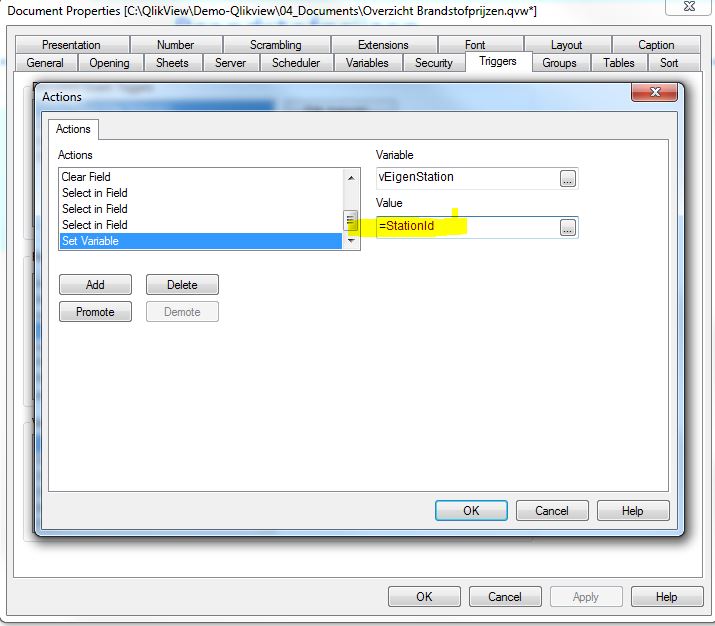
I have a listbox. And If I select 1 field in thes listbox I would like to get that value in a variable.
I'm trying wwith Document Properties -> Triggers -> Field EventTriggers -> On select.
What should I write in the value-field?
Regards,
Kris
Accepted Solutions

- Mark as New
- Bookmark
- Subscribe
- Mute
- Subscribe to RSS Feed
- Permalink
- Report Inappropriate Content
instead of =Stationid
try
=GetFieldSelections(Stationid)
or
= only(Stationid)
I assume Stationid is a field in the tables.
- Mark as New
- Bookmark
- Subscribe
- Mute
- Subscribe to RSS Feed
- Permalink
- Report Inappropriate Content
instead of =Stationid
try
=GetFieldSelections(Stationid)
or
= only(Stationid)
I assume Stationid is a field in the tables.
kris_vliegen
- Mark as New
- Bookmark
- Subscribe
- Mute
- Subscribe to RSS Feed
- Permalink
- Report Inappropriate Content
Hi Mario,
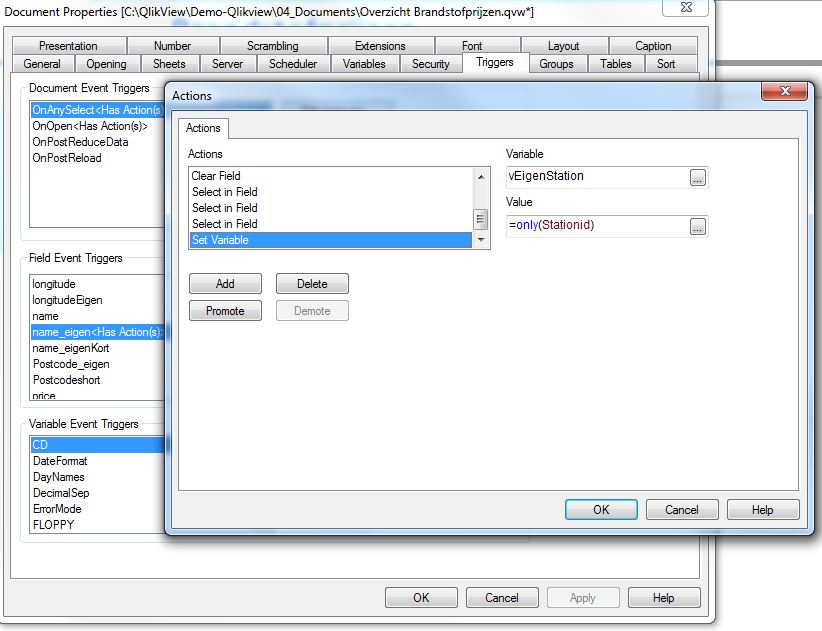
StationId is the Id of the Station_Name (Name_eigen)
So If I select 1 station I would like to put the Id in the variable.
But both your solutions doesn't work for me.

 Clever_Anjos
- Mark as New
- Bookmark
- Subscribe
- Mute
- Subscribe to RSS Feed
- Permalink
- Report Inappropriate Content
What happens if you put = only(Stationid) in a textbox?
kris_vliegen
- Mark as New
- Bookmark
- Subscribe
- Mute
- Subscribe to RSS Feed
- Permalink
- Report Inappropriate Content
Thank you both to help me find the solution.
The only()-function is working. I was looking to a wrong field.
Regards,
Kris
kris_vliegen
- Mark as New
- Bookmark
- Subscribe
- Mute
- Subscribe to RSS Feed
- Permalink
- Report Inappropriate Content
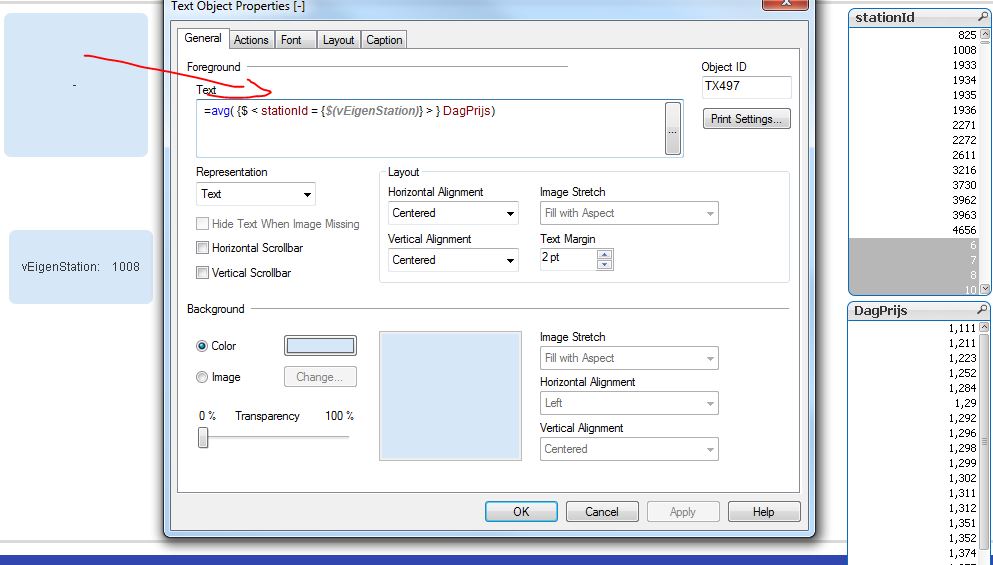
Hi, A next question.
Why do I get no value in my textfield?
Regards,
Kris
Clever_Anjos
- Mark as New
- Bookmark
- Subscribe
- Mute
- Subscribe to RSS Feed
- Permalink
- Report Inappropriate Content
Try this
=avg({<stationid={"$(=vEigenStation)"}>}DagPrijs)
kris_vliegen
- Mark as New
- Bookmark
- Subscribe
- Mute
- Subscribe to RSS Feed
- Permalink
- Report Inappropriate Content
Thanks! this is working fine.
But now I would like to fil up the whole AVGPrijs-colum with that value
How should I do this?

Clever_Anjos
- Mark as New
- Bookmark
- Subscribe
- Mute
- Subscribe to RSS Feed
- Permalink
- Report Inappropriate Content
I don´t understand, you want fill all values, including values not selected by vEigenStation?
kris_vliegen
- Mark as New
- Bookmark
- Subscribe
- Mute
- Subscribe to RSS Feed
- Permalink
- Report Inappropriate Content
Yes, but I have found the solution here
http://community.qlik.com/message/694824?et=watches.email.thread#694824
Regards,
Kris