Unlock a world of possibilities! Login now and discover the exclusive benefits awaiting you.

- Qlik Community
- :
- All Forums
- :
- QlikView
- :
- Re: Using Concat Aggr in a Heatmap
- Subscribe to RSS Feed
- Mark Topic as New
- Mark Topic as Read
- Float this Topic for Current User
- Bookmark
- Subscribe
- Mute
- Printer Friendly Page

 rustyfishbones
- Mark as New
- Bookmark
- Subscribe
- Mute
- Subscribe to RSS Feed
- Permalink
- Report Inappropriate Content
Using Concat Aggr in a Heatmap
Hi All,
I have the following expression
=Concat(Customer & ' - ' & Num(Aggr($(e.tickets), Customer), '#,##0'), chr(10), -Aggr($(e.tickets), Customer))
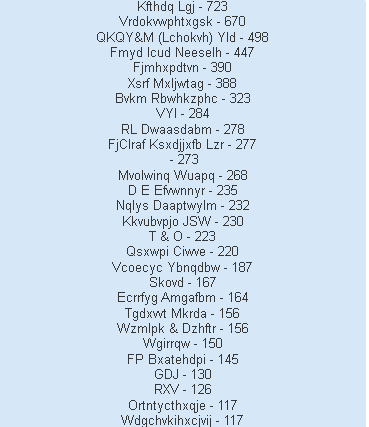
Which returns the correct number of tickets for each Customer, However when I add to a heatmap and hover over the day, it will not display the Qty's for each Customer, any ideas.

if I add the above expression in a text object it works fine
- « Previous Replies
-
- 1
- 2
- Next Replies »
Accepted Solutions

 sunny_talwar
- Mark as New
- Bookmark
- Subscribe
- Mute
- Subscribe to RSS Feed
- Permalink
- Report Inappropriate Content
Try this
=REPEAT(CHR(13),2) & REPEAT('-',10) & chr(13) & $(e.tickets) & ' Tickets Created' & CHR(13) &
Concat(DISTINCT If(Len(Trim(Aggr($(e.tickets), Customer, Year, Weekday, Week))) > 0, Customer & ' - ') & Num(Aggr($(e.tickets), Customer, Year, Weekday, Week), '#,##0'), chr(10), -Aggr($(e.tickets), Customer, Year, Weekday, Week))
sunny_talwar
- Mark as New
- Bookmark
- Subscribe
- Mute
- Subscribe to RSS Feed
- Permalink
- Report Inappropriate Content
If you just use this as your expression... does it show you the numbers?
Num(Aggr($(e.tickets), Customer), '#,##0')
rustyfishbones
- Mark as New
- Bookmark
- Subscribe
- Mute
- Subscribe to RSS Feed
- Permalink
- Report Inappropriate Content
No i'm afraid not
sunny_talwar
- Mark as New
- Bookmark
- Subscribe
- Mute
- Subscribe to RSS Feed
- Permalink
- Report Inappropriate Content
What is behind this variable? $(e.tickets)
rustyfishbones
- Mark as New
- Bookmark
- Subscribe
- Mute
- Subscribe to RSS Feed
- Permalink
- Report Inappropriate Content
COUNT (DISTINCT Ticket_No)
sunny_talwar
- Mark as New
- Bookmark
- Subscribe
- Mute
- Subscribe to RSS Feed
- Permalink
- Report Inappropriate Content
Does this work?
Num(Aggr(COUNT (DISTINCT Ticket_No), Customer), '#,##0')
rustyfishbones
- Mark as New
- Bookmark
- Subscribe
- Mute
- Subscribe to RSS Feed
- Permalink
- Report Inappropriate Content
I will try it shortly, just running a reload on another document
rustyfishbones
- Mark as New
- Bookmark
- Subscribe
- Mute
- Subscribe to RSS Feed
- Permalink
- Report Inappropriate Content
Hi Sunny,
That does not work either, as I said, this works fine in a text object
=Concat(Customer & ' - ' & Num(Aggr($(e.tickets), Customer), '#,##0'), chr(10), -Aggr($(e.tickets), Customer))
but then fails on the heatmap
sunny_talwar
- Mark as New
- Bookmark
- Subscribe
- Mute
- Subscribe to RSS Feed
- Permalink
- Report Inappropriate Content
May be you need to add Year, WeekDay, Week in your Aggr() function....
=Concat(Customer & ' - ' & Num(Aggr($(e.tickets), Customer), '#,##0'), chr(10), -Aggr($(e.tickets), Customer, Year, WeekDay, Week))
If this doesn't help, would you be able to share a sample?
rustyfishbones
- Mark as New
- Bookmark
- Subscribe
- Mute
- Subscribe to RSS Feed
- Permalink
- Report Inappropriate Content
I tried that earlier today and it did not return the correct result.
But I will try again, if it does not work I will try share a reduced version of the App.

- « Previous Replies
-
- 1
- 2
- Next Replies »