Unlock a world of possibilities! Login now and discover the exclusive benefits awaiting you.

- Qlik Community
- :
- All Forums
- :
- QlikView
- :
- Re: display values vertically in chart
- Subscribe to RSS Feed
- Mark Topic as New
- Mark Topic as Read
- Float this Topic for Current User
- Bookmark
- Subscribe
- Mute
- Printer Friendly Page

 arulsettu
- Mark as New
- Bookmark
- Subscribe
- Mute
- Subscribe to RSS Feed
- Permalink
- Report Inappropriate Content
display values vertically in chart
hi in my chart i have to display like this

how can i do this? any help?...thanks
- Tags:
- new_to_qlikview
Accepted Solutions

 crusader_
- Mark as New
- Bookmark
- Subscribe
- Mute
- Subscribe to RSS Feed
- Permalink
- Report Inappropriate Content
Hi Arul,
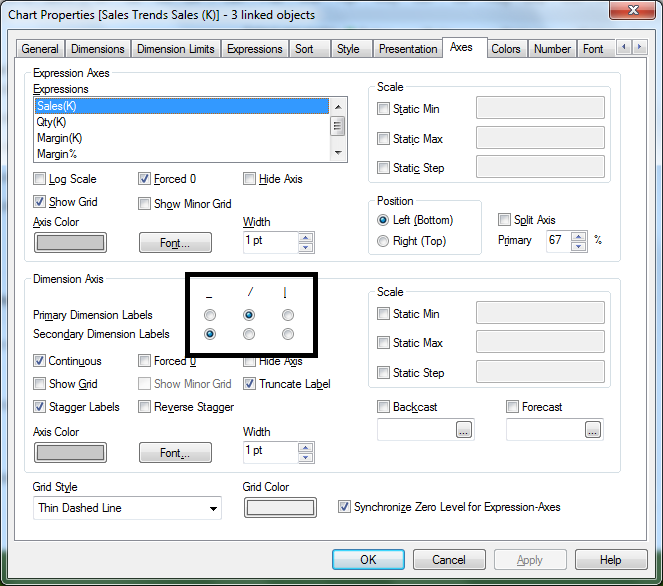
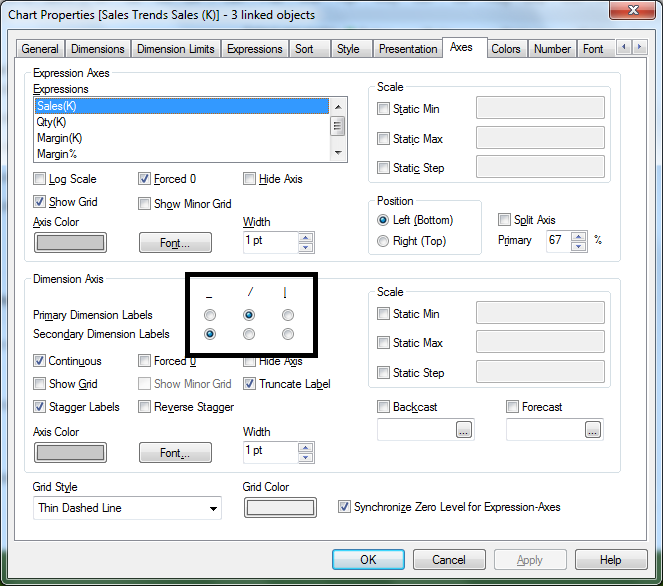
Go to CHart Properties->Axes->Dimension Axes->Primary (Secondary) Dimension Axes set into |.
Hope it helps.
Best regards,
Andrei

 its_anandrjs
- Mark as New
- Bookmark
- Subscribe
- Mute
- Subscribe to RSS Feed
- Permalink
- Report Inappropriate Content
In chart properties -> Axes -> dimension axes
Take a look for snap shot

 MK_QSL
- Mark as New
- Bookmark
- Subscribe
- Mute
- Subscribe to RSS Feed
- Permalink
- Report Inappropriate Content
Go to Axes and Under Dimension Axes you can find this option
crusader_
- Mark as New
- Bookmark
- Subscribe
- Mute
- Subscribe to RSS Feed
- Permalink
- Report Inappropriate Content
Hi Arul,
Go to CHart Properties->Axes->Dimension Axes->Primary (Secondary) Dimension Axes set into |.
Hope it helps.
Best regards,
Andrei

 rohit214
- Mark as New
- Bookmark
- Subscribe
- Mute
- Subscribe to RSS Feed
- Permalink
- Report Inappropriate Content
check 2nd option.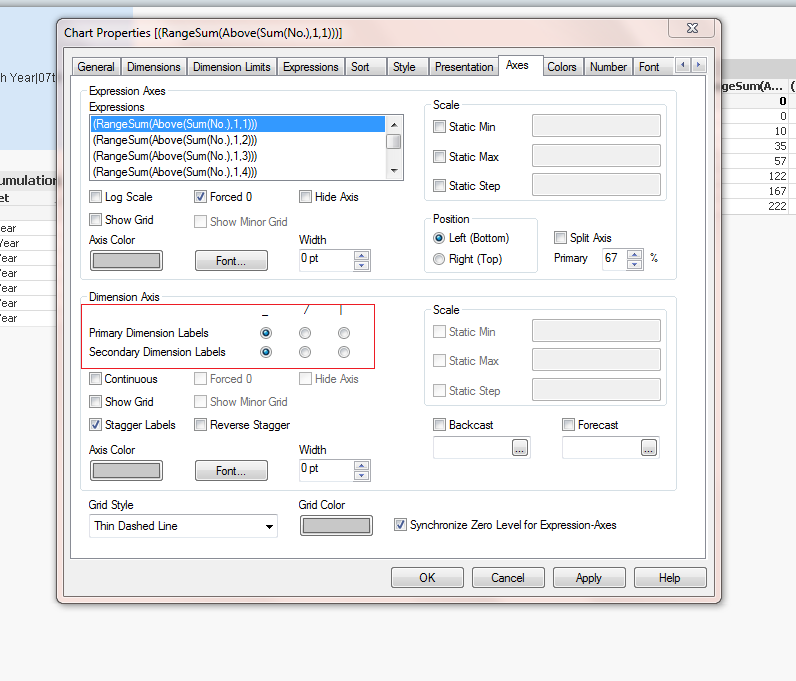
its_anandrjs
- Mark as New
- Bookmark
- Subscribe
- Mute
- Subscribe to RSS Feed
- Permalink
- Report Inappropriate Content
See the attache snap shots
arulsettu
- Mark as New
- Bookmark
- Subscribe
- Mute
- Subscribe to RSS Feed
- Permalink
- Report Inappropriate Content
thanks to all........

- Mark as New
- Bookmark
- Subscribe
- Mute
- Subscribe to RSS Feed
- Permalink
- Report Inappropriate Content
hi in my chart i have to display like this

how can i do this? any help?...thanks
Go to CHart Properties->Axes->Dimension Axes->Primary (Secondary) Dimension Axes set into |.

Regards,
Damu