Unlock a world of possibilities! Login now and discover the exclusive benefits awaiting you.

- Qlik Community
- :
- Forums
- :
- Analytics & AI
- :
- Products & Topics
- :
- Reporting Service & Alerting
- :
- Percentages on labels of a stacked bar chart pixel...
- Subscribe to RSS Feed
- Mark Topic as New
- Mark Topic as Read
- Float this Topic for Current User
- Bookmark
- Subscribe
- Mute
- Printer Friendly Page

 zuk
zuk
- Mark as New
- Bookmark
- Subscribe
- Mute
- Subscribe to RSS Feed
- Permalink
- Report Inappropriate Content
Percentages on labels of a stacked bar chart pixel perfect
Hi,
i'm tring to create a stacked bar chart in a pixel perfect template with percentages in labels using qlik sense cloud reporting.
I have not found anything for doing this.
Can anyone help me?
I have attached the screenshot of chart that i want to displaying percentages in labels...
Thanks,
Alessandro

Accepted Solutions

 Andrew_Kruger
- Mark as New
- Bookmark
- Subscribe
- Mute
- Subscribe to RSS Feed
- Permalink
- Report Inappropriate Content
@zuk have you referenced this https://help.qlik.com/en-US/cloud-services/Subsystems/Hub/Content/Sense_Hub/Reporting/pixelperfect-t... ?
Screenshot of how I controlled the label attached


 Frank_S
- Mark as New
- Bookmark
- Subscribe
- Mute
- Subscribe to RSS Feed
- Permalink
- Report Inappropriate Content
I'll get you started but it's pretty complex and I haven't fully completed this yet. You may get it done with the head start below.
- Choose and add the tables containing the data you wish to report (not levels in this case, just tables).
- Insert one detailed report band.
- Select and drag the chart object into your detailed report
- Then click run designer to start selecting your series bindings and switching to a stacked bar chart.
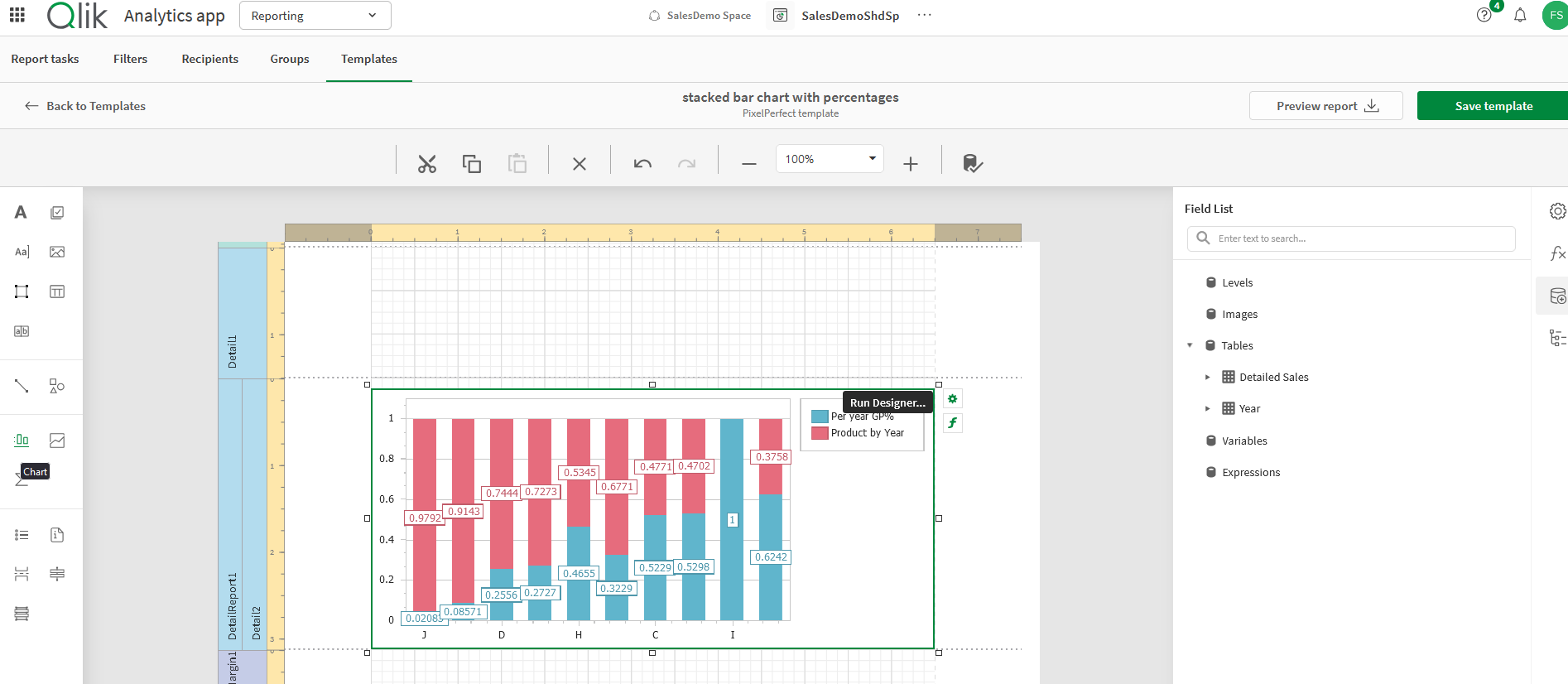
This old Nprinting Pixel Report designer article might help as well. Clearly there are many differences but some of it may apply to your requirement.
Kind regards...
zuk
- Mark as New
- Bookmark
- Subscribe
- Mute
- Subscribe to RSS Feed
- Permalink
- Report Inappropriate Content
Hi @Frank_S ,
Thanks for your response!
My requirement is that the value displayed in the label of the bars should not be 0.97 but 97%, for example.
Is there any way to do this?
Kind Regards,
Alessandro
Andrew_Kruger
- Mark as New
- Bookmark
- Subscribe
- Mute
- Subscribe to RSS Feed
- Permalink
- Report Inappropriate Content
@zuk have you referenced this https://help.qlik.com/en-US/cloud-services/Subsystems/Hub/Content/Sense_Hub/Reporting/pixelperfect-t... ?
Screenshot of how I controlled the label attached
Frank_S
- Mark as New
- Bookmark
- Subscribe
- Mute
- Subscribe to RSS Feed
- Permalink
- Report Inappropriate Content
Yes that's got it.
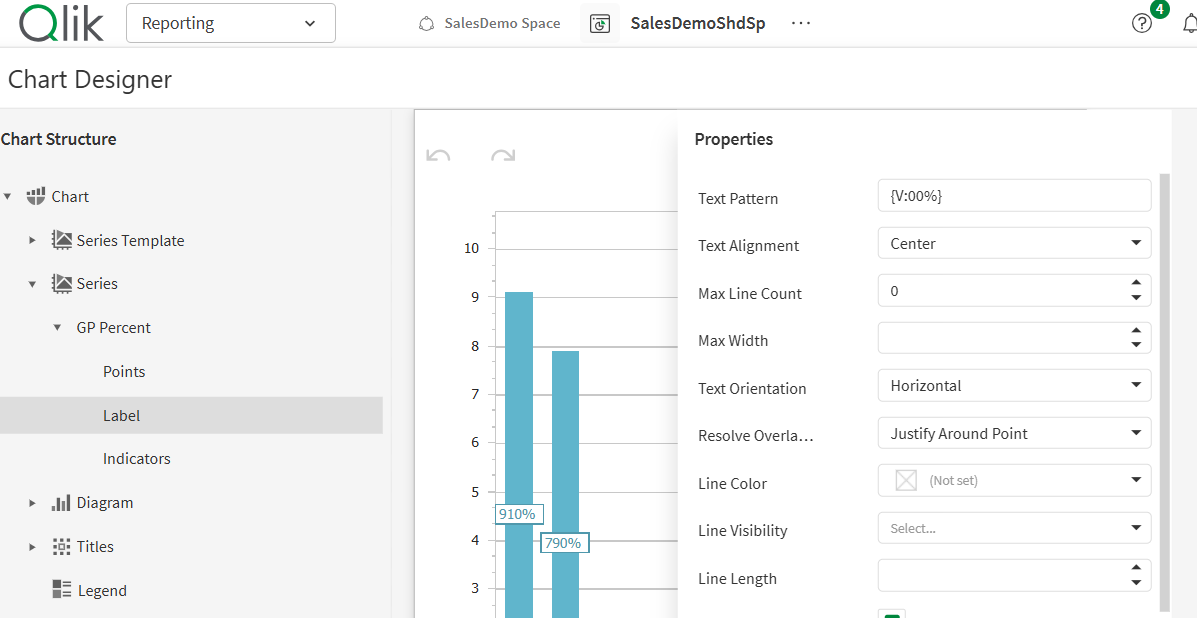
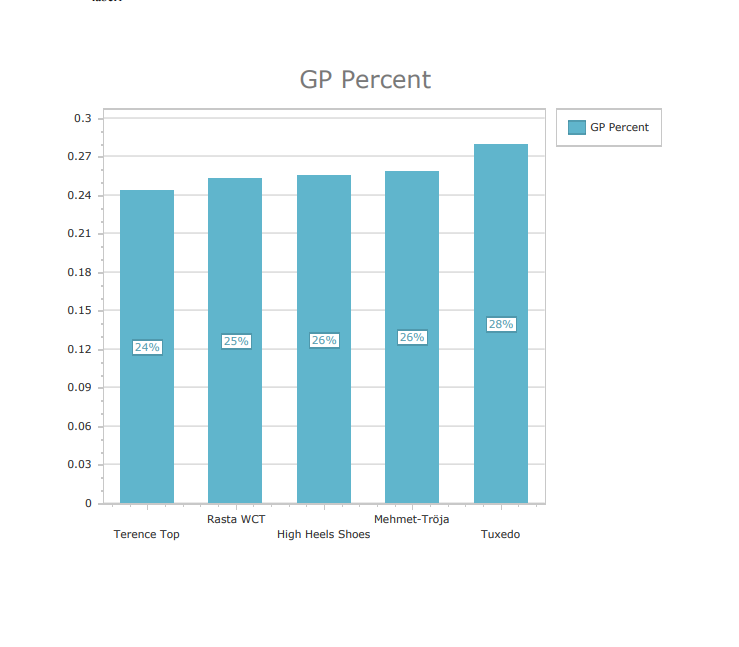
Frank_S
- Mark as New
- Bookmark
- Subscribe
- Mute
- Subscribe to RSS Feed
- Permalink
- Report Inappropriate Content
zuk
- Mark as New
- Bookmark
- Subscribe
- Mute
- Subscribe to RSS Feed
- Permalink
- Report Inappropriate Content
Hi @Andrew_Kruger & @Frank_S ,
Thank you very much for the immediate support!
