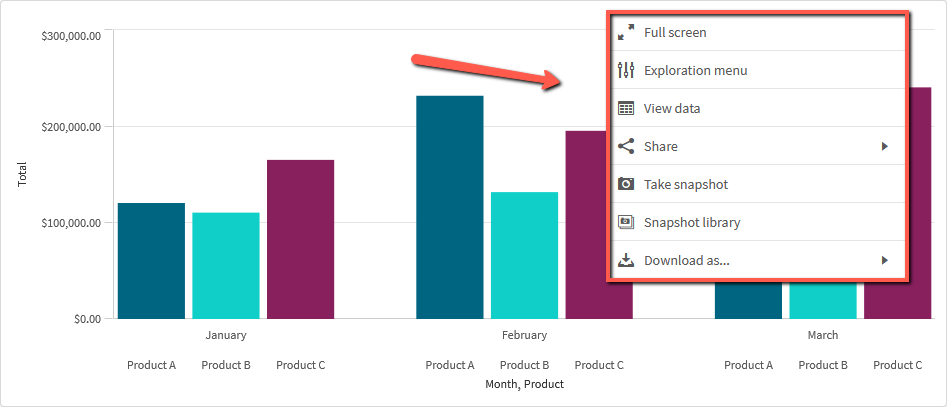
It would be useful to have the ability to easily configure the context menu available on visualizations. An example of the context menu I am referring to is shown in the image below. It is accessible by simply right-clicking a visualization.
Visualization Context Menu
This could include the ability to hide individual features or disable the context menu completely. Some features available in the context menu are not desired in all scenarios. For example, our customers do not need the "Share" feature that is available in the context menu nor will it function as intended given the nature of our deployment. It would be great if we could simply toggle this feature off while editing the visualization's properties or even disable it for a group of users through a security role.
I second this motion! Would be really useful to streamline the experience for users as well as some extra security to be able to disable things like sharing and download for particularly sensitive data.
Thank you for your feedback on ways to improve our product. While this is something we understand would be useful, it's not on the short-term roadmap. Please continue to show your support for this idea.
Thanks,
Patric
Note that it is possible achieve the above, to disable features for users or groups, using the *security rules*.
+1. Additionally, it would be nice if you could customize the menu item's naming, e.g. we would like to change "download as" --> "Excel" instead of "data". Some users might be confused by the term "data" not knowing it means the xlsx format.
NOTE: Upon clicking this link 2 tabs may open - please feel free to close the one with a login page. If you only see 1 tab with the login page, please try clicking this link first: Authenticate me! then try the link above again. Ensure pop-up blocker is off.