Unlock a world of possibilities! Login now and discover the exclusive benefits awaiting you.

- Qlik Community
- :
- Forums
- :
- Analytics & AI
- :
- Products & Topics
- :
- Visualization and Usability
- :
- Can't open my Qlik Sense Destop
- Subscribe to RSS Feed
- Mark Topic as New
- Mark Topic as Read
- Float this Topic for Current User
- Bookmark
- Subscribe
- Mute
- Printer Friendly Page

 beck_bakytbek
- Mark as New
- Bookmark
- Subscribe
- Mute
- Subscribe to RSS Feed
- Permalink
- Report Inappropriate Content
Can't open my Qlik Sense Destop
Hi Folks,
i have a question, do we have any technical problems whithin Qlik Sense?
I am not able to open my Qlik Sense Desktop, if i am trying to open, i have this view (see the attached screen)
Accepted Solutions

.png "Former Employee") Wlad_Masi
Wlad_Masi
- Mark as New
- Bookmark
- Subscribe
- Mute
- Subscribe to RSS Feed
- Permalink
- Report Inappropriate Content
@beck_bakytbek We are having problems with our Qlik Sense Desktop authentication.
Please keep an eye on this thread here.
I will share updates once we have one.
I am sorry for the inconvenience.
Wlad_Masi
- Mark as New
- Bookmark
- Subscribe
- Mute
- Subscribe to RSS Feed
- Permalink
- Report Inappropriate Content
@beck_bakytbek We are having problems with our Qlik Sense Desktop authentication.
Please keep an eye on this thread here.
I will share updates once we have one.
I am sorry for the inconvenience.
beck_bakytbek
- Mark as New
- Bookmark
- Subscribe
- Mute
- Subscribe to RSS Feed
- Permalink
- Report Inappropriate Content
Hello Wlad,
thanks a lot for your responce, please let me know if you have any solution to this issue.
Thanks a lot

 M_A_J
M_A_J
- Mark as New
- Bookmark
- Subscribe
- Mute
- Subscribe to RSS Feed
- Permalink
- Report Inappropriate Content
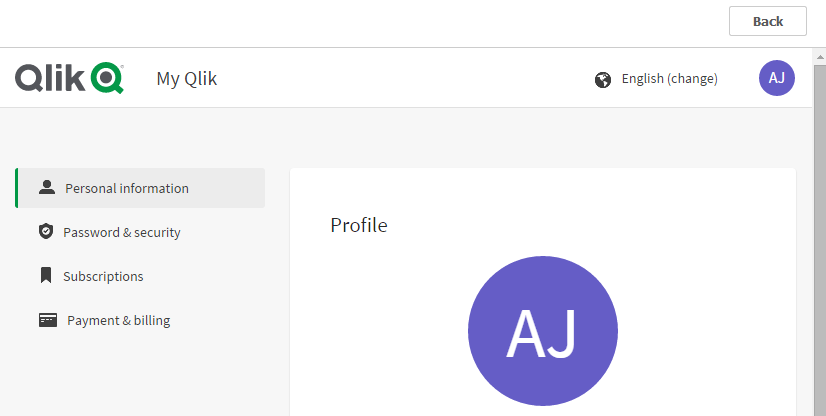
I also have this issue please confirm if it's resolved.
I see this attached sheet and can't go-on any further
 Wlad_Masi
- Mark as New
- Bookmark
- Subscribe
- Mute
- Subscribe to RSS Feed
- Permalink
- Report Inappropriate Content
Hi @M_A_J how are you authenticating your Qlik Sense Desktop?
Against QSB?
What steps have you done so far before getting this screen?
M_A_J
- Mark as New
- Bookmark
- Subscribe
- Mute
- Subscribe to RSS Feed
- Permalink
- Report Inappropriate Content
Double click icon -> Select log in with Qlik Account -> Please Wait window shows up -> then "Failed to open the selected Hub" comes up I have attached the error on selecting both options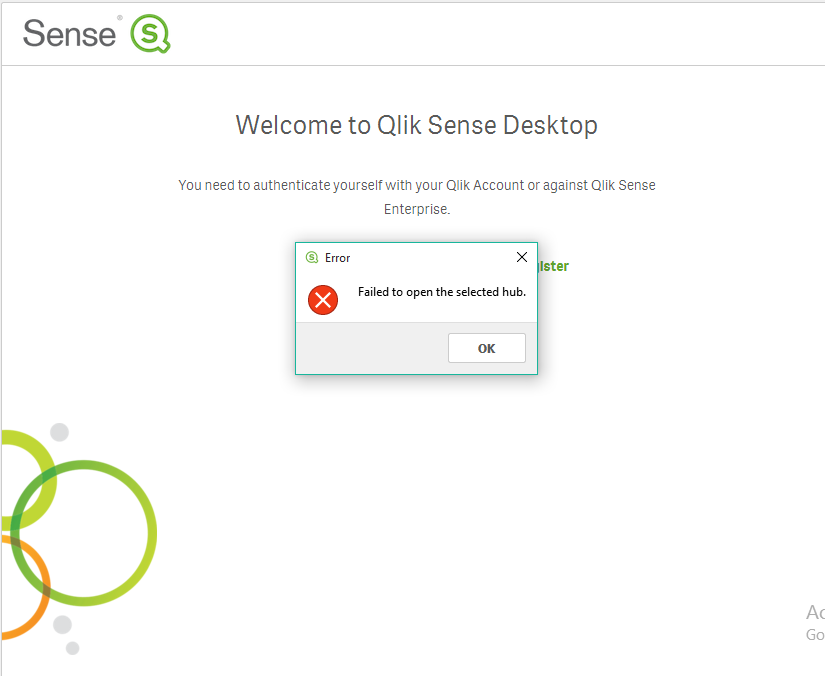

 QFabian
- Mark as New
- Bookmark
- Subscribe
- Mute
- Subscribe to RSS Feed
- Permalink
- Report Inappropriate Content
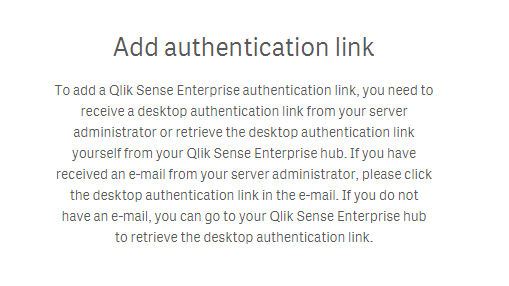
Hi, you have to create or get an authentication link from your engine in QMC
did it work for you? give like and mark the solution as accepted.
QFabian
- Mark as New
- Bookmark
- Subscribe
- Mute
- Subscribe to RSS Feed
- Permalink
- Report Inappropriate Content
Check this page :
did it work for you? give like and mark the solution as accepted.
