Unlock a world of possibilities! Login now and discover the exclusive benefits awaiting you.

Announcements
Talend Cloud AWS EU Scheduled Outage: Starting Tues 26 May 21:00 CEST with expected completion Wed 27 May 01:00 CEST
- Qlik Community
- :
- Forums
- :
- Analytics & AI
- :
- Products & Topics
- :
- Visualization and Usability
- :
- Change the header for the Straight table and pivot...
Options
- Subscribe to RSS Feed
- Mark Topic as New
- Mark Topic as Read
- Float this Topic for Current User
- Bookmark
- Subscribe
- Mute
- Printer Friendly Page
Turn on suggestions
Auto-suggest helps you quickly narrow down your search results by suggesting possible matches as you type.
Showing results for

 Kohli
Kohli
Creator II
2018-09-21
03:04 AM
- Mark as New
- Bookmark
- Subscribe
- Mute
- Subscribe to RSS Feed
- Permalink
- Report Inappropriate Content
Change the header for the Straight table and pivot table in qliksense
I have straight table in qliksense, how can i change the header of the straight table?
677 Views
3 Replies

 OmarBenSalem
Partner - Champion II
2018-09-21
03:48 AM
- Mark as New
- Bookmark
- Subscribe
- Mute
- Subscribe to RSS Feed
- Permalink
- Report Inappropriate Content
You can't.
595 Views

 robert99
Specialist III
2018-09-21
04:48 AM
- Mark as New
- Bookmark
- Subscribe
- Mute
- Subscribe to RSS Feed
- Permalink
- Report Inappropriate Content
Hi
In what way do you want to change it?
And who wants to make the change.
For example an expression can be set up to change say the dates. But I'm unsure what you want to do
595 Views
 DavidŠtorek
Creator III
2018-09-21
06:34 AM
- Mark as New
- Bookmark
- Subscribe
- Mute
- Subscribe to RSS Feed
- Permalink
- Report Inappropriate Content
Hi,
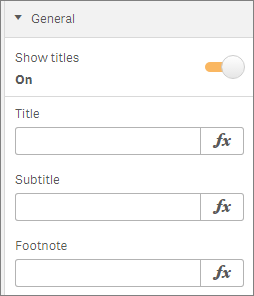
what do you mean by "change the header". You wan to have a dynamic title of table? Do you want to have a dynamic title of columns?
For both of them you can use expression and titles/ labels can be changed based on some selections, variables or even values of calculations...
You can use for example following functions
You can check what properties you chan set by table here
595 Views
