Unlock a world of possibilities! Login now and discover the exclusive benefits awaiting you.

- Qlik Community
- :
- Forums
- :
- Analytics & AI
- :
- Products & Topics
- :
- Visualization and Usability
- :
- Combining 2 Stacked Bar with different dimensions
- Subscribe to RSS Feed
- Mark Topic as New
- Mark Topic as Read
- Float this Topic for Current User
- Bookmark
- Subscribe
- Mute
- Printer Friendly Page

 hamdaniahmad
- Mark as New
- Bookmark
- Subscribe
- Mute
- Subscribe to RSS Feed
- Permalink
- Report Inappropriate Content
Combining 2 Stacked Bar with different dimensions
Hello All,
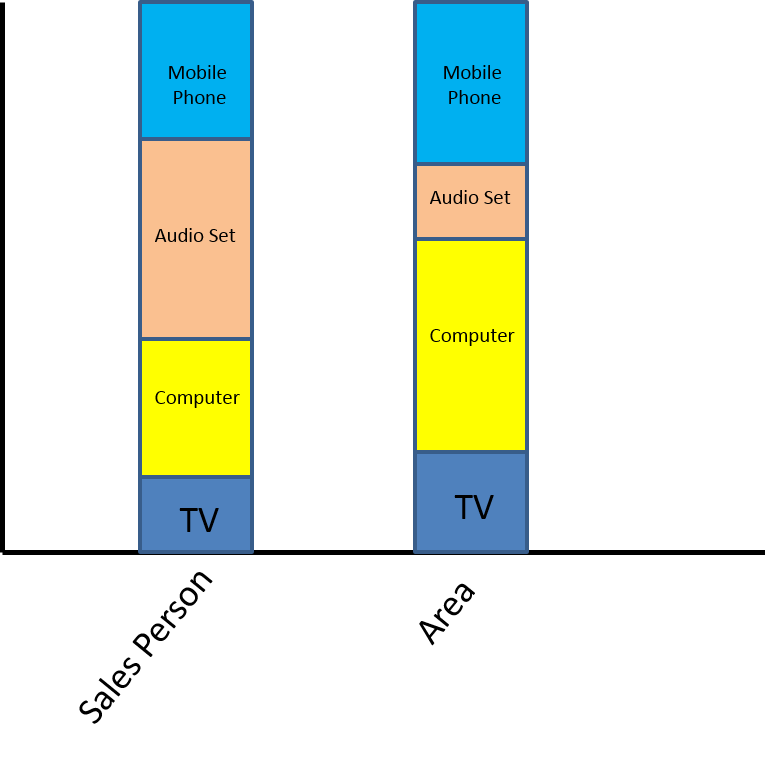
I have a question, can I combine 2 stacked bar into only 1 object?
I have case to comparing total sales persons with their area with different dimensions (see picture).
If we combine into 1 object, it's easier to see and analyze.
Anyone have any suggestions or maybe Qlik Sense have special extension for this case?
It is better if stacked bar also showing transition between dimension.
Thanks anyway.

 OmarBenSalem
- Mark as New
- Bookmark
- Subscribe
- Mute
- Subscribe to RSS Feed
- Permalink
- Report Inappropriate Content
u have 2 measures u want to combine into the same bar?
one for Sales another for Area?
hamdaniahmad
- Mark as New
- Bookmark
- Subscribe
- Mute
- Subscribe to RSS Feed
- Permalink
- Report Inappropriate Content
Yes... exactly, I have 2 Measures and 2 Dimensions, is it possible?
OmarBenSalem
- Mark as New
- Bookmark
- Subscribe
- Mute
- Subscribe to RSS Feed
- Permalink
- Report Inappropriate Content
Try to use valueList()
sthing like follow:
Dim : ValueList('Sales Person','Area')
Dim2 : YourDim
Measure: if(ValueList('Sales Person','Area')='Sales Person', YourFirstMeasure,YourSecondMeasure)
