Unlock a world of possibilities! Login now and discover the exclusive benefits awaiting you.

- Qlik Community
- :
- Forums
- :
- Analytics & AI
- :
- Products & Topics
- :
- Visualization and Usability
- :
- Comparing dates in an if statement
- Subscribe to RSS Feed
- Mark Topic as New
- Mark Topic as Read
- Float this Topic for Current User
- Bookmark
- Subscribe
- Mute
- Printer Friendly Page

 carotravaglini
- Mark as New
- Bookmark
- Subscribe
- Mute
- Subscribe to RSS Feed
- Permalink
- Report Inappropriate Content
Comparing dates in an if statement
Hi! I need to compare 2 dates in order to count how many employees are at some time.
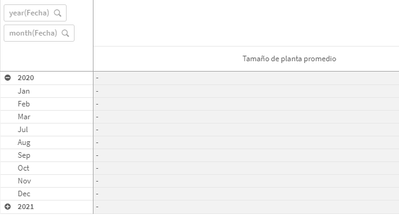
I have a pivot table with month and year as dimensions.
if(date(Fecha) >= date(leg_fecing,'MM/dd/yyyy'), Count(leg_numero)- Count (leg_fecegr))
It's not working. How can i solve this?

 QFabian
- Mark as New
- Bookmark
- Subscribe
- Mute
- Subscribe to RSS Feed
- Permalink
- Report Inappropriate Content
Hi @carotravaglini , please try something like this :
Count(if(num(Fecha)>=num(leg_fecing), leg_numero))
-
Count(if(num(Fecha)>=num(leg_fecegr), leg_fecegr))
did it work for you? give like and mark the solution as accepted.
carotravaglini
- Mark as New
- Bookmark
- Subscribe
- Mute
- Subscribe to RSS Feed
- Permalink
- Report Inappropriate Content
Hi @Qfabian, thanks for the answer. I've got some results with your reply, but wrong ones.
QFabian
- Mark as New
- Bookmark
- Subscribe
- Mute
- Subscribe to RSS Feed
- Permalink
- Report Inappropriate Content
Hi, checking your original formula, maybe it is like this:
Count(if(num(Fecha)>=num(leg_fecing), leg_numero))
-
Count(if(num(Fecha)>=num(leg_fecing), leg_fecegr))
did it work for you? give like and mark the solution as accepted.
carotravaglini
- Mark as New
- Bookmark
- Subscribe
- Mute
- Subscribe to RSS Feed
- Permalink
- Report Inappropriate Content
Thank you @QFabian , i found a solution with this formula and your idea was really helpfull:
count(distinct(leg_numero)) - count(distinct(if([leg_fecegr.autoCalendar.Date]<[Fecha.autoCalendar.Date],leg_numero))) - count(distinct(if([leg_fecing.autoCalendar.Date]>[Fecha.autoCalendar.Date],leg_numero)))
