Unlock a world of possibilities! Login now and discover the exclusive benefits awaiting you.

- Qlik Community
- :
- Forums
- :
- Analytics & AI
- :
- Products & Topics
- :
- Visualization and Usability
- :
- Date format from CSV
- Subscribe to RSS Feed
- Mark Topic as New
- Mark Topic as Read
- Float this Topic for Current User
- Bookmark
- Subscribe
- Mute
- Printer Friendly Page

- Mark as New
- Bookmark
- Subscribe
- Mute
- Subscribe to RSS Feed
- Permalink
- Report Inappropriate Content
Date format from CSV
Hi community,
I have a problem with a date field (maybe it isn't even processed as a Date field when loaded in Qlik.)
This is the csv view of the field.
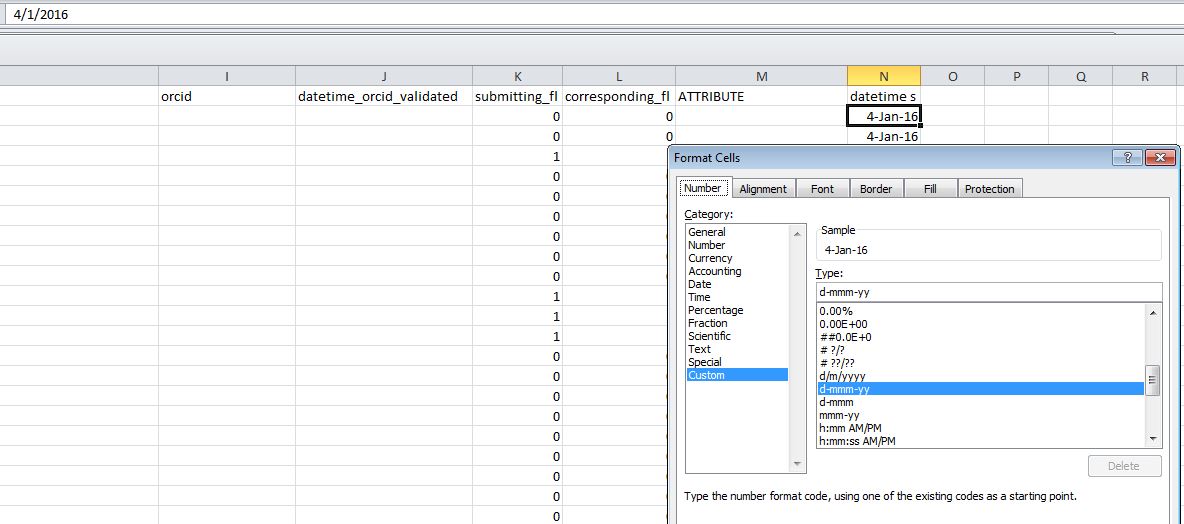
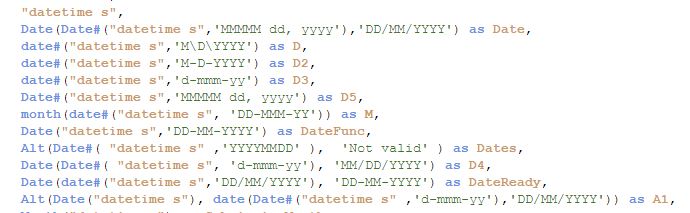
So I am trying to get the Month and Year from this field and I have tried all the following in load script (because the field just doesn't read as a date field.
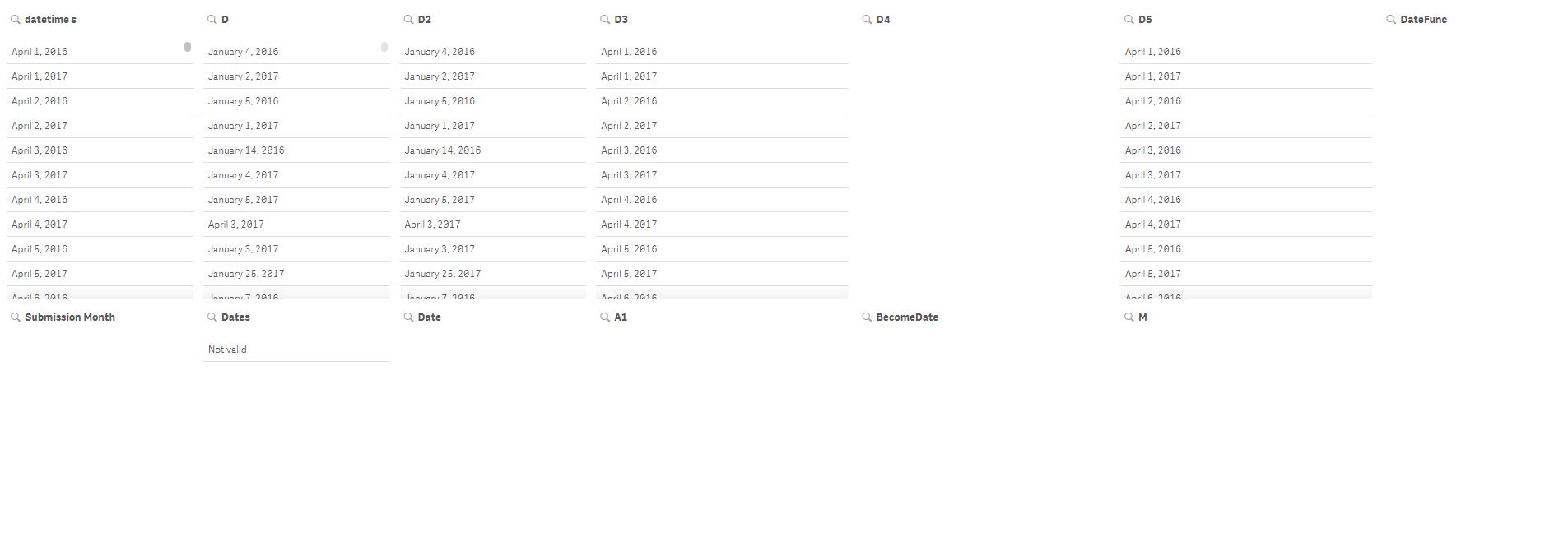
This is what I see in the dashboard view:
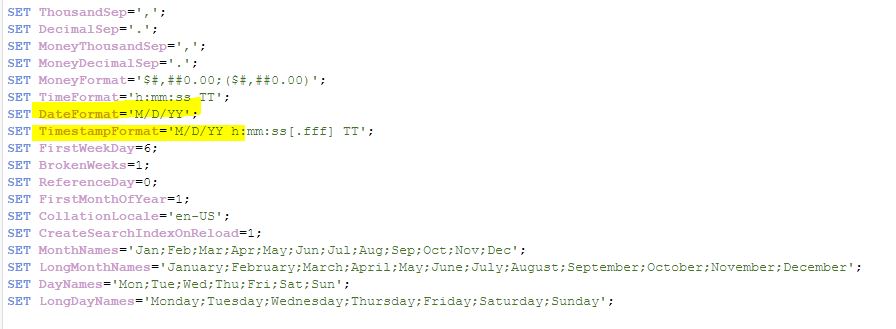
Lastly, here's the SETTINGS (I have tried a few date formats)
Would greatly appreciate any help! Thank you in advance.
Regards,
Wai Meng
- Tags:
- date functions
- Mark as New
- Bookmark
- Subscribe
- Mute
- Subscribe to RSS Feed
- Permalink
- Report Inappropriate Content
Note in Dashboard view, D and D2 have been sorted numerically.
D sorted by Ascending.
D2 sorted by Descending.

 agigliotti
- Mark as New
- Bookmark
- Subscribe
- Mute
- Subscribe to RSS Feed
- Permalink
- Report Inappropriate Content
you can use the below expression in your script:
month(date#([datetime s], 'd-mmm-yy') ) as Month
year(date#([datetime s], 'd-mmm-yy') ) as Year
Follow me on my LinkedIn | Know Gamma Informatica at gammainformatica.it
- Mark as New
- Bookmark
- Subscribe
- Mute
- Subscribe to RSS Feed
- Permalink
- Report Inappropriate Content
Hi Andrea,
I tried and nothing shows up. =(

 sth_wch004
- Mark as New
- Bookmark
- Subscribe
- Mute
- Subscribe to RSS Feed
- Permalink
- Report Inappropriate Content
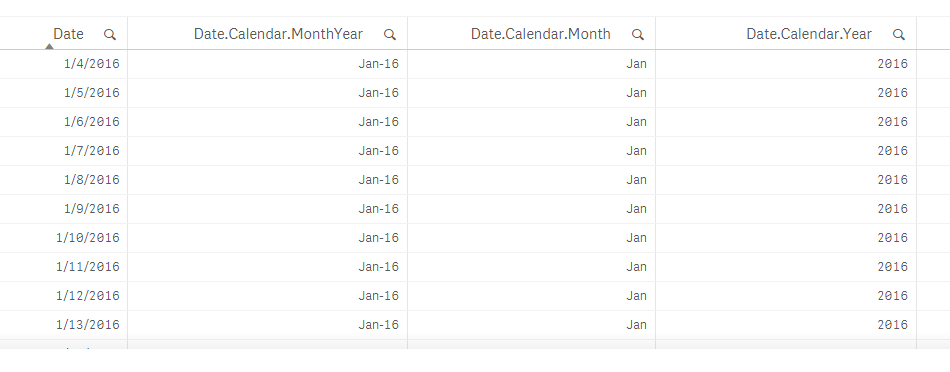
Hi Wai Meng,
Refer attached. is it what you are looking for?
agigliotti
- Mark as New
- Bookmark
- Subscribe
- Mute
- Subscribe to RSS Feed
- Permalink
- Report Inappropriate Content
What you get in Month and Year fields ?
Follow me on my LinkedIn | Know Gamma Informatica at gammainformatica.it

 shraddha_g
- Mark as New
- Bookmark
- Subscribe
- Mute
- Subscribe to RSS Feed
- Permalink
- Report Inappropriate Content
Check for the Date field format without using any function.
May be it is in Number Format and you don't have to use Date#()