Unlock a world of possibilities! Login now and discover the exclusive benefits awaiting you.

- Qlik Community
- :
- Forums
- :
- Analytics & AI
- :
- Products & Topics
- :
- Visualization and Usability
- :
- Expression for custom color for measures
- Subscribe to RSS Feed
- Mark Topic as New
- Mark Topic as Read
- Float this Topic for Current User
- Bookmark
- Subscribe
- Mute
- Printer Friendly Page

- Mark as New
- Bookmark
- Subscribe
- Mute
- Subscribe to RSS Feed
- Permalink
- Report Inappropriate Content
Expression for custom color for measures
I am new to Qliksense, I created one Stacked Bar chart in the Qlik sense. I got requirement to use custom colors on measure. can you help me in the expression logic to get the color. Below is the expression I tried but by default it is considering else statement color.
If (Value = 'Yes',Green(),Red())
I have measure value with Yes and No values. I am displaying Count of Yes and No in the bar chart. I need color expression for this.
Thanks in advance.
Regards,
Sateesh
- « Previous Replies
-
- 1
- 2
- Next Replies »

 OmarBenSalem
- Mark as New
- Bookmark
- Subscribe
- Mute
- Subscribe to RSS Feed
- Permalink
- Report Inappropriate Content
You have to be using Qlik Sense 3.2 (if not, please upgrade)to be able to affect color to master measures:
Below, I'll be creating 2 master measures: sum("car sales") and sum("commercial vehicle sales"):
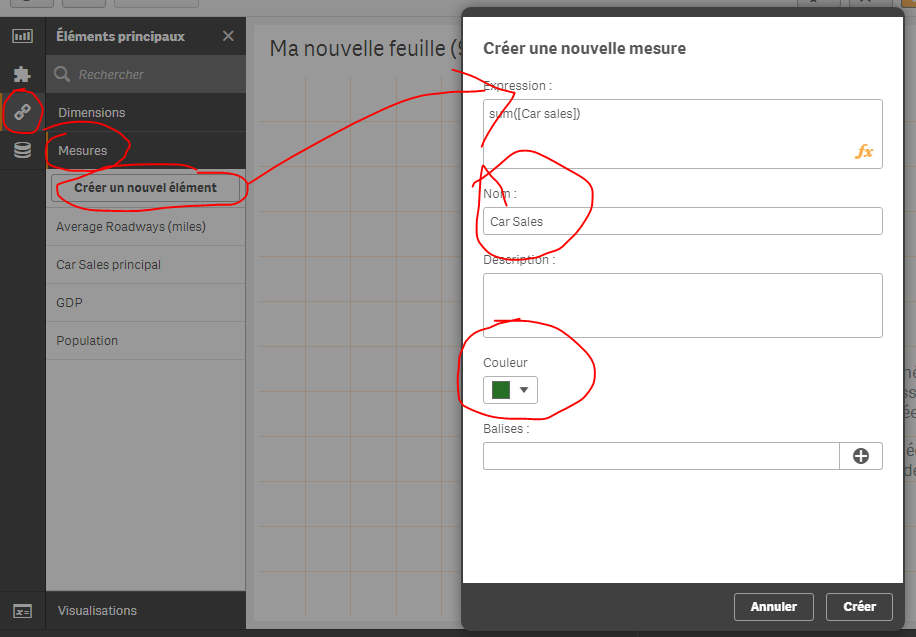

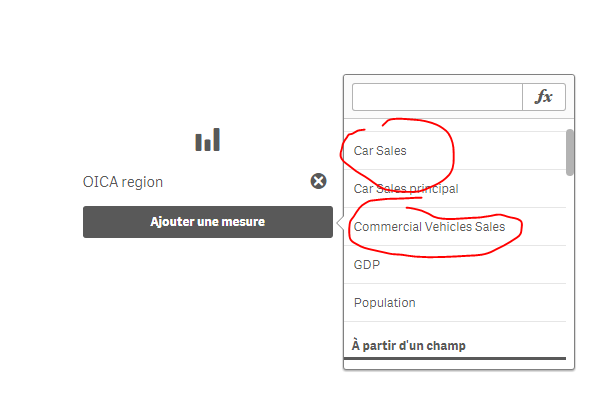
Then, I will create a bar chart and use my 2 measures:
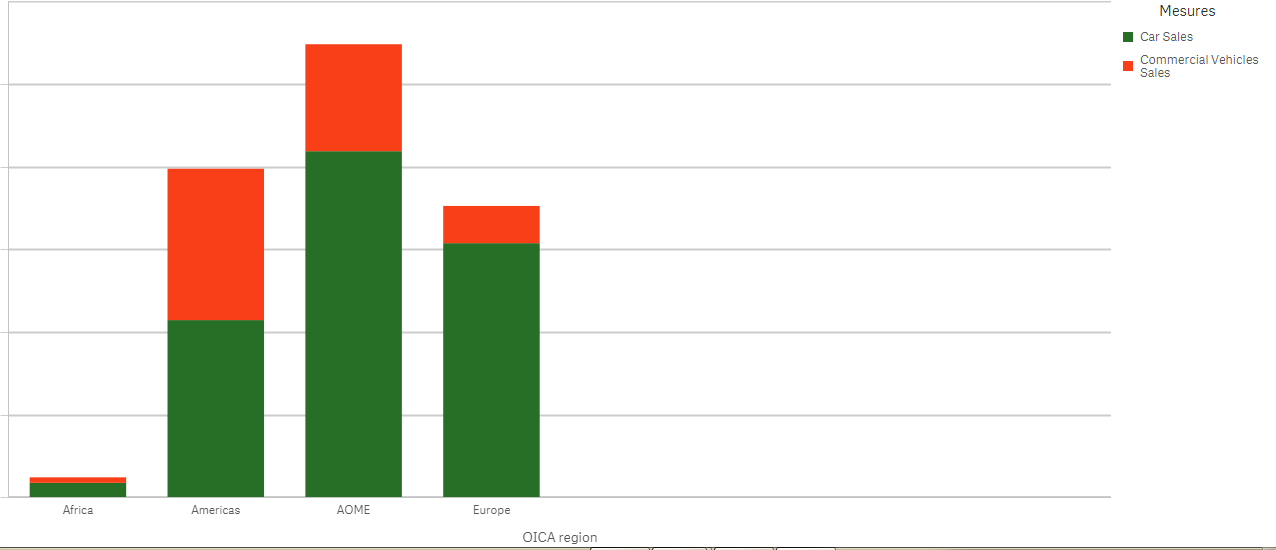
Result : (the colors are red and green as we specified when we created the 2 master measures:)

 xyz1
xyz1
- Mark as New
- Bookmark
- Subscribe
- Mute
- Subscribe to RSS Feed
- Permalink
- Report Inappropriate Content
.
OmarBenSalem
- Mark as New
- Bookmark
- Subscribe
- Mute
- Subscribe to RSS Feed
- Permalink
- Report Inappropriate Content
Please close the thread by marking the right answer as correct 
 Vasiliy_Beshent
- Mark as New
- Bookmark
- Subscribe
- Mute
- Subscribe to RSS Feed
- Permalink
- Report Inappropriate Content
Hello, maybe you can help me here Custom color in combined chart ?
- « Previous Replies
-
- 1
- 2
- Next Replies »