Unlock a world of possibilities! Login now and discover the exclusive benefits awaiting you.

- Qlik Community
- :
- Forums
- :
- Analytics & AI
- :
- Products & Topics
- :
- Visualization and Usability
- :
- How to add a sort of "WHERE" clause filter?
- Subscribe to RSS Feed
- Mark Topic as New
- Mark Topic as Read
- Float this Topic for Current User
- Bookmark
- Subscribe
- Mute
- Printer Friendly Page

- Mark as New
- Bookmark
- Subscribe
- Mute
- Subscribe to RSS Feed
- Permalink
- Report Inappropriate Content
How to add a sort of "WHERE" clause filter?
HI all,
I have added a table to my dashboard, is there a simple way of adding a "where" type clause such as
"Salesperson = "Adam" OR SalesPerson = "bob"?
I am playing around with the expression editor but cannot find the correct syntax. If I use Salesperson = "Adam" it will filter the result down correctly but the label on the row that that given field will be changed to "0" & "1".
Thanks in advance 

 felipedl
- Mark as New
- Bookmark
- Subscribe
- Mute
- Subscribe to RSS Feed
- Permalink
- Report Inappropriate Content
Hi Adam, there's the set analysis feature, that lets you do this "selection" on the expression, from Qlik Help:
Set analysis and set expressions ‒ Qlik Sense
So, if you need something like sum of sales by salesperson Adam or Bob you could do something like:
sum( {<SalesPerson={'Adam','Bob'}>} )
The text between {} is the set expression, and no matter if you choose a different salesperson on a filter, the expresison will not change for this filter, since it's hardcoded to Adam or Bob.
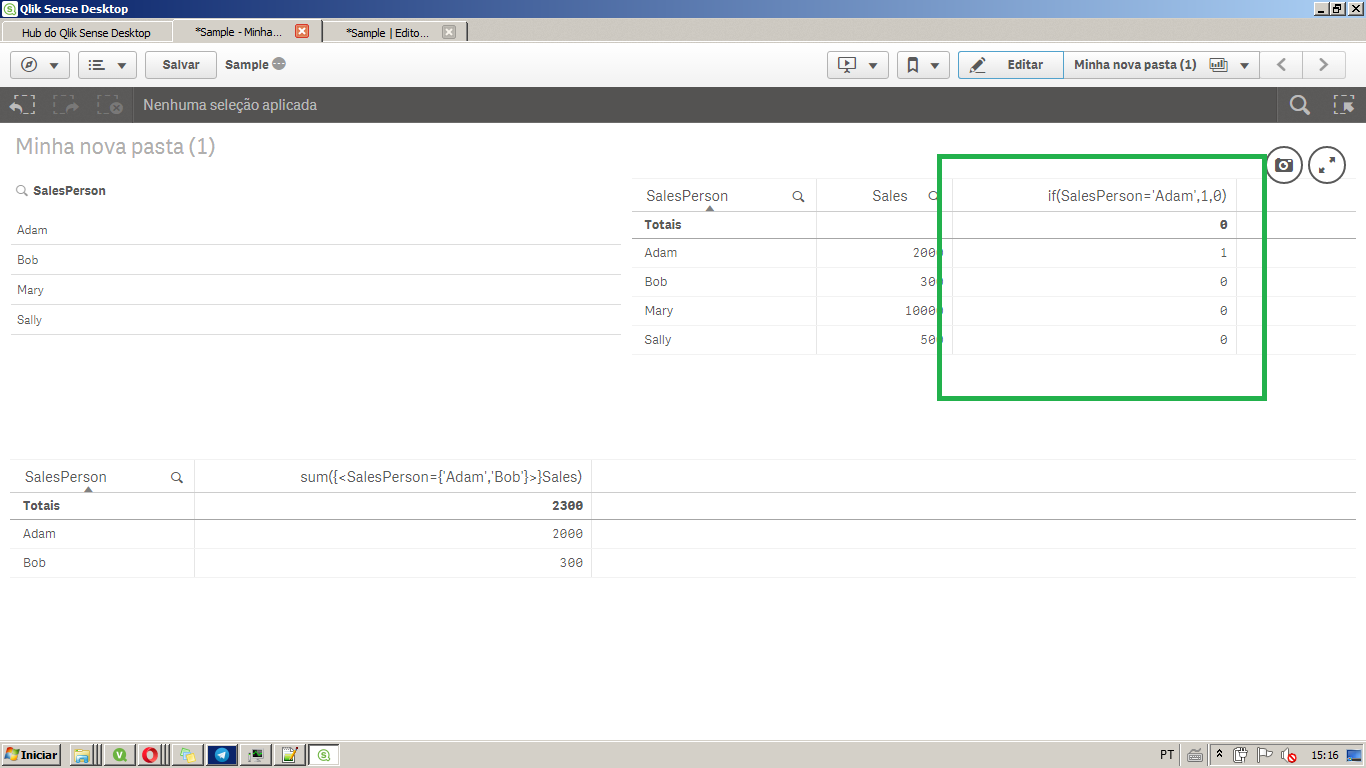
The expression you used: "if(SalesPerson = "Adam") will evaluate to true or false since it's a binary return and will not give you a sum or other type of aggregation, giving you the 0s and 1s.
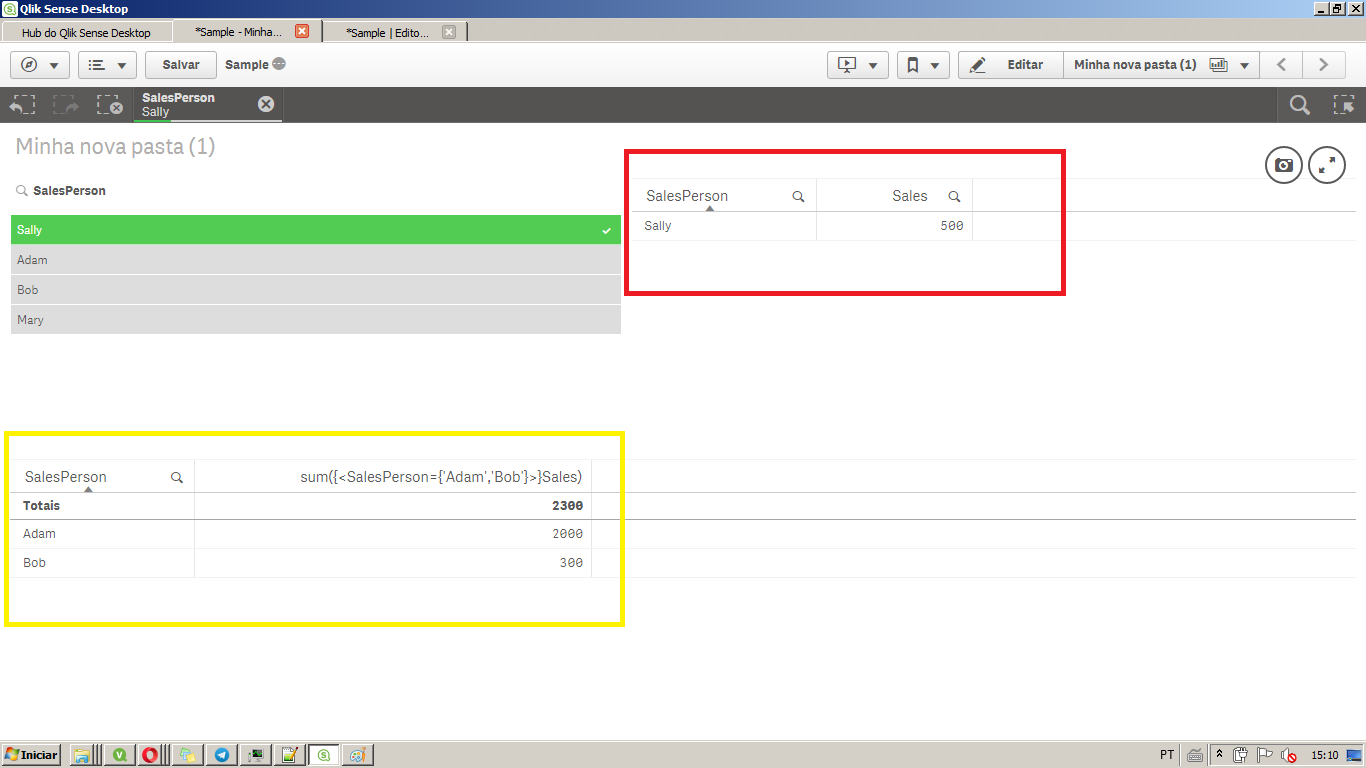
For example, the image below, with some dummy data, has in the red rectangle all the data I loaded, and the yellow one the expression where I hardcoded the two sales person.
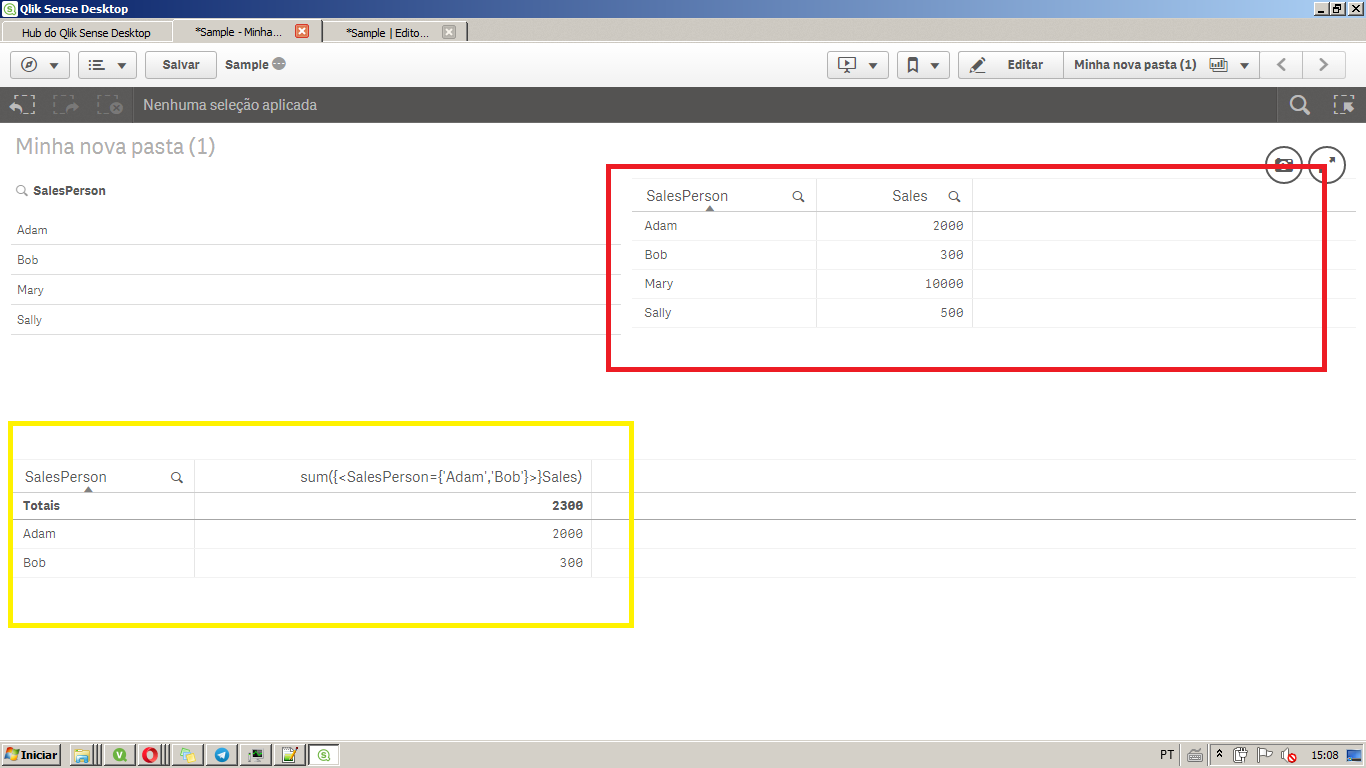
Even though i select one salesperson, say Sally, the yellow table doesn't change because it has a set analysis, but the red one respects the selection.
The picture below shows the type of expresison I guess you were trying,
Hope it helps,
Felipe.
- Mark as New
- Bookmark
- Subscribe
- Mute
- Subscribe to RSS Feed
- Permalink
- Report Inappropriate Content
Thankyou for your help, I understand now
felipedl
- Mark as New
- Bookmark
- Subscribe
- Mute
- Subscribe to RSS Feed
- Permalink
- Report Inappropriate Content
Glad to help Adam, could you mark the response as correct if you see that's the case?
Thanks,
Felipe.
 Snehal_Nabar_Am
- Mark as New
- Bookmark
- Subscribe
- Mute
- Subscribe to RSS Feed
- Permalink
- Report Inappropriate Content
Hi,
Please use set analysis to filter in this case,
sum( {<SalesPerson={'Adam','Bob'}>} ).
This statement will filter your table by Adam and Bob.
Regards,
Snehal Nabar