Unlock a world of possibilities! Login now and discover the exclusive benefits awaiting you.

- Qlik Community
- :
- Forums
- :
- Analytics & AI
- :
- Products & Topics
- :
- Visualization and Usability
- :
- How to assign drop value to a variable?
- Subscribe to RSS Feed
- Mark Topic as New
- Mark Topic as Read
- Float this Topic for Current User
- Bookmark
- Subscribe
- Mute
- Printer Friendly Page

 vidyasagar159
- Mark as New
- Bookmark
- Subscribe
- Mute
- Subscribe to RSS Feed
- Permalink
- Report Inappropriate Content
How to assign drop value to a variable?
Hi,
Hope you guys are doing great. I want to assign a drop-down value to one of the rank expression.
Load Script:
Rank_Table:
load * inline
[
dim,Rank
Top5,5
Top10,10
Top15,15
Top20,20
Top25,25
];
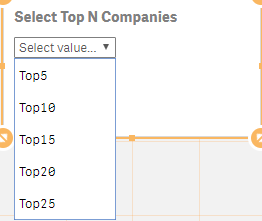
Drop Down: So when I select Top5, 5 has to apply to the below dimension expression.
Dimension Expression:
=if(aggr(rank(sum(FUNDBALANCE)),PLANYEAR,COMPANY)<=VARIABLE,aggr(rank(sum(FUNDBALANCE)),PLANYEAR,COMPANY))
Thanks in advance!!
Accepted Solutions
vidyasagar159
- Mark as New
- Bookmark
- Subscribe
- Mute
- Subscribe to RSS Feed
- Permalink
- Report Inappropriate Content
Actually, I found this issue long time back but forgot to update.
All I need to update this in a Measure expression and NOT in the dimension.
sum({$<company={"=aggr(rank(sum(FUNDBALANCE)),PLANYEAR,COMPANY)<=VARIABLE"}>}fundbalance)

 sunny_talwar
- Mark as New
- Bookmark
- Subscribe
- Mute
- Subscribe to RSS Feed
- Permalink
- Report Inappropriate Content
Have you tried this
=if(aggr(rank(sum(FUNDBALANCE)),PLANYEAR,COMPANY)<=Rank, aggr(rank(sum(FUNDBALANCE)), PLANYEAR, COMPANY))
vidyasagar159
- Mark as New
- Bookmark
- Subscribe
- Mute
- Subscribe to RSS Feed
- Permalink
- Report Inappropriate Content
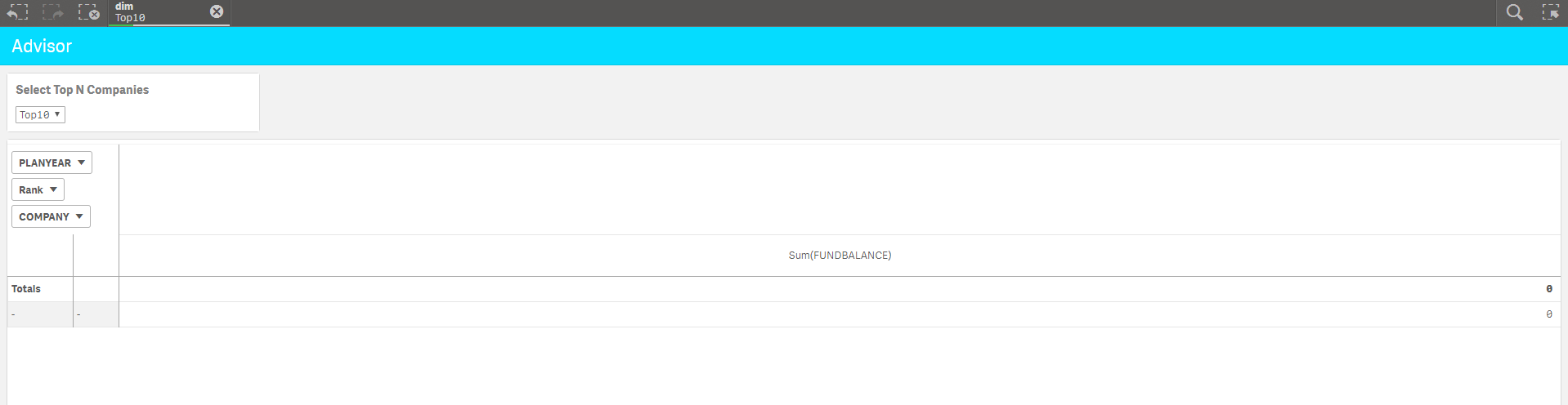
Yes. I tried it. Only Top5 is working. Getting empty records when Top10 and above are getting selected.
sunny_talwar
- Mark as New
- Bookmark
- Subscribe
- Mute
- Subscribe to RSS Feed
- Permalink
- Report Inappropriate Content
Would you be able to share a sample?
vidyasagar159
- Mark as New
- Bookmark
- Subscribe
- Mute
- Subscribe to RSS Feed
- Permalink
- Report Inappropriate Content
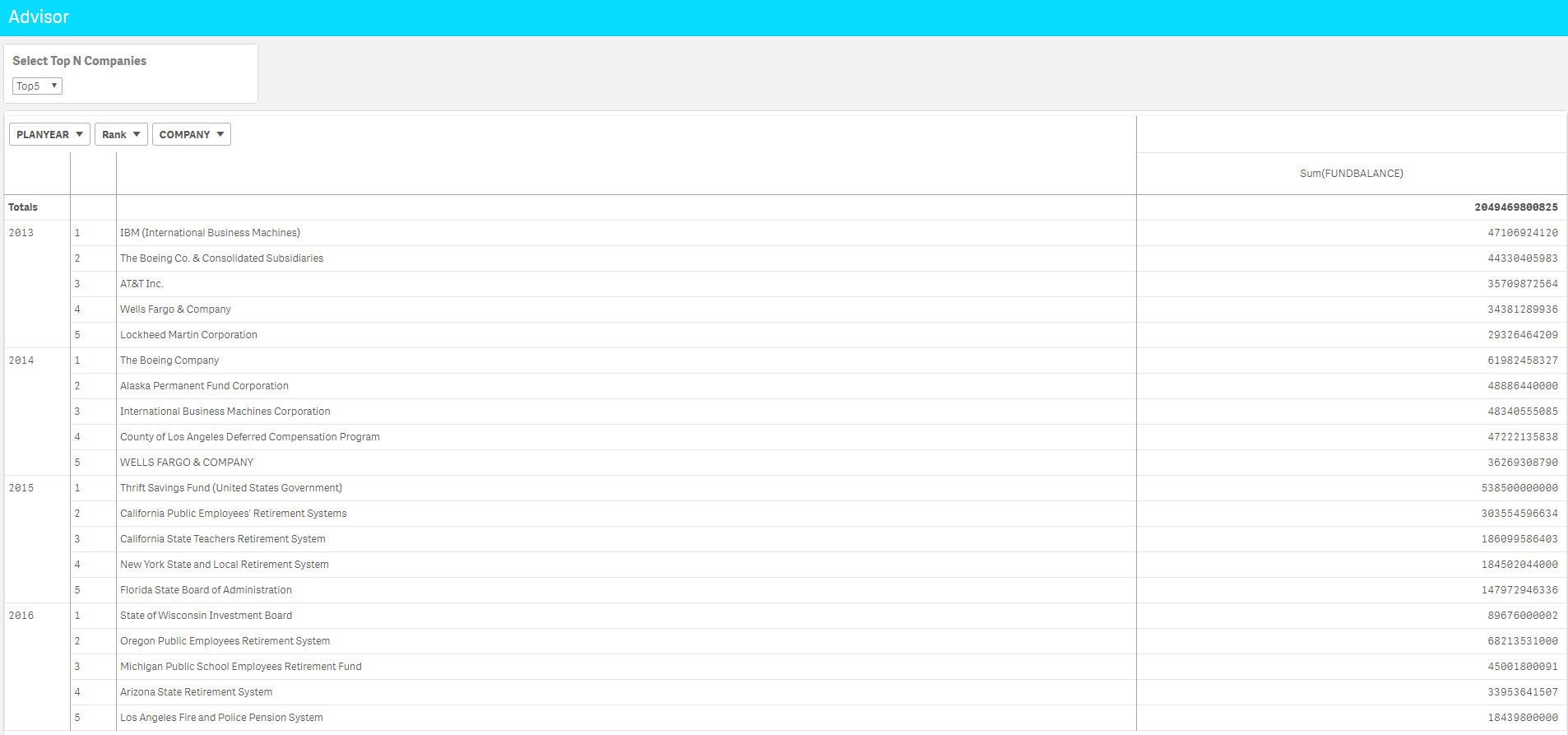
Please find the sample images below.
Top5:
Top10:
sunny_talwar
- Mark as New
- Bookmark
- Subscribe
- Mute
- Subscribe to RSS Feed
- Permalink
- Report Inappropriate Content
I see the problem, but can't really test anything  . May be someone else can have better ideas
vidyasagar159
- Mark as New
- Bookmark
- Subscribe
- Mute
- Subscribe to RSS Feed
- Permalink
- Report Inappropriate Content
Actually, I found this issue long time back but forgot to update.
All I need to update this in a Measure expression and NOT in the dimension.
sum({$<company={"=aggr(rank(sum(FUNDBALANCE)),PLANYEAR,COMPANY)<=VARIABLE"}>}fundbalance)
