Unlock a world of possibilities! Login now and discover the exclusive benefits awaiting you.

- Qlik Community
- :
- Forums
- :
- Analytics & AI
- :
- Products & Topics
- :
- Visualization and Usability
- :
- How to change background map layer ?
- Subscribe to RSS Feed
- Mark Topic as New
- Mark Topic as Read
- Float this Topic for Current User
- Bookmark
- Subscribe
- Mute
- Printer Friendly Page

 claudialet
- Mark as New
- Bookmark
- Subscribe
- Mute
- Subscribe to RSS Feed
- Permalink
- Report Inappropriate Content
How to change background map layer ?
Hello
I want to use one of these png maps as a background layer
http://bl.ocks.org/Xatpy/raw/854297419bd7eb3421d0/
On >Basemaps >select > None
and I type in my expression =
'https://cartocdn_{s}.global.ssl.fastly.net/base-flatblue/{z}/{x}/{y}.png
It is not showing I see red lines of empty tiles.
Does Qlik allow non Qlik map sources to be used as background map ?

 rubenmarin
- Mark as New
- Bookmark
- Subscribe
- Mute
- Subscribe to RSS Feed
- Permalink
- Report Inappropriate Content
Hi Claudia, try without the {s} parameter:
https://cartocdn_c.global.ssl.fastly.net/base-flatblue/{z}/{x}/{y}.png
 claudialet
- Mark as New
- Bookmark
- Subscribe
- Mute
- Subscribe to RSS Feed
- Permalink
- Report Inappropriate Content
Nope. Still see empty tiles and red lines.
Are those url's expired ?
Could these be the updated urls ?
rubenmarin
- Mark as New
- Bookmark
- Subscribe
- Mute
- Subscribe to RSS Feed
- Permalink
- Report Inappropriate Content
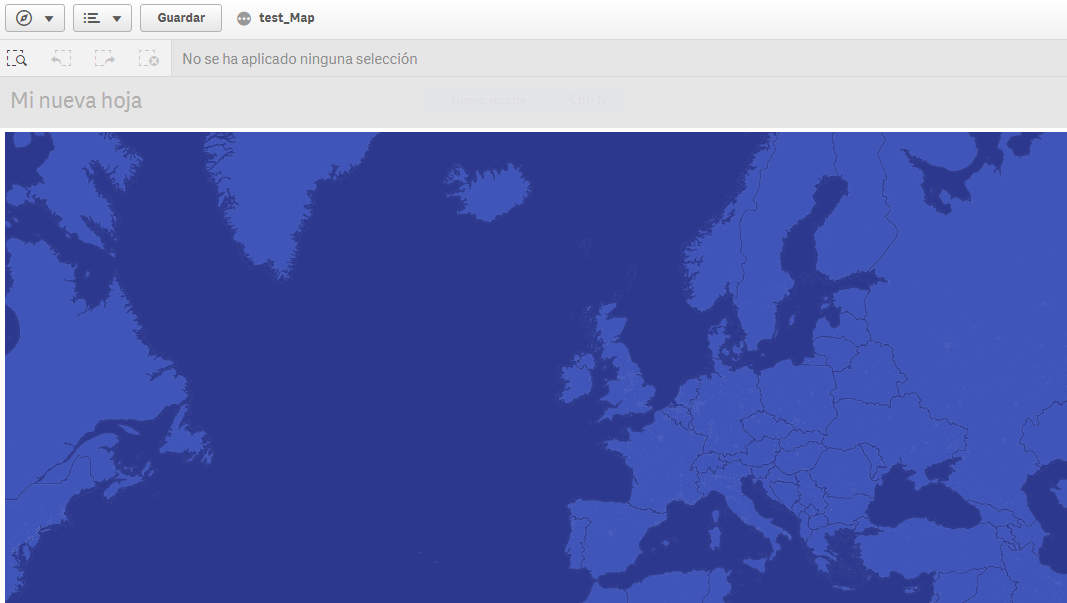
I see the blue map whit that url
claudialet
- Mark as New
- Bookmark
- Subscribe
- Mute
- Subscribe to RSS Feed
- Permalink
- Report Inappropriate Content
Ruben,
I am not.
Can you please tell me step step how you did that ?
Are you using Qliksense desktop pr enterprise ?
claudialet
- Mark as New
- Bookmark
- Subscribe
- Mute
- Subscribe to RSS Feed
- Permalink
- Report Inappropriate Content
ok got it
