Unlock a world of possibilities! Login now and discover the exclusive benefits awaiting you.

- Qlik Community
- :
- Forums
- :
- Analytics & AI
- :
- Products & Topics
- :
- Visualization and Usability
- :
- How to select a value from filter with JavaScript
Options
- Subscribe to RSS Feed
- Mark Topic as New
- Mark Topic as Read
- Float this Topic for Current User
- Bookmark
- Subscribe
- Mute
- Printer Friendly Page
Turn on suggestions
Auto-suggest helps you quickly narrow down your search results by suggesting possible matches as you type.
Showing results for

Anonymous
Not applicable
2018-03-26
10:35 AM
- Mark as New
- Bookmark
- Subscribe
- Mute
- Subscribe to RSS Feed
- Permalink
- Report Inappropriate Content
How to select a value from filter with JavaScript
Hi all hope you're fine,
I'm new with Qlik sense and I'm with mashup editor trying to select a value from a filter object on page load through JavaScript like in the below image:
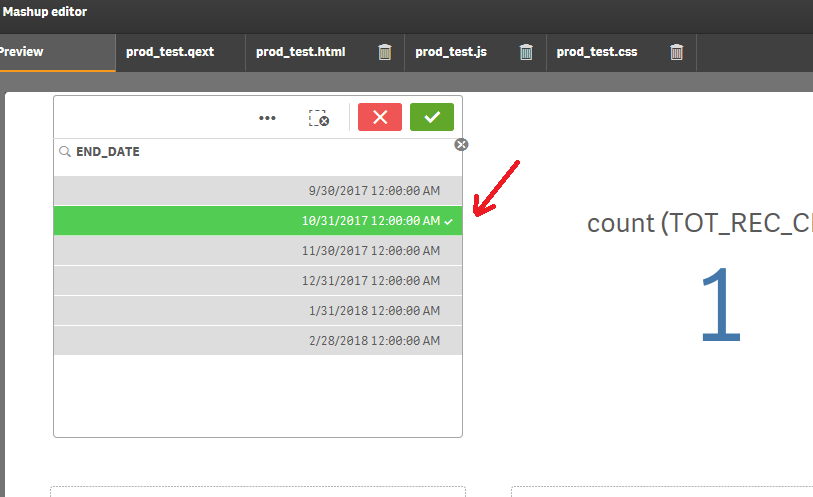
I was trying by selecting it looking for an Id but I didn't found a way, I did some tests into document ready method but without luck.
Someone has an idea or help to achieve it?
Thank you!
2,987 Views
1 Reply

 ajaykakkar93
Specialist III
2018-08-24
01:56 AM
- Mark as New
- Bookmark
- Subscribe
- Mute
- Subscribe to RSS Feed
- Permalink
- Report Inappropriate Content
Hi,
You Can tru using Field API.
app.getObject('CONTAINER ID','OBJECT ID').then(function(reply){
app.field('FIELDNAME').toggleSelect("FIELD VALUE", true);
});
This is a simpla example replace the Following
- CONTAINER ID(DIV ID)
- OBJECT ID(QS OBJECT ID)
- FIELDNAME
- FIELD VALUE TO BE SELECTED
2,787 Views