Unlock a world of possibilities! Login now and discover the exclusive benefits awaiting you.

- Qlik Community
- :
- Forums
- :
- Analytics & AI
- :
- Products & Topics
- :
- Visualization and Usability
- :
- Pick and Match color
- Subscribe to RSS Feed
- Mark Topic as New
- Mark Topic as Read
- Float this Topic for Current User
- Bookmark
- Subscribe
- Mute
- Printer Friendly Page

- Mark as New
- Bookmark
- Subscribe
- Mute
- Subscribe to RSS Feed
- Permalink
- Report Inappropriate Content
Pick and Match color
I am using expression for color. pick and match function were used. Expression as the following:
pick(match(DRCNonSecList,'Corporates','Local Governments','Sovereigns'),RGB(204,102,119),RGB(68,119,170),RGB(26, 188, 156))
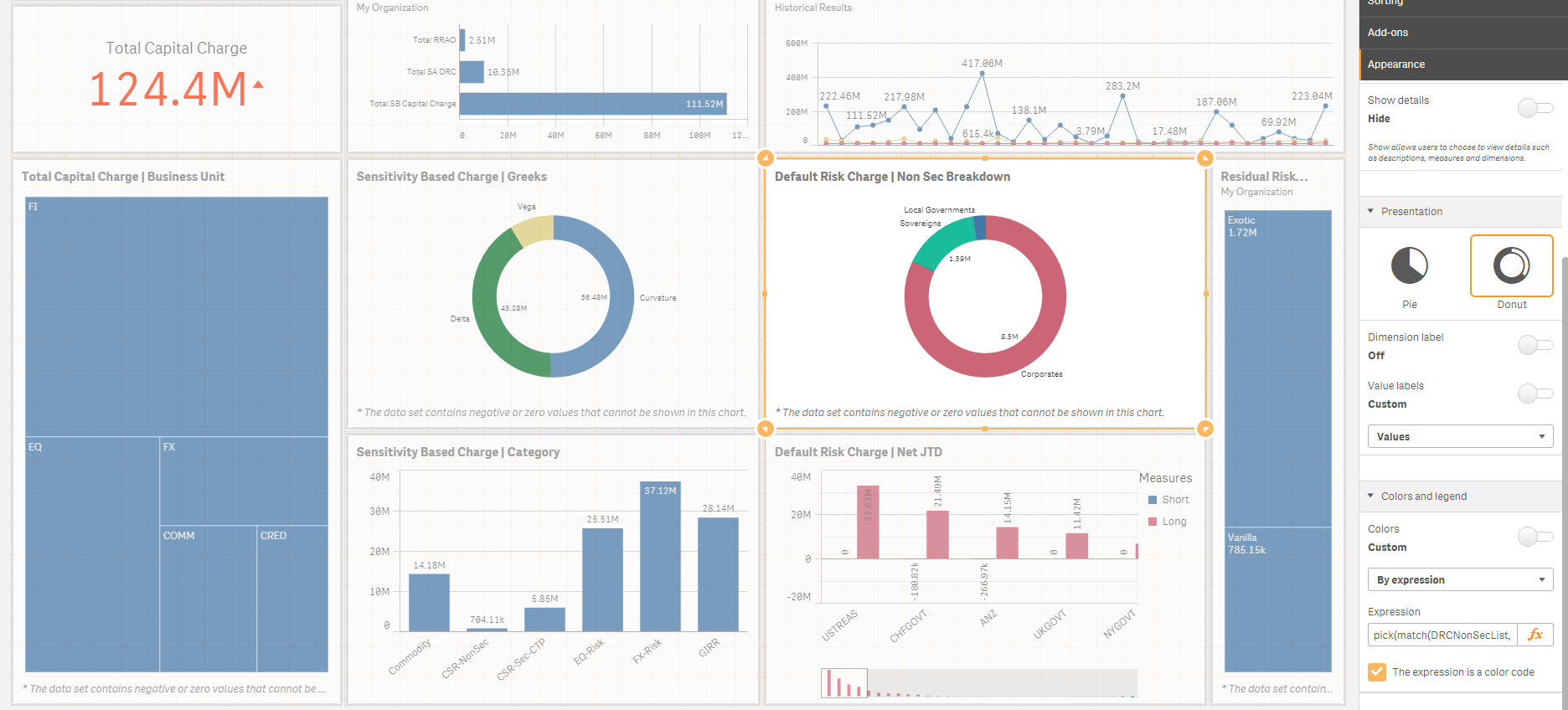
Seems to work fine until I click on other dimension like the following:
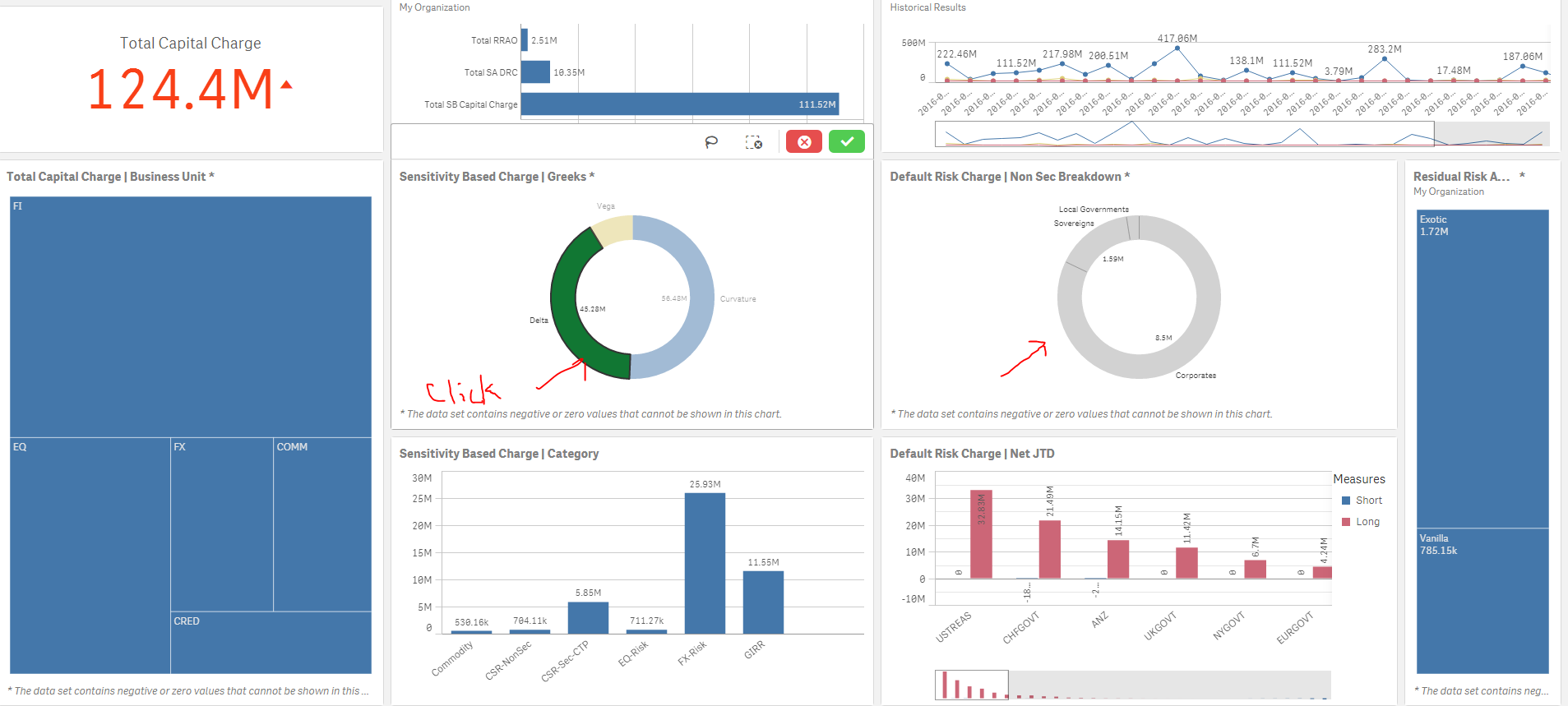
I think this is due to the selection of the colour
"pick(match(DRCNonSecList,'Corporates','Local Governments','Sovereigns'),RGB(204,102,119),RGB(68,119,170),RGB(26, 188, 156))"
is no longer valid. How do I make the color always valid in this case?
I was thinking to use
{<DRCNonSecList=>} to mix into pick and match functions so that regardless what dimension I am navigating to it will be always true and therefor the color will never change. However I can't figure out how this is possible. Please can any one advice?
Accepted Solutions

 sunny_talwar
- Mark as New
- Bookmark
- Subscribe
- Mute
- Subscribe to RSS Feed
- Permalink
- Report Inappropriate Content
You are right, try this
Pick(Match(Only({<DRCNonSecList = >}DRCNonSecList), 'Corporates', 'Local Governments', 'Sovereigns'), RGB(204,102,119), RGB(68,119,170), RGB(26, 188, 156))
sunny_talwar
- Mark as New
- Bookmark
- Subscribe
- Mute
- Subscribe to RSS Feed
- Permalink
- Report Inappropriate Content
You are right, try this
Pick(Match(Only({<DRCNonSecList = >}DRCNonSecList), 'Corporates', 'Local Governments', 'Sovereigns'), RGB(204,102,119), RGB(68,119,170), RGB(26, 188, 156))
- Mark as New
- Bookmark
- Subscribe
- Mute
- Subscribe to RSS Feed
- Permalink
- Report Inappropriate Content
Thanks Sunny!