Unlock a world of possibilities! Login now and discover the exclusive benefits awaiting you.

- Qlik Community
- :
- Forums
- :
- Analytics & AI
- :
- Products & Topics
- :
- Visualization and Usability
- :
- Problem using renamed fields to calculate a new fi...
- Subscribe to RSS Feed
- Mark Topic as New
- Mark Topic as Read
- Float this Topic for Current User
- Bookmark
- Subscribe
- Mute
- Printer Friendly Page

 LesJean
- Mark as New
- Bookmark
- Subscribe
- Mute
- Subscribe to RSS Feed
- Permalink
- Report Inappropriate Content
Problem using renamed fields to calculate a new field
Hello everyone,
First of all, the script below works fine and does exactly what I want.
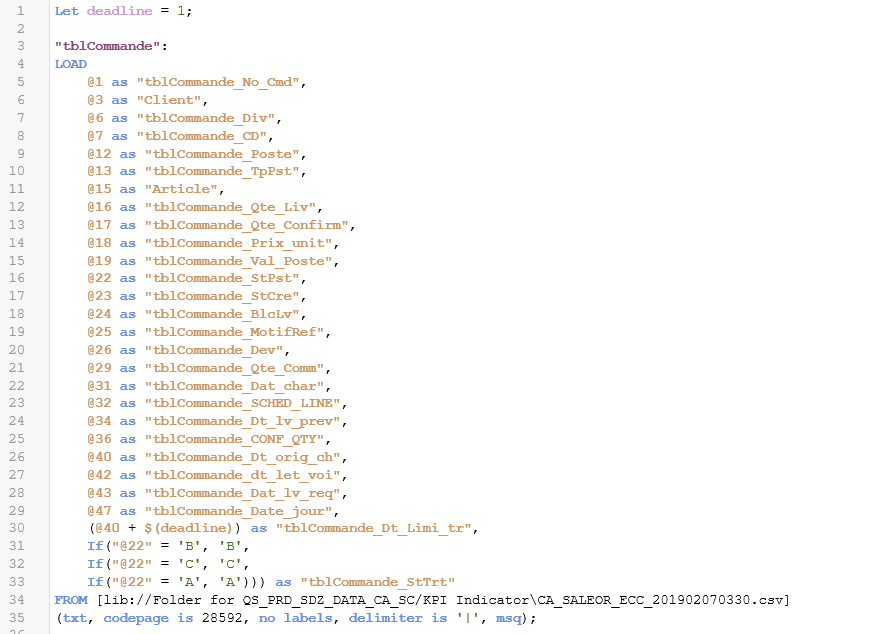
The problem I envision comes from the fact that I'll eventually have other .csv files which have a column named "@22". Thus, I wanted to use the new name I gave to the column, which would be "tblCommande_StPst", to work around this eventual problem. The script below shows this implementation.
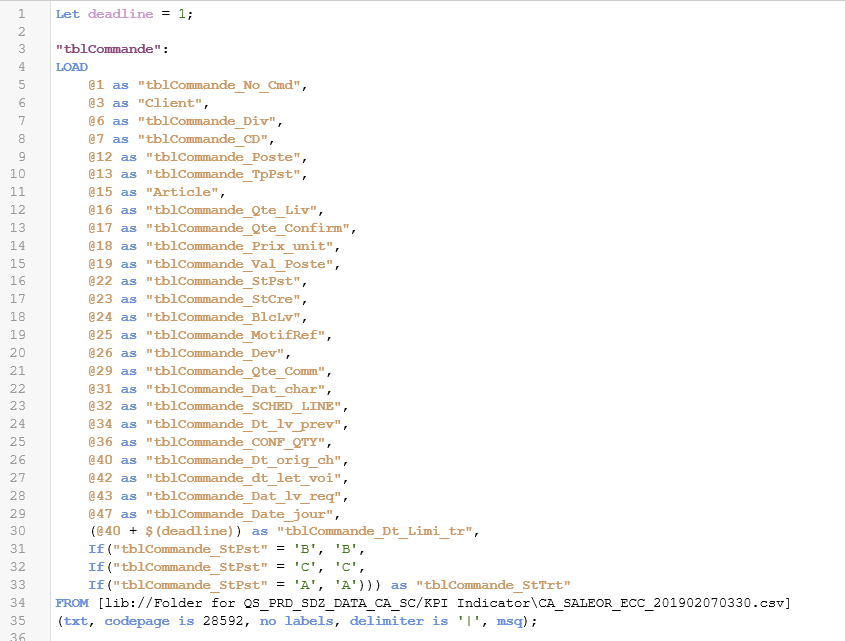
But, this script returns an error when I try to compile it.
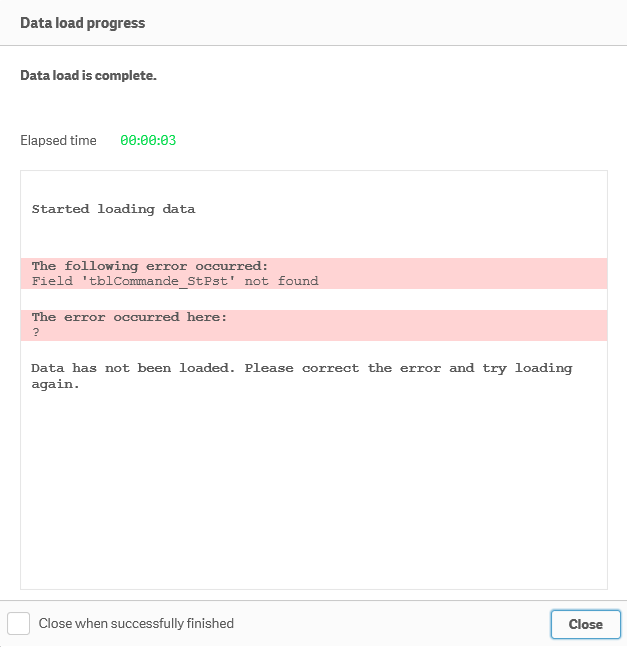
Now, to get to my question, I'm wondering if there is a way to use the renamed field name in a calculation. Because the error seems to tell me that Qlik Sense can't find the field "@22" with its new name.
Any help would be greatly appreciated.
Thank you for your time,
LesJean
Accepted Solutions

 marcus_sommer
- Mark as New
- Bookmark
- Subscribe
- Mute
- Subscribe to RSS Feed
- Permalink
- Report Inappropriate Content
It's in general not possible to reference to a field which didn't exists in the source and is just created within the current load. Either you keep by your first approach or you might use a preceeding load, which means:
load *, a + b as c;
load @1 as a, @2 as b from Source;
- Marcus
marcus_sommer
- Mark as New
- Bookmark
- Subscribe
- Mute
- Subscribe to RSS Feed
- Permalink
- Report Inappropriate Content
It's in general not possible to reference to a field which didn't exists in the source and is just created within the current load. Either you keep by your first approach or you might use a preceeding load, which means:
load *, a + b as c;
load @1 as a, @2 as b from Source;
- Marcus
LesJean
- Mark as New
- Bookmark
- Subscribe
- Mute
- Subscribe to RSS Feed
- Permalink
- Report Inappropriate Content
Thank you for your answer Marcus, I did manage to make it work with a preceding load!
