Unlock a world of possibilities! Login now and discover the exclusive benefits awaiting you.

- Qlik Community
- :
- Forums
- :
- Analytics & AI
- :
- Products & Topics
- :
- Visualization and Usability
- :
- Re: Problem with Max[,rank]
- Subscribe to RSS Feed
- Mark Topic as New
- Mark Topic as Read
- Float this Topic for Current User
- Bookmark
- Subscribe
- Mute
- Printer Friendly Page

- Mark as New
- Bookmark
- Subscribe
- Mute
- Subscribe to RSS Feed
- Permalink
- Report Inappropriate Content
Problem with Max[,rank]
Hi,
in this thread i asked Expression - Filter for dimension
if i use a dimension in a chart and want to filter the values of the dimension, how can i do it?
The answer was for example
=if(Name='*Samsung*',Name,Null())
Now i want to use Max() in an expression like this:
=if(date = Max(Total date,2),Sales,Null())
The editor shows "ok", but the chart table shows only grey fields.
I test this expression
Max(total date,2)
and this one
=if(date = Max(Total date),Sales,Null())
Both shows the correct data.
What´s wrong in this expression?
=if(date = Max(Total date,2),Sales,Null())
regards,
sam
- « Previous Replies
-
- 1
- 2
- Next Replies »

 sunny_talwar
- Mark as New
- Bookmark
- Subscribe
- Mute
- Subscribe to RSS Feed
- Permalink
- Report Inappropriate Content
May be you need this?
=if(sDate >= Max(Total sDate, 2), Number, Null())
- Mark as New
- Bookmark
- Subscribe
- Mute
- Subscribe to RSS Feed
- Permalink
- Report Inappropriate Content
Mhh, no this is not what i mean.
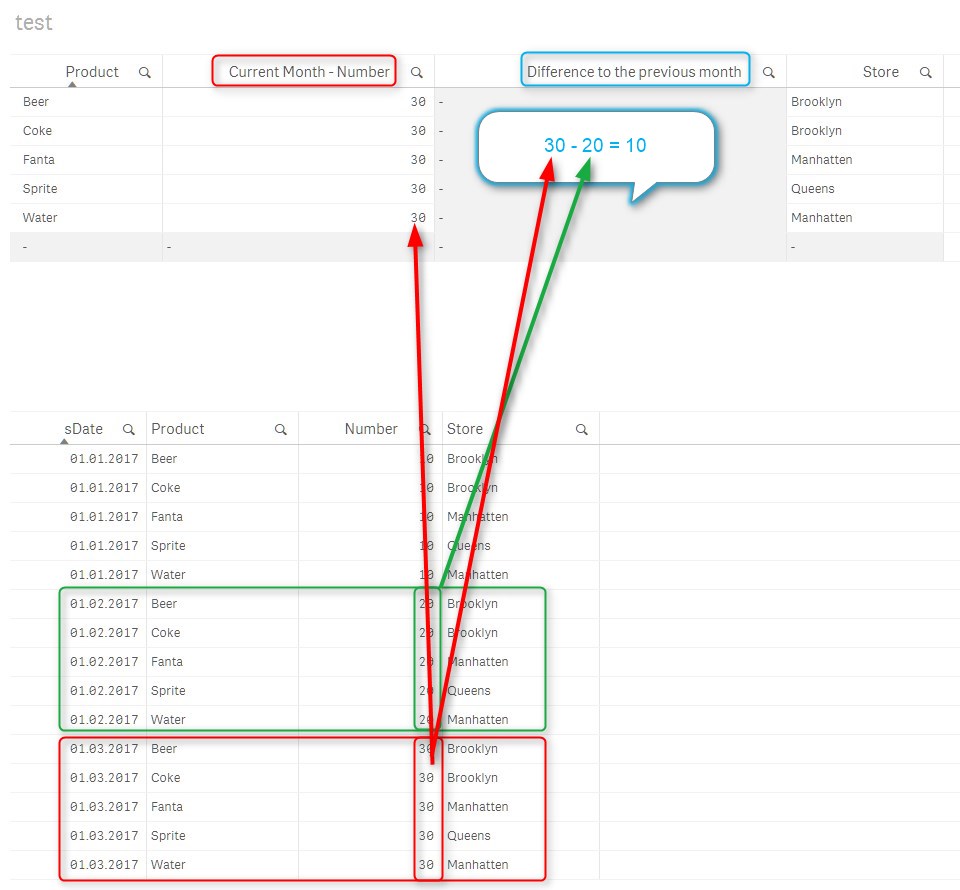
In column 3, i want to show the difference from numbers of the latest date - number of the previous month. The correct result would be 10 in this case.
sunny_talwar
- Mark as New
- Bookmark
- Subscribe
- Mute
- Subscribe to RSS Feed
- Permalink
- Report Inappropriate Content
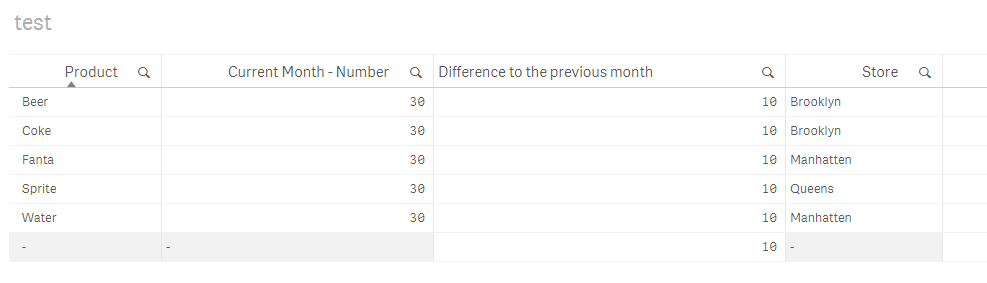
Try this
=Aggr(FirstSortedValue(Number, -sDate) - FirstSortedValue(Number, -sDate, 2), Product)
- Mark as New
- Bookmark
- Subscribe
- Mute
- Subscribe to RSS Feed
- Permalink
- Report Inappropriate Content
Thank´s it works.
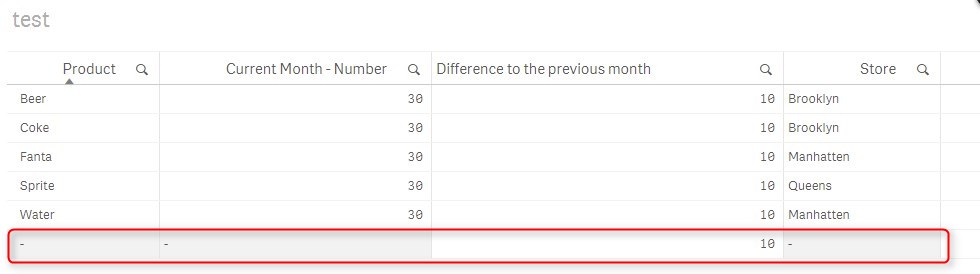
Why is there an empty row? Can i remove this row?
sunny_talwar
- Mark as New
- Bookmark
- Subscribe
- Mute
- Subscribe to RSS Feed
- Permalink
- Report Inappropriate Content
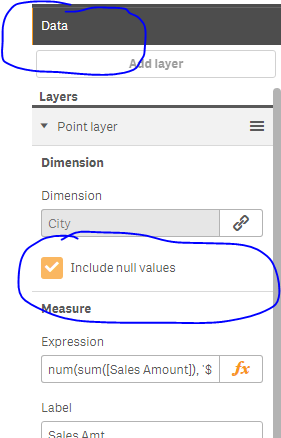
Uncheck 'Include Null values' under the data tab for your dimension
- « Previous Replies
-
- 1
- 2
- Next Replies »