Unlock a world of possibilities! Login now and discover the exclusive benefits awaiting you.

- Qlik Community
- :
- Forums
- :
- Analytics & AI
- :
- Products & Topics
- :
- Visualization and Usability
- :
- Re: Qlik report - multiple selection
- Subscribe to RSS Feed
- Mark Topic as New
- Mark Topic as Read
- Float this Topic for Current User
- Bookmark
- Subscribe
- Mute
- Printer Friendly Page

 patricesalem
- Mark as New
- Bookmark
- Subscribe
- Mute
- Subscribe to RSS Feed
- Permalink
- Report Inappropriate Content
Qlik report - multiple selection
Hello
I'm trying to find a way to run a multiple selection in one of my filter.
The filter makes reference to order headers.
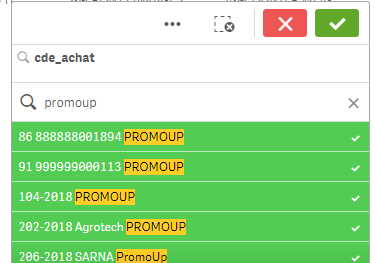
Using the small magnifying glass, I type in what I'm looking for "promotion" and I end up with 100 lines.
I have tried to select all of them at one time with no luck :
- selecting the first row + clicking on shift + clicking on the last row
- selecting the first row + clicking on ctrl + clicking on the last row (it selects only two lines)
- typing promotion + "select possible values" -> even if only order headers containing "promotion" appear on the screen, all orders are selected
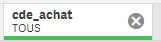
How can I do to select all "promotion" order headers at one go, without having to click individually on each of them ?

 quriouss
- Mark as New
- Bookmark
- Subscribe
- Mute
- Subscribe to RSS Feed
- Permalink
- Report Inappropriate Content
You should be able to type "promotion" and just press the <enter> key (touche d'entrée(???)) - this will select all matching selections.
I don't know a way to do it with just the mouse.
patricesalem
- Mark as New
- Bookmark
- Subscribe
- Mute
- Subscribe to RSS Feed
- Permalink
- Report Inappropriate Content
Hi Simon
should I say dohhhh !
As simple as explained...THANKS
