Unlock a world of possibilities! Login now and discover the exclusive benefits awaiting you.

- Qlik Community
- :
- Forums
- :
- Analytics & AI
- :
- Products & Topics
- :
- Visualization and Usability
- :
- Re-create table in Qlik Sense
- Subscribe to RSS Feed
- Mark Topic as New
- Mark Topic as Read
- Float this Topic for Current User
- Bookmark
- Subscribe
- Mute
- Printer Friendly Page

- Mark as New
- Bookmark
- Subscribe
- Mute
- Subscribe to RSS Feed
- Permalink
- Report Inappropriate Content
Re-create table in Qlik Sense
Hi All,
I have an input table as below that shows if a customer has bought Bag/Pen or Books.
Cust Bag Pen Books
A Yes No No
B No No No
C No Yes No
D Yes Yes No
I want my output as below:
Customer Status
A Bag
C Pen
D Bag
D Pen

 petter
- Mark as New
- Bookmark
- Subscribe
- Mute
- Subscribe to RSS Feed
- Permalink
- Report Inappropriate Content
In the load script you can transform the input table to the output like this:
DATA:
LOAD
Cust,
Item
WHERE
Bought = 'Yes';
LOAD
Cust,
Pick(IterNo(),'Bag','Pen','Books') AS Item,
Pick(IterNo(),Bag,Pen,Books) AS Bought
INLINE [
Cust Bag Pen Books
A Yes No No
B No No No
C No Yes No
D Yes Yes No
] (delimiter is Spaces)
WHILE
IterNo()<=3
;
If you read from a file it would look like this:
DATA:
LOAD
Cust,
Item
WHERE
Bought = 'Yes';
LOAD
Cust,
Pick(IterNo(),'Bag','Pen','Books') AS Item,
Pick(IterNo(),Bag,Pen,Books) AS Bought
FROM
"a-file.txt" (txt)
WHILE
IterNo()<=3
;
- Mark as New
- Bookmark
- Subscribe
- Mute
- Subscribe to RSS Feed
- Permalink
- Report Inappropriate Content
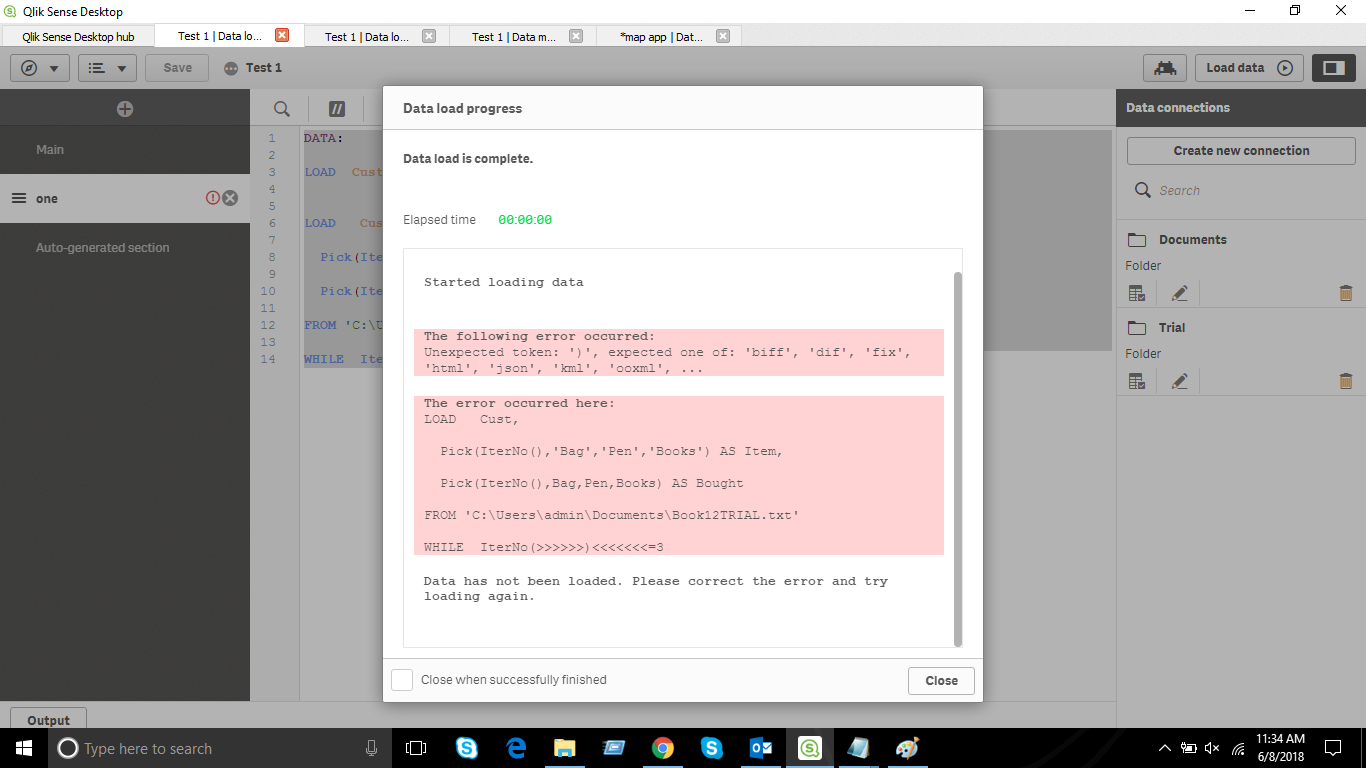
Hi Petter, Thanks for providing solution. I tried the script (by uploading the file) but there is an error. I am attaching the error.
I apologise if I am asking very basic questions, I am pretty new to Qlik Sense.
- Mark as New
- Bookmark
- Subscribe
- Mute
- Subscribe to RSS Feed
- Permalink
- Report Inappropriate Content
Hey Petter,
Your code is working absolutely fine, Its exactly what i wanted. May be i am making some mistake while uploading a file.
DATA:
LOAD Cust, Item WHERE Bought = 'Yes';
LOAD
Cust, Pick(IterNo(),'Bag','Pen','Books') AS Item, Pick(IterNo(),Bag,Pen,Books) AS Bought
from "C:\Users\admin\Documents\Book12TRIAL.txt" (txt)
WHILE IterNo()<=3;
Is this is the correct way of writing the path of file ??
petter
- Mark as New
- Bookmark
- Subscribe
- Mute
- Subscribe to RSS Feed
- Permalink
- Report Inappropriate Content
With Qlik Sense you have to create a so-called "Folder Connection" and then you can use that with the LIB:. If you name the Folder Connection DATA with the path C:\users\admin\documents then it will be:
FROM "LIB://DATA/Book12TRIAL.txt" (txt)
- Mark as New
- Bookmark
- Subscribe
- Mute
- Subscribe to RSS Feed
- Permalink
- Report Inappropriate Content
Thanks Petter for the information, It worked!
: D