Unlock a world of possibilities! Login now and discover the exclusive benefits awaiting you.

- Qlik Community
- :
- Forums
- :
- Analytics & AI
- :
- Products & Topics
- :
- Visualization and Usability
- :
- Restrict Dimension by max(Date)
- Subscribe to RSS Feed
- Mark Topic as New
- Mark Topic as Read
- Float this Topic for Current User
- Bookmark
- Subscribe
- Mute
- Printer Friendly Page

- Mark as New
- Bookmark
- Subscribe
- Mute
- Subscribe to RSS Feed
- Permalink
- Report Inappropriate Content
Restrict Dimension by max(Date)
Dear all,
I have Excel-data, that looks like this:
| Projekt | Rechnungsdatum | Name |
|---|---|---|
| 1 | 01.01.2018 | 1. Rechnung |
| 1 | 02.01.2018 | 2. Rechnung |
| 1 | 08.01.2018 | 3. Rechnung |
| 2 | 31.01.2018 | 1. Rechnung |
The result (just a usual table in QLIK) shall look like this:
| Projekt | Rechnungsdatum | Name |
|---|---|---|
| 1 | 08.01.2018 | 3. Rechnung |
| 2 | 31.01.2018 | 1. Rechnung |
So I just want the latest data to be shown outgoing from the date of invoice (Rechnungsdatum). I thought about creating a dimension for "Name", but as I am missing a command as "for" I don't know how to do it. Would be great if you can help.
Greetings,
Tom Müller
Accepted Solutions

 sunny_talwar
- Mark as New
- Bookmark
- Subscribe
- Mute
- Subscribe to RSS Feed
- Permalink
- Report Inappropriate Content
Try adding a DISTINCT to see if that works
FirstSortedValue(DISTINCT Name, -Rechnungsdatum)

 dionverbeke
- Mark as New
- Bookmark
- Subscribe
- Mute
- Subscribe to RSS Feed
- Permalink
- Report Inappropriate Content
there are several ways to do this, the easiest is to precalculate with firstsortedvalue.
Remember: everything you do in the front-end is calculated at runtime. It is therefore advised to do the calculation in the Qlik script.
 agigliotti
- Mark as New
- Bookmark
- Subscribe
- Mute
- Subscribe to RSS Feed
- Permalink
- Report Inappropriate Content
maybe this:
t1:
load
*
from your_table;
left join
load
projekt,
max(Rechunungsdatum) as your_last_date
resident t1 group by projekt;
t2:
load
*
where your_flag = 1;
load
*,
if( Rechunungsdatum = your_last_date, 1, 0 ) as your_flag
resident t1;
drop table t1;
Follow me on my LinkedIn | Know Gamma Informatica at gammainformatica.it
sunny_talwar
- Mark as New
- Bookmark
- Subscribe
- Mute
- Subscribe to RSS Feed
- Permalink
- Report Inappropriate Content
May be try this
Dimension
Projekt
Expression
Max(Rechnungsdatum)
FirstSortedValue(Name, -Rechnungsdatum)

- Mark as New
- Bookmark
- Subscribe
- Mute
- Subscribe to RSS Feed
- Permalink
- Report Inappropriate Content
Thanks for the help, when I use FirstSortedValue this is the result.
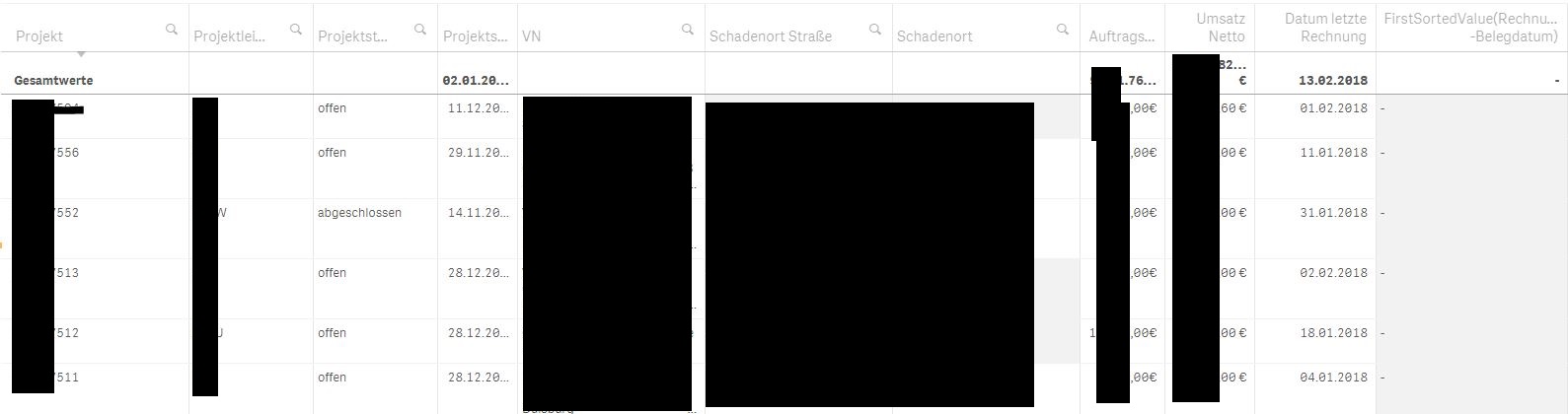
I would really like to use it as a dimension, as I will leave my employer very soon and I think the further users will understand a dimension better than changes in the script. The loading time shouldn't be a problem.
sunny_talwar
- Mark as New
- Bookmark
- Subscribe
- Mute
- Subscribe to RSS Feed
- Permalink
- Report Inappropriate Content
Try adding a DISTINCT to see if that works
FirstSortedValue(DISTINCT Name, -Rechnungsdatum)