Unlock a world of possibilities! Login now and discover the exclusive benefits awaiting you.

- Qlik Community
- :
- Forums
- :
- Analytics & AI
- :
- Products & Topics
- :
- Visualization and Usability
- :
- Transpose a table without a Dimension
Options
- Subscribe to RSS Feed
- Mark Topic as New
- Mark Topic as Read
- Float this Topic for Current User
- Bookmark
- Subscribe
- Mute
- Printer Friendly Page
Turn on suggestions
Auto-suggest helps you quickly narrow down your search results by suggesting possible matches as you type.
Showing results for

 Nive
Nive
Partner - Contributor III
2019-07-04
02:17 AM
- Mark as New
- Bookmark
- Subscribe
- Mute
- Subscribe to RSS Feed
- Permalink
- Report Inappropriate Content
Transpose a table without a Dimension
Hello Guys,
Need a help in converting rows to columns in a straight table without using Dimensions.
Consider i have 3 measure values in Straight table:
| High Value | Low Value | Total Cost |
| 95 | 30 | 150 |
Desired Output:
| High Value | 95 |
| Low Value | 30 |
| Total Cost | 150 |
2,244 Views
5 Replies

 Frank_Hartmann
Master II
2019-07-04
02:50 AM
- Mark as New
- Bookmark
- Subscribe
- Mute
- Subscribe to RSS Feed
- Permalink
- Report Inappropriate Content
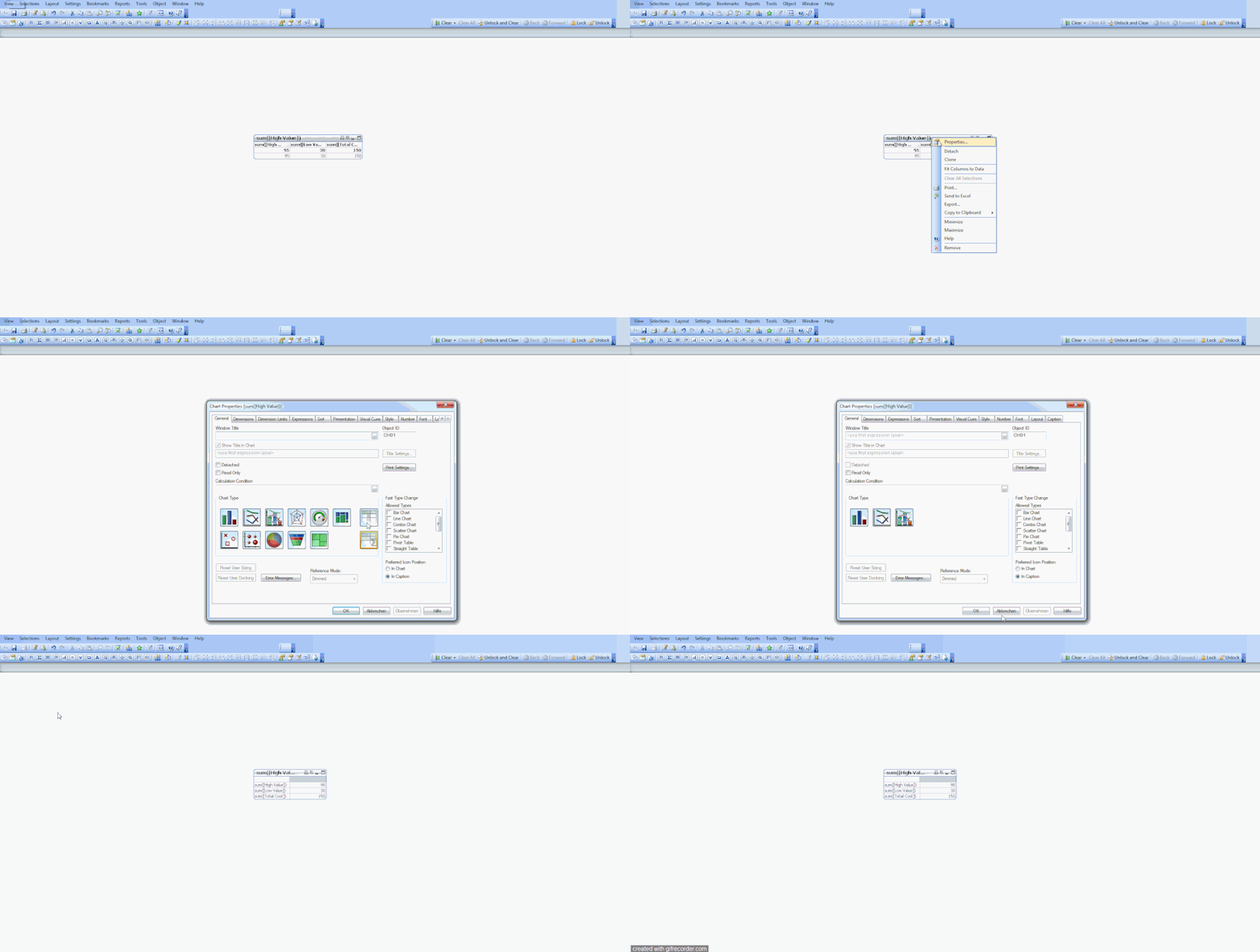
what happens if you make a pivot table instead a straight table?
2,233 Views
Nive
Partner - Contributor III
2019-07-04
02:53 AM
Author
- Mark as New
- Bookmark
- Subscribe
- Mute
- Subscribe to RSS Feed
- Permalink
- Report Inappropriate Content
Im using Qlik Sense, if i convert to pivot , then im forced to use Dimension
2,228 Views
Frank_Hartmann
Master II
2019-07-04
03:16 AM
- Mark as New
- Bookmark
- Subscribe
- Mute
- Subscribe to RSS Feed
- Permalink
- Report Inappropriate Content
ahh, sorry. i thought its qlikview related. my fault 🙂
2,219 Views
 arulsettu
Master III
2019-07-04
03:30 AM
- Mark as New
- Bookmark
- Subscribe
- Mute
- Subscribe to RSS Feed
- Permalink
- Report Inappropriate Content
Maybe like this
CrossTable (Header,data,1)
load * Inline [
id,High_Value, Low_Value, Total_Cost
1,95, 30, 150
]
I am using id as dummy dimension to convert rows into column
2,207 Views
Nive
Partner - Contributor III
2019-07-04
04:15 AM
Author
- Mark as New
- Bookmark
- Subscribe
- Mute
- Subscribe to RSS Feed
- Permalink
- Report Inappropriate Content
Thanks Arulsettu..
The problem is i have more than 6 measure values to be computed in a table which requires complex expressions (using set analysis) and aggregations of different data sets.
can this be solved in UI itself?
The problem is i have more than 6 measure values to be computed in a table which requires complex expressions (using set analysis) and aggregations of different data sets.
can this be solved in UI itself?
2,159 Views
