Unlock a world of possibilities! Login now and discover the exclusive benefits awaiting you.

- Qlik Community
- :
- Forums
- :
- Analytics & AI
- :
- Products & Topics
- :
- Visualization and Usability
- :
- creating the (calculated)measure for visual --prob...
- Subscribe to RSS Feed
- Mark Topic as New
- Mark Topic as Read
- Float this Topic for Current User
- Bookmark
- Subscribe
- Mute
- Printer Friendly Page

- Mark as New
- Bookmark
- Subscribe
- Mute
- Subscribe to RSS Feed
- Permalink
- Report Inappropriate Content
creating the (calculated)measure for visual --problem
Hi,
Have being a while did not use the qlik sense
wondering how to create a new measurement to do the visual
I want to divided the 'total sales' by 'total population' and call it 'sales per person'
I use 'Mast item' creating 'measur'' and use this function:
Sub_Volume_Skoda/Population_total
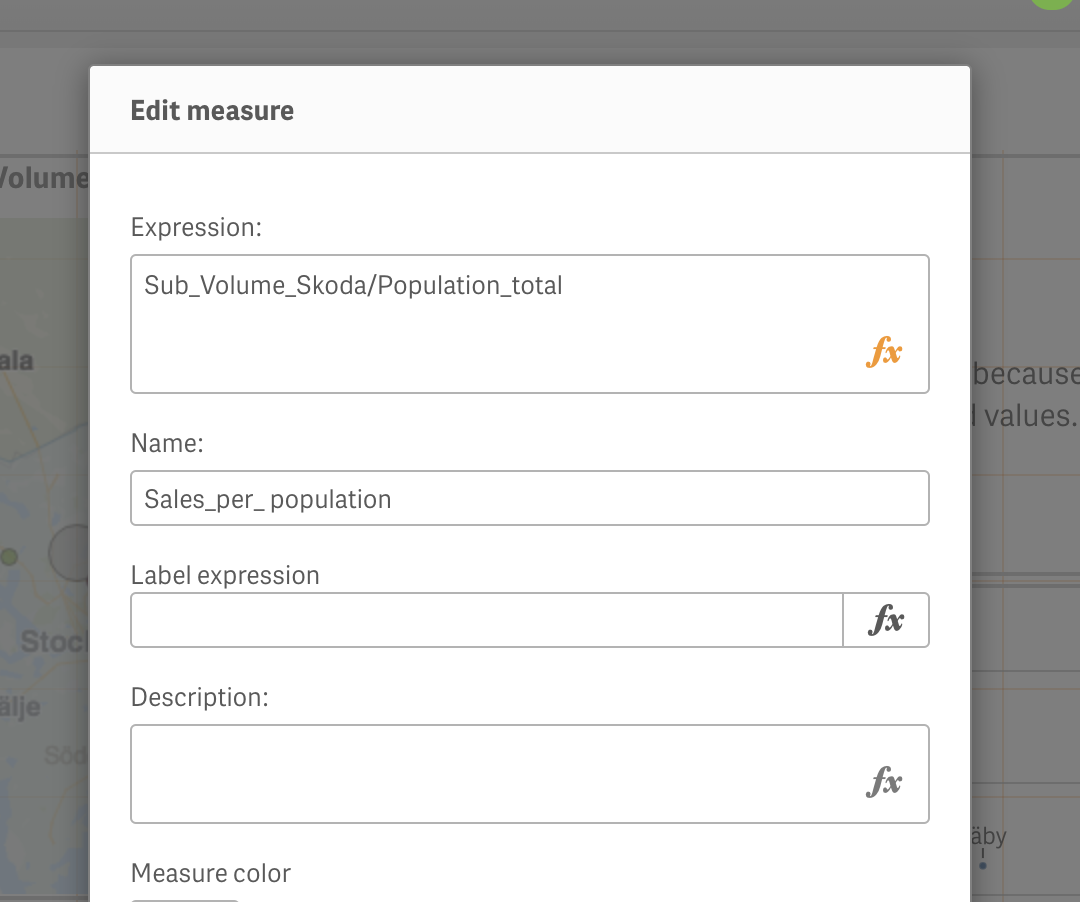
but I did not get anything
any one can help?
Thank you

 OmarBenSalem
- Mark as New
- Bookmark
- Subscribe
- Mute
- Subscribe to RSS Feed
- Permalink
- Report Inappropriate Content
try:
since it's a measure, u'll have to use aggregation functions to calculate ur measure (sum, count, avg, min,max etc):
sum(measure1) / sum(measure2)
- Mark as New
- Bookmark
- Subscribe
- Mute
- Subscribe to RSS Feed
- Permalink
- Report Inappropriate Content
Hi Omar,
thank you. it works but it works as sum()
could I use this for each line?
- Mark as New
- Bookmark
- Subscribe
- Mute
- Subscribe to RSS Feed
- Permalink
- Report Inappropriate Content
if I use sum()/sum()
I am expecting have number for each row as Sub_Volume_Skoda/Population_total
but not in total

 YoussefBelloum
- Mark as New
- Bookmark
- Subscribe
- Mute
- Subscribe to RSS Feed
- Permalink
- Report Inappropriate Content
depending on the object type you're using, you can disable/remove the total line