Unlock a world of possibilities! Login now and discover the exclusive benefits awaiting you.

- Qlik Community
- :
- Forums
- :
- Analytics & AI
- :
- Products & Topics
- :
- Visualization and Usability
- :
- table: background color
- Subscribe to RSS Feed
- Mark Topic as New
- Mark Topic as Read
- Float this Topic for Current User
- Bookmark
- Subscribe
- Mute
- Printer Friendly Page

 fmazzarelli
- Mark as New
- Bookmark
- Subscribe
- Mute
- Subscribe to RSS Feed
- Permalink
- Report Inappropriate Content
table: background color
Hi Community,
according to you it is possible to create a table with colored lines alternately (see image)
Using the propriety background color expression (if(TotOreLavorate < 1, '#F2F3F4', '#FFFF66')
I able to color a single field but I would like to alternate the color on the whole line
Every advice is welcome

 Thiago_Justen_
- Mark as New
- Bookmark
- Subscribe
- Mute
- Subscribe to RSS Feed
- Permalink
- Report Inappropriate Content
Fabio,
Take a look on this:
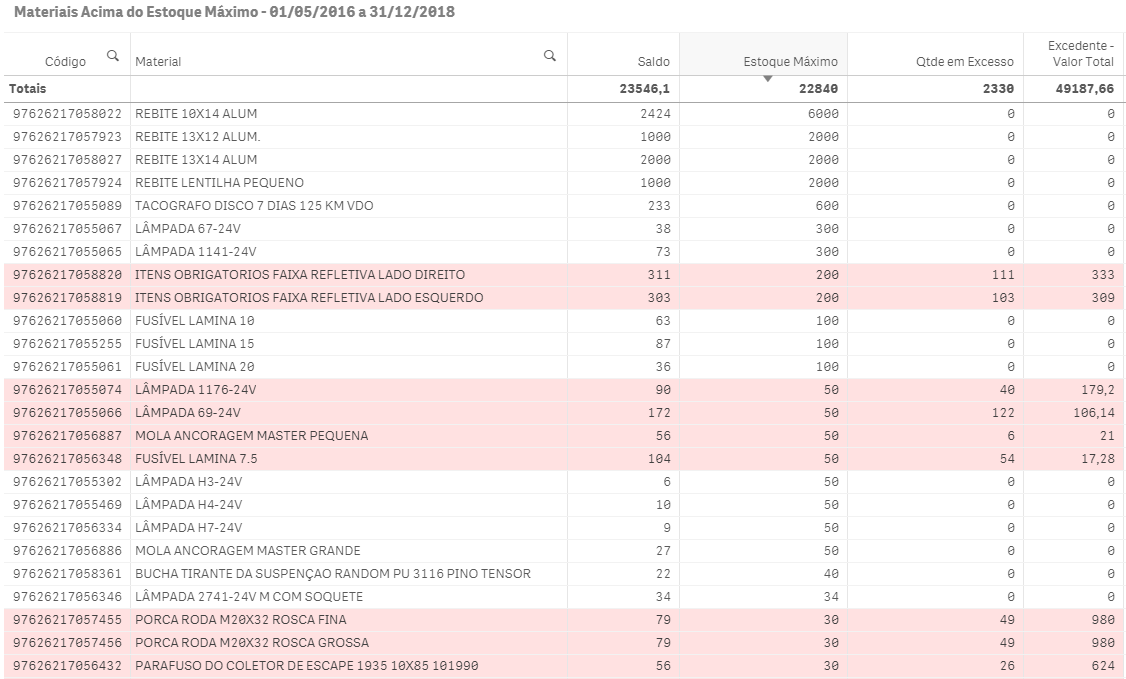
How could I do this?
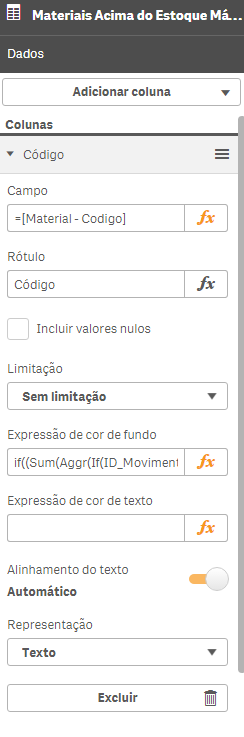
You must to fill background expression for each dimension of you table. Doing this, you will get what you want to.
Cheers
Farol BI
WhatsApp: 24 98152-1675
Skype: justen.thiago
 OmarBenSalem
- Mark as New
- Bookmark
- Subscribe
- Mute
- Subscribe to RSS Feed
- Permalink
- Report Inappropriate Content
u have to use the same expression in all of the columns.
Thus, Thiago's answer is not only helpful, but it's the only way to do this and so his answer is correct.
With that in mind, please close this thread by marking his answer as correct
Thiago_Justen_
- Mark as New
- Bookmark
- Subscribe
- Mute
- Subscribe to RSS Feed
- Permalink
- Report Inappropriate Content
Thanks Omar. Keep learning with you and others!
Farol BI
WhatsApp: 24 98152-1675
Skype: justen.thiago
Thiago_Justen_
- Mark as New
- Bookmark
- Subscribe
- Mute
- Subscribe to RSS Feed
- Permalink
- Report Inappropriate Content
Fabio,
If any response above was helpful, please, close this thread by marking the correct response and those responses wich were helpful.
Cheers
Farol BI
WhatsApp: 24 98152-1675
Skype: justen.thiago
