Unlock a world of possibilities! Login now and discover the exclusive benefits awaiting you.

- Qlik Community
- :
- Forums
- :
- Analytics & AI
- :
- Products & Topics
- :
- App Development
- :
- Re: Creating a custome theme in Qlik Sense
- Subscribe to RSS Feed
- Mark Topic as New
- Mark Topic as Read
- Float this Topic for Current User
- Bookmark
- Subscribe
- Mute
- Printer Friendly Page

 prashantsanchet
- Mark as New
- Bookmark
- Subscribe
- Mute
- Subscribe to RSS Feed
- Permalink
- Report Inappropriate Content
Creating a custome theme in Qlik Sense
Hi Team,
I have started creating a basic theme in qliksense desktop june 2018 .
As describe in sample, i created a basic JSON and QEXT file and put into Qlik Sense Extension folder..
I am able to see the Custom theme name when i am opening application but i am not able to see any difference,
Please help me if i am doing anything wrong or do i need to do any settings.
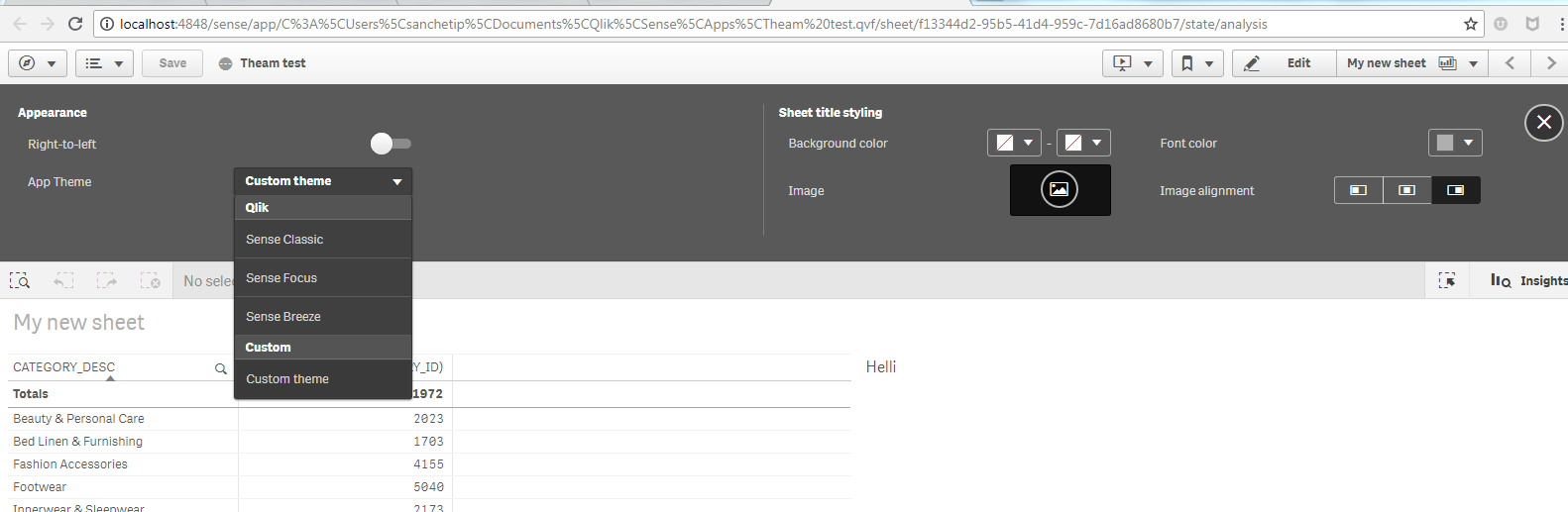
Thanks & Regards,
Prashant
.png "arvind1494")
 arvind1494
- Mark as New
- Bookmark
- Subscribe
- Mute
- Subscribe to RSS Feed
- Permalink
- Report Inappropriate Content
How to create a custom theme in Qlik Sense
Use this link

 BalaBhaskar_Qli
- Mark as New
- Bookmark
- Subscribe
- Mute
- Subscribe to RSS Feed
- Permalink
- Report Inappropriate Content
May be : "theme.json" is required (a json file with the "theme" name - renaming the .json file name with 'theme' only as name works.).
Check this:
And check this:
Also, you need to give the name of the .qext file as the parameter (Not the name you have given to the theme inside QEXT file)
Example:
if mytheme.qext is the file name, below will be the code
qlik.theme.apply('mytheme').then(function(result) {
if(result)
console.log('theme applied!');
else
console.warn('could not apply theme!');
});
